*
Selection cursor ............................................... 10–11
Timer display ............................................. 10–13, 15
Lock indicator ................................................................7
Low battery indicator ...............................................6
“TIMER ACTIVE” indicator ............................... 12–13
Speaker on/off indicator ................................9, 11
“SET” indicator ............................................... 8, 10–12
“RELEASE” indicator .................................. 12–13, 15
Number of shots ................................................9–13
* The illustration inside the front cover shows
the control panel with all elements lit. In the
other illustrations throughout this manual,
elements relevant to the explanation in the
accompanying text are shown in black. Indi-
cators not mentioned in the text are shown
in gray.
Parts of the MC-36 (2/3)
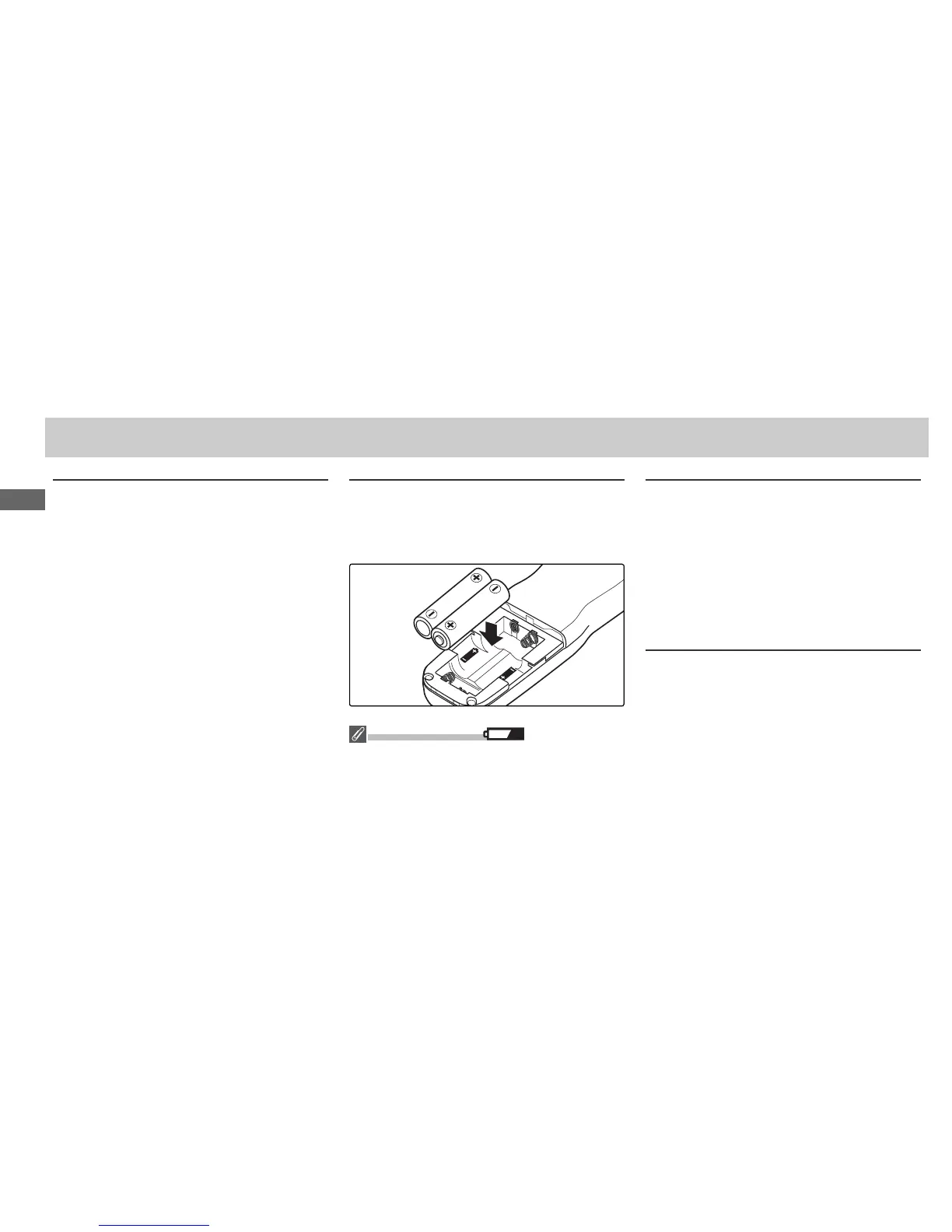
Inserting Batteries
Slide the battery-chamber cover () from the
back of the MC-36 and insert two AAA 1.5 V
LR03 alkaline batteries (available separately)
as shown.
The Low Battery Indicator ( )
The low battery indicator () will blink when the
batteries are low. Ready spare batteries.
Replacing Batteries
When replacing batteries:
1 Check that the “TIMER ACTIVE” () and “RE
LEASE” () indicators are not displayed (see
right).
2 Turn the camera off and disconnect the MC-36.
3 Remove the batteries.
4 Wait until the control panel has gone out and
insert new batteries.
When the MC-36 Is Not in Use
When the MC-36 Is Not in Use
The MC-36 is not equipped with an off switch.
To reduce the drain on the batteries when the
MC-36 is not in use, end shooting and check
that the “TIMER ACTIVE” (), “SET” (), and “RE
LEASE” () indicators are not displayed (see
right). The drain on the batteries increases
when these indicators are fl ashing.



 To Next Page