En
10
Setting the Timer
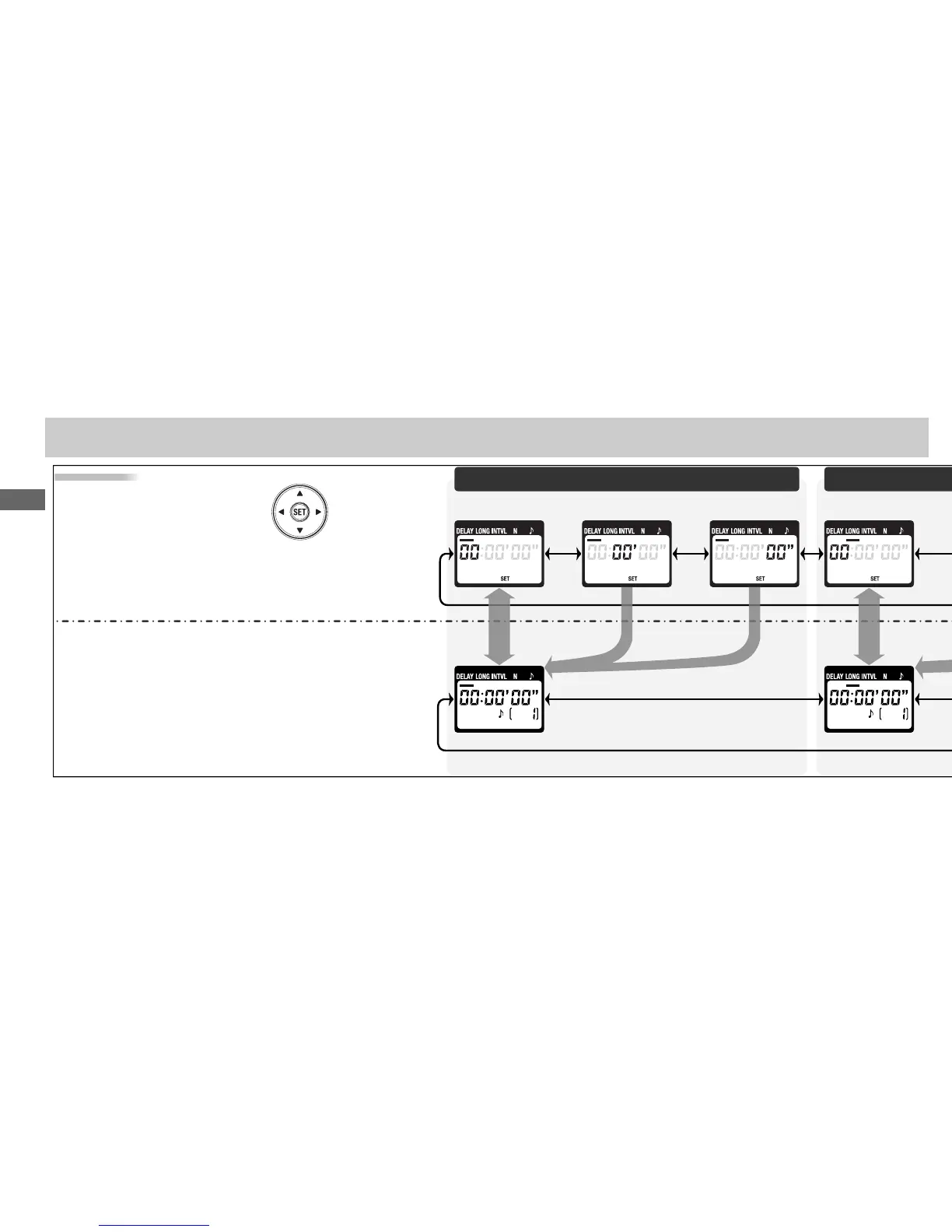
Use the arrow button to set the timer.
Press left or right to select, up or down
to change. The current selection is in-
dicated by the selection cursor ().
Adjust
settings
Setting
complete
Timed Photography (3/7)
Delay (time until shooting starts)
Press SET () at any time to complete the opera-
tion and display the new settings for the selected
item. To view other settings, press the arrow but-
ton left or right. The current selection is indicated
by the selection cursor (). Press the SET button
to edit the current setting as described above.
Hour
SecondMinuteHour



 To Next Page