En
13
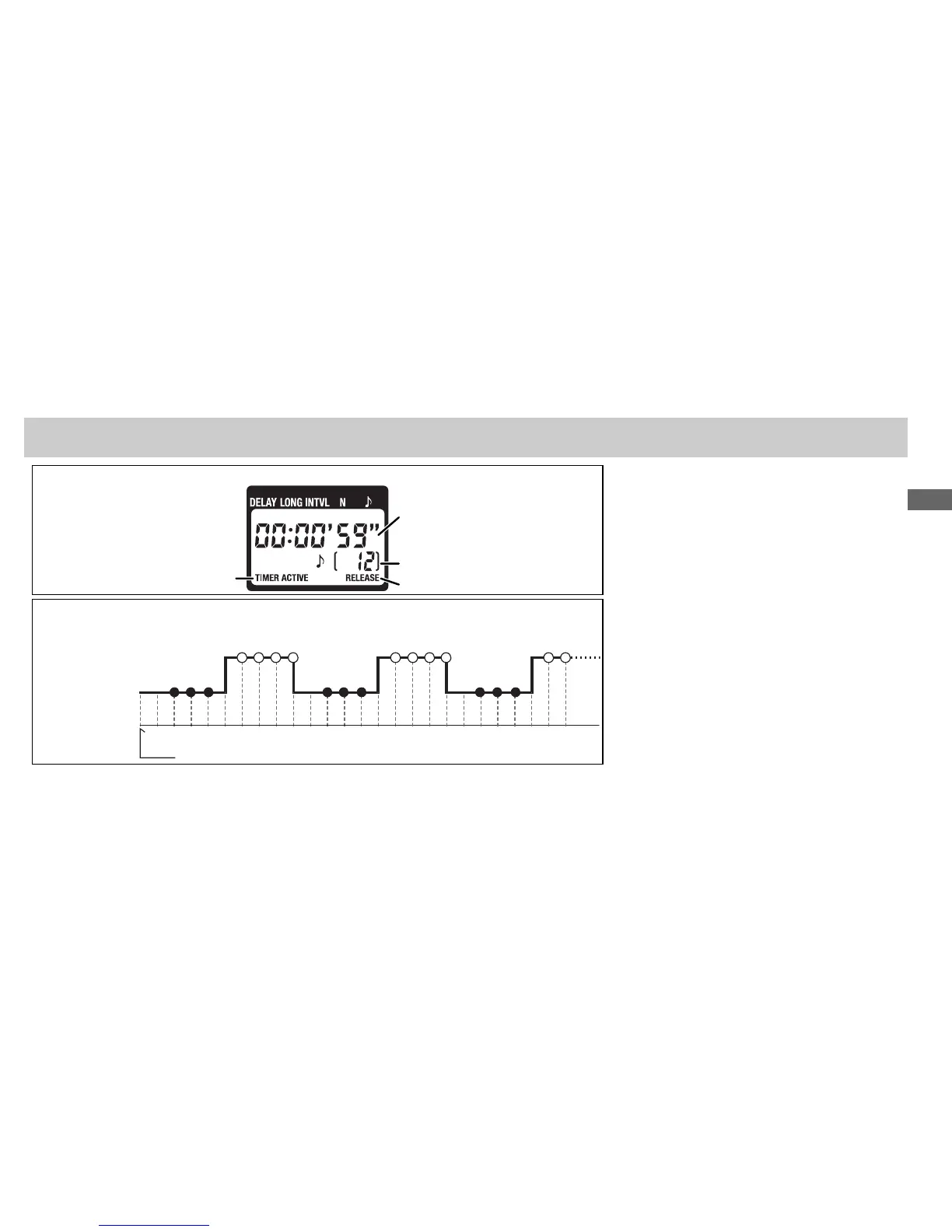
Control Panel Display (Timer Active)
Timed Photography (6/7)
Flashes while timer is active
Between shots: Time remaining
until next shot
While shutter is open: Time remain-
ing until shutter closes
Number of shots remaining
Flashes while shutter is open
The Speaker and Release Lamp
The following illustration shows when a beep will sound (●) and the release lamp fl ash (
) with a delay
of 5 s, an exposure time of 4 s, and an interval of 9 s.
Shutter closedShutter closed
Shutter openShutter open
(s)
Timer starts
512
3
4
6
78
9
10
11 12 13 14 15 16 2517 18 19
20
21 22 23
24
4. End Shooting
Shooting will end automatically when the se-
lected number of shots has been taken. To end
shooting before all photographs have been
taken, press the TIMER START/STOP button ().



 To Next Page