6
BASIC OPERATION continued
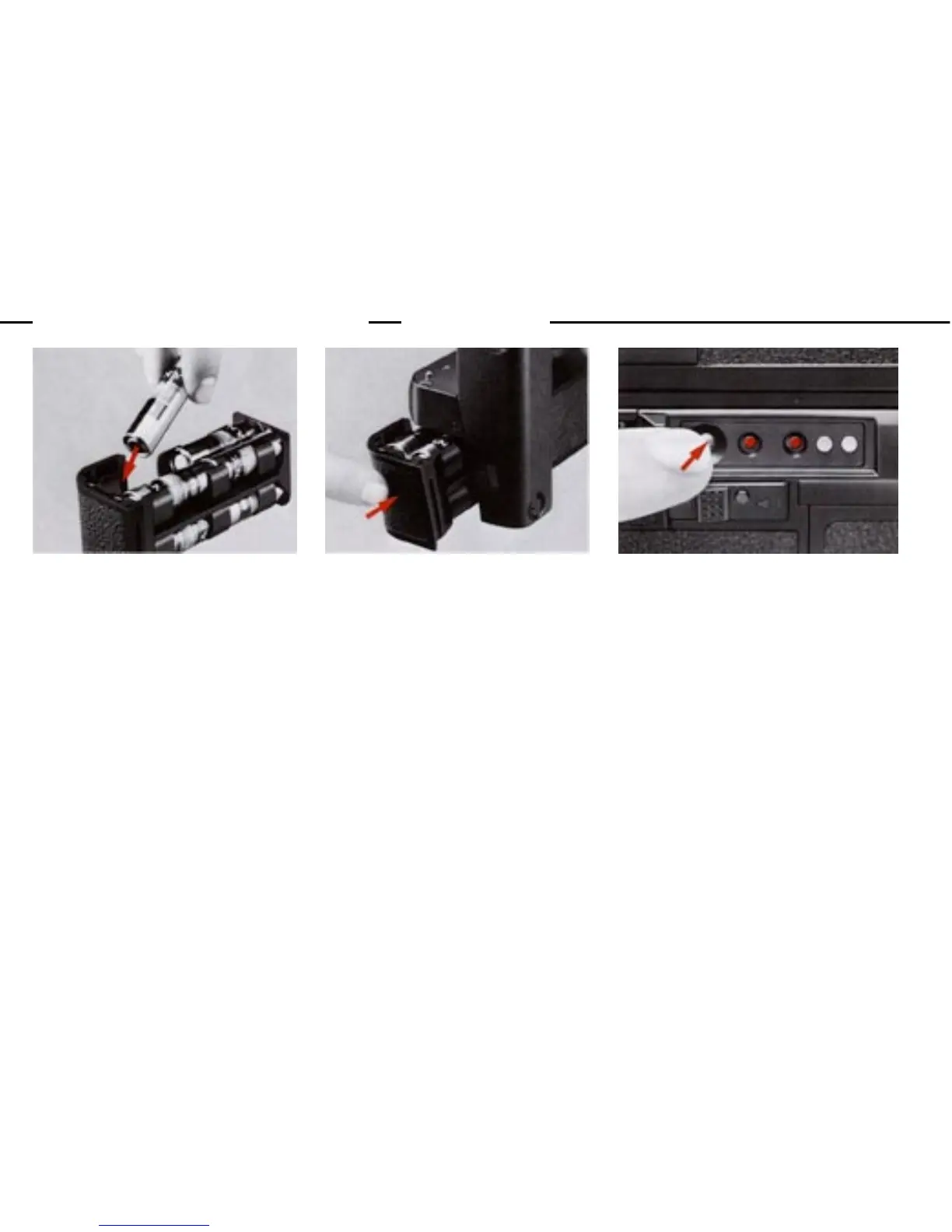
4.Load the batteries.
Install 8 AA-type penlight bat-
teries into the clip following
the " + " and "-" indications.
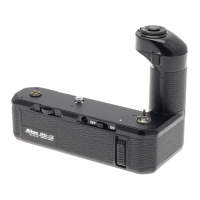
5.Install the battery clip.
Put the clip back in the bat-
tery chamber (13). Push it un-
til it snaps into place.
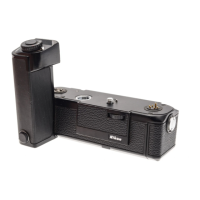
6.Check the battery power.
Push the battery check button (1)
If both LED's (9) light up, the
batteries have been loaded prop-
erly and their power is suffi-
cient. If one LED glows, the bat-
teries should be replaced with a
fresh set. If none go on, this
indicates that the batteries have
not been loaded correctly or are
completely dead.


 To Next Page