

EasyManua.ls Logo

Nilox 17NXGCON38001 - User Manual

Nilox 17NXGCON38001
57 pages
Go to English
Print Icon
To Next Page IconTo Next Page
Loading...
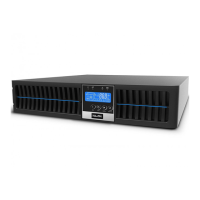
UPS
MANUALE UTENTE
Question and Answer IconNeed help?

Do you have a question about the Nilox 17NXGCON38001 and is the answer not in the manual?

Summary

Safety and Warranty

General Safety Precautions

Crucial safety advice for operating the UPS, including environmental and usage restrictions.

Warranty Details

Details the two-year warranty for electronic parts and six-month warranty for the battery.

Battery and Installation Safety

Battery Replacement Safety Procedures

Steps to follow for safe battery replacement, including protective measures and tool usage.

Installation Environment Guidelines

Recommendations for installing the UPS in a protected, ventilated area free of dust.

Installation and Unpacking

Unpacking and Contents Check

Instructions for carefully checking the UPS and its packaging contents after delivery.

Mounting Accessories

Details on the accessory kits included for rack or tower installation.

Rack Installation Guide

Rack Mounting Procedure

Step-by-step guide for installing the UPS unit in a rack shelf.

Back Panel Interface

Port Descriptions and Functions

Explanation of each port on the back panel, including EPO, USB, RS232, and AC inputs/outputs.

LCD Display and Controls

Understanding LCD Icons and Indicators

Explanation of the LCD screen elements and LED indicators for UPS status.

Button Operations

Description of the ON, OFF, Select, and Silence button operations.

UPS Operational Modes

Bypass Mode Activation

Procedure to start Bypass mode by pressing specific keys simultaneously.

UPS Startup Process

Normal Mode Startup

Steps to connect and start the UPS in normal operating mode.

Blackout Simulation Test

Optional procedure to simulate a blackout to test UPS functionality.

Battery Mode and Status

Cold Start Procedure

Steps to start the UPS in cold start mode, including battery mode limits.

Interpreting UPS Display Information

How to view values and messages on the UPS display using the Select key.

UPS Block Code Interpretation

Understanding block codes and the procedure to unlock the device.

UPS Shutdown and Alarms

Shutdown Procedure

Steps to properly shut down the UPS unit.

Self Test Functionality

How to run a self-test to check UPS functionality.

Status and Alarm Buzzer Guide

Table indicating UPS status conditions and corresponding buzzer alerts.

Advanced RS232 Settings

Using the UPS Setting Tool Software

Guide to downloading and using the software for advanced UPS configuration.

System Configuration Options

Explanation of voltage selection, UPS mode, and frequency settings.

Programmable Outlet Management

Configuring Outlet Behavior

Details on setting up programmable outlets for delayed turn-on/off and overload conditions.

Manual Outlet Control

How to manually switch programmable outlets on or off.

External Battery Bank Integration

Battery Bank Specifications

Information on adding external battery banks to extend autonomy, including models and dimensions.

Included Installation Accessories

List and description of accessories included for device installation.

Installation Diagrams and Panels

Rack and Desktop Installation Views

Illustrations showing how to perform rack and desktop installations.

Front and Back Panel Overview

Diagrams highlighting key components and connectors on the UPS front and back panels.

UPSilon2000 Software Setup

Connecting Communication Cables

Instructions for connecting RS232/USB cables between the UPS and the computer.

Battery Replacement Guide

Step-by-Step Battery Replacement

Detailed steps for replacing the UPS batteries, with model-specific instructions.

Technical Specifications Appendix

Model and Power Specifications

Details model, EAN, power ratings (W/VA), input voltage, and output characteristics.

Battery, Efficiency, and Display Features

Information on battery specs, efficiency modes, and LCD display features.

Diagnostics, Protection, and Connections

Overview of diagnostic functions, protection, alarms, and input/output connections.

Additional Technical Specifications

Output, PC, and Expansion Interfaces

Details on output connections, PC interfaces, EPO, SNMP, and battery connectors.

Mechanical, Environmental, and Package Details

Information on noise level, dimensions, operating environment, and package contents.
Summary

Safety and Warranty

General Safety Precautions

Crucial safety advice for operating the UPS, including environmental and usage restrictions.

Warranty Details

Details the two-year warranty for electronic parts and six-month warranty for the battery.

Battery and Installation Safety

Battery Replacement Safety Procedures

Steps to follow for safe battery replacement, including protective measures and tool usage.

Installation Environment Guidelines

Recommendations for installing the UPS in a protected, ventilated area free of dust.

Installation and Unpacking

Unpacking and Contents Check

Instructions for carefully checking the UPS and its packaging contents after delivery.

Mounting Accessories

Details on the accessory kits included for rack or tower installation.

Rack Installation Guide

Rack Mounting Procedure

Step-by-step guide for installing the UPS unit in a rack shelf.

Back Panel Interface

Port Descriptions and Functions

Explanation of each port on the back panel, including EPO, USB, RS232, and AC inputs/outputs.

LCD Display and Controls

Understanding LCD Icons and Indicators

Explanation of the LCD screen elements and LED indicators for UPS status.

Button Operations

Description of the ON, OFF, Select, and Silence button operations.

UPS Operational Modes

Bypass Mode Activation

Procedure to start Bypass mode by pressing specific keys simultaneously.

UPS Startup Process

Normal Mode Startup

Steps to connect and start the UPS in normal operating mode.

Blackout Simulation Test

Optional procedure to simulate a blackout to test UPS functionality.

Battery Mode and Status

Cold Start Procedure

Steps to start the UPS in cold start mode, including battery mode limits.

Interpreting UPS Display Information

How to view values and messages on the UPS display using the Select key.

UPS Block Code Interpretation

Understanding block codes and the procedure to unlock the device.

UPS Shutdown and Alarms

Shutdown Procedure

Steps to properly shut down the UPS unit.

Self Test Functionality

How to run a self-test to check UPS functionality.

Status and Alarm Buzzer Guide

Table indicating UPS status conditions and corresponding buzzer alerts.

Advanced RS232 Settings

Using the UPS Setting Tool Software

Guide to downloading and using the software for advanced UPS configuration.

System Configuration Options

Explanation of voltage selection, UPS mode, and frequency settings.

Programmable Outlet Management

Configuring Outlet Behavior

Details on setting up programmable outlets for delayed turn-on/off and overload conditions.

Manual Outlet Control

How to manually switch programmable outlets on or off.

External Battery Bank Integration

Battery Bank Specifications

Information on adding external battery banks to extend autonomy, including models and dimensions.

Included Installation Accessories

List and description of accessories included for device installation.

Installation Diagrams and Panels

Rack and Desktop Installation Views

Illustrations showing how to perform rack and desktop installations.

Front and Back Panel Overview

Diagrams highlighting key components and connectors on the UPS front and back panels.

UPSilon2000 Software Setup

Connecting Communication Cables

Instructions for connecting RS232/USB cables between the UPS and the computer.

Battery Replacement Guide

Step-by-Step Battery Replacement

Detailed steps for replacing the UPS batteries, with model-specific instructions.

Technical Specifications Appendix

Model and Power Specifications

Details model, EAN, power ratings (W/VA), input voltage, and output characteristics.

Battery, Efficiency, and Display Features

Information on battery specs, efficiency modes, and LCD display features.

Diagnostics, Protection, and Connections

Overview of diagnostic functions, protection, alarms, and input/output connections.

Additional Technical Specifications

Output, PC, and Expansion Interfaces

Details on output connections, PC interfaces, EPO, SNMP, and battery connectors.

Mechanical, Environmental, and Package Details

Information on noise level, dimensions, operating environment, and package contents.

Nilox 17NXGCON38001 Specifications

General IconGeneral
BrandNilox
Model17NXGCON38001
CategoryUPS
LanguageEnglish

Related product manuals
