19Vsett display operation and porgramming
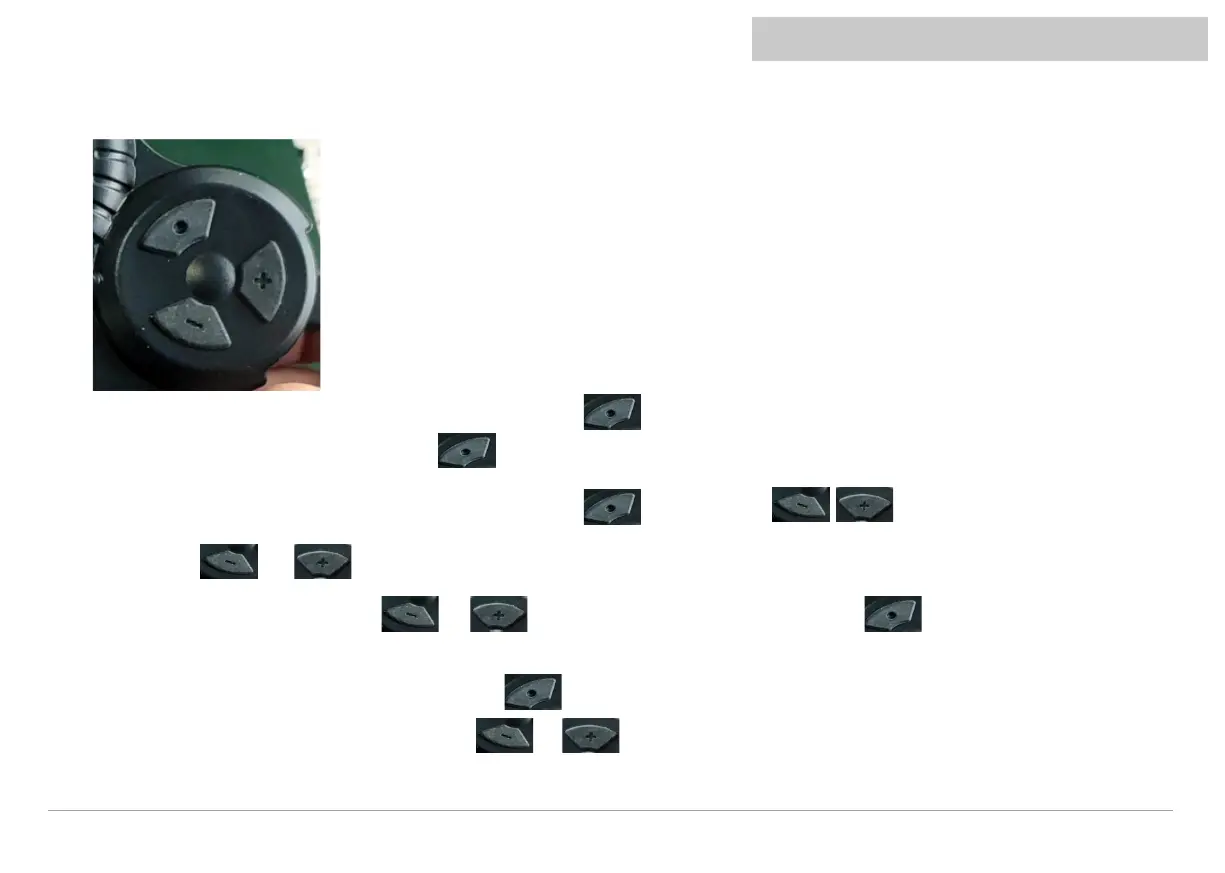
2、Introduction of buttons and interfaces
1. When it is shutdown, long-press hold button continuously for 2s to turn on the power. When it is power on ,It can change interface
between the ODO、TRIP、VOL, by pressing for short time.
2. When it is power on, long-press hold button continuously for 2s to turn off,press to change gear.
3. Long-press and to enter P-code menu - refer to functions on page 18.
Enter the menu setting interface, press or to increase or decrease the value (long press to change the
direction of the addition or subtraction of the value, and "A" on the left indicates the increase value, and "D" on the left indicates the
decrease value), after the modification is finished;Press to switch to the next parameter and save the value of the previous
parameter;After parameter modification, long press + again to exit the setting interface, or wait for 8 seconds for
automatic exit and save parameters
Vsett display operation and porgramming



 To Next Page