4 5ninjakitchen.com
ninjakitchen.com
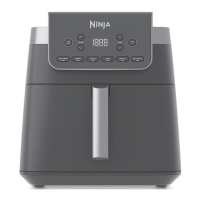
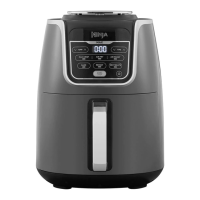
GETTING TO KNOW YOUR AIR FRYER PRO XL
1 Remove and discard all packaging material, promotional labels, and tape from the unit.
2 Remove all accessories from the package and read this manual carefully. Please pay
particular attention to operational instructions, warnings, and important safeguards
to avoid any injury or property damage.
3 Wash the nonstick basket, crisper plate, and accessories in hot, soapy water, then rinse
and dry thoroughly. NEVER clean the main unit in the dishwasher.
BEFORE FIRST USE
FUNCTION BUTTONS
AIR FRY: Use to give food crispiness and
crunch with little to no oil.
ROAST: Use the unit as a roaster oven
for tender meats, vegetables, and more.
REHEAT: Revive leftovers by gently
warming them, leaving you with
crispy results.
DEHYDRATE: Dehydrate meats, fruits,
and vegetables for healthy snacks.
OPERATING BUTTONS
TEMP arrow buttons: Use the up and
down TEMP arrows to adjust the cook
temperature in any function, except Max
Crisp, before or during cooking.
TIME arrow buttons: Use the up and down
TIME arrows to adjust the cook time
in any function before or during cooking.
START/PAUSE button: After selecting the
time and temperature, start cooking by
pressing the START/PAUSE button. You
can pause cooking at any time by pressing
the button again.
POWER button: The Power button shuts
o the unit and stops all cooking modes.
When setting time, the digital display shows HH:MM.
Display currently reads 23 minutes.
*Not all functions are included on every model.
NOTE: After 10 minutes with no
interaction with the control panel, the
unit will enter standby mode. The Power
button will be dimly lit.
USING YOUR AIR FRYER PRO XL
USING THE COOKING FUNCTIONS
To turn on the unit, first plug the power cord into a wall outlet. Press the power button
MAX CRISP AIR FRY
START
PAUSE
.
MAX CRISP AIR FRY
START
PAUSE
4 Add ingredients to the basket. Insert
the basket in the unit.
5 Press START/PAUSE to begin cooking.
6 To toss ingredients during cooking, first
press START/PAUSE to pause cooking,
then remove basket and shake it back
and forth. Reinsert basket and press
START/PAUSE to resume cooking.
7 When cooking is complete, the unit will
beep and End will appear on the control
panel display.
8 Remove ingredients by dumping
them out or using oven mitts
or silicone-tipped tongs/utensils.
Air Fry
1 Install the crisper plate in the basket.
2 Press the AIR FRY button. The default
temperature setting will display. Use the
TEMP up and down arrow buttons to
set your desired temperature.
3 Press the TIME up and down arrow
buttons to set the cook time.
NOTE: For best results, let the unit
preheat for 3 minutes before adding
ingredients.


 To Next Page
 Loading...