10 11ninjakitchen.com
ninjakitchen.com
USING YOUR AIR FRYER PRO XL – CONT.
NOTE: The Air Broil function and broil
rack are not included on all models.
Roast
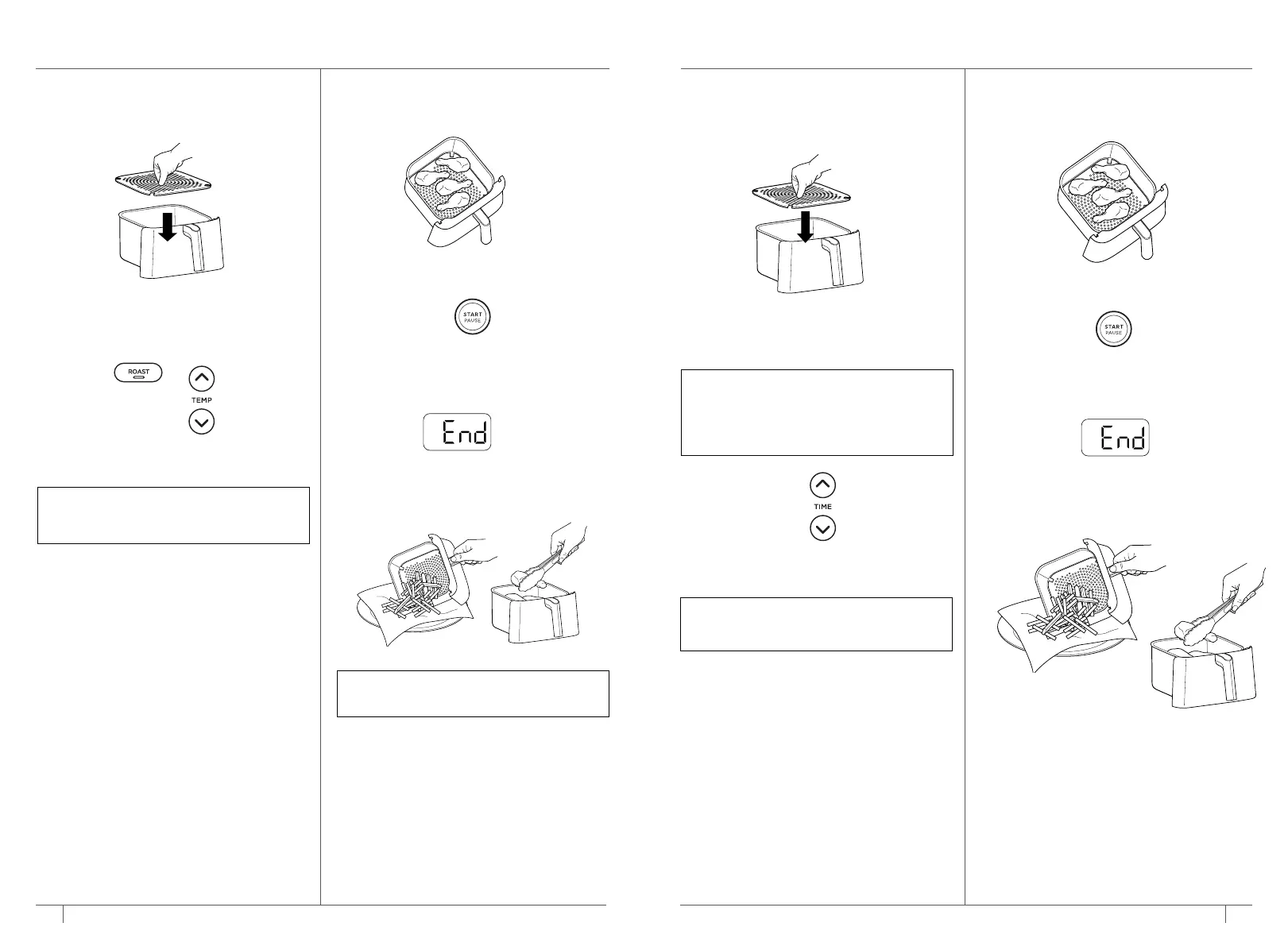
1 Install the crisper plate in the basket
if desired.
2 Press the ROAST button. The default
temperature setting will display. Press
the TEMP up and down arrow buttons
to set your desired temperature.
3 Press the TIME up and down arrow
buttons to set the cook time.
4 Add ingredients to the basket. Insert
the basket in the unit.
5 Press START/PAUSE to begin cooking.
6 When cooking is complete, the unit will
beep and End will appear on the control
panel display.
7 Remove ingredients by dumping
them out or using oven mitts
or silicone-tipped tongs/utensils.
NOTE: For best results, let the unit
preheat for 3 minutes before adding
ingredients.
Bake
1 Install the crisper plate in the basket
if needed. If using a baking dish, the
crisper plate is not needed.
2 Press the BAKE button. The default
temperature setting will display. Press
the TEMP up and down arrow buttons
to set your desired temperature.
3 Press the TIME up and down arrow
buttons to set the cook time.
4 Add ingredients to the basket. Insert the
basket in the unit.
5 Press START/PAUSE to begin cooking.
6 When cooking is complete, the unit will
beep and End will appear on the control
panel display.
7 Remove ingredients by dumping them
out or using oven mitts or silicone-tipped
tongs/utensils.
NOTE: For best results, let the unit
preheat for 3 minutes before adding
ingredients.
NOTE: To convert recipes from a
conventional oven, reduce the
temperature of the air fryer by 25°F.
Check food frequently to avoid
overcooking.
MAX CRISP AIR FRY
START
PAUSE
MAX CRISP AIR FRY
START
PAUSE





 To Next Page