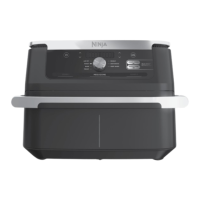
The Ninja Foodi FlexDrawer 10.4L Air Fryer, model AF500UK, is a versatile kitchen appliance designed for household use, offering a range of cooking functions and features to simplify meal preparation. This air fryer is engineered to provide crisp and crunchy results with little to no oil, making it an excellent choice for healthier cooking. Its standout feature is the FlexDrawer, which allows for flexible cooking configurations, adapting to various meal sizes and types.
Function Description
The Ninja Foodi FlexDrawer AF500UK offers seven distinct cooking functions, each tailored to achieve specific culinary results:
- Max Crisp: This function is ideal for cooking smaller quantities of frozen foods, such as French fries and chicken nuggets, at high temperatures to achieve maximum crispiness. The temperature for Max Crisp is preset to 240°C and is not adjustable, ensuring optimal results for these specific items.
- Air Fry: Designed to give food a crispy and crunchy texture with minimal oil, the Air Fry function circulates hot air around the ingredients. This is perfect for a wide variety of foods, from vegetables to meats, providing a healthier alternative to deep-frying.
- Roast: This function transforms the unit into an oven, suitable for cooking tender meats, vegetables, and more. It allows users to achieve roasted perfection with ease, making it a versatile option for main courses and side dishes.
- Bake: For those with a sweet tooth or a love for homemade bread, the Bake function enables the creation of decadent baked treats and desserts. It provides a controlled environment for baking, ensuring even cooking and delicious outcomes. When converting traditional oven recipes, it is recommended to reduce the temperature by 10°C.
- Reheat: The Reheat function is designed to revive leftovers, gently warming them while restoring a crispy texture. This helps prevent food from becoming soggy, making reheated meals taste as good as freshly cooked ones. The temperature for Reheat is preset to 170°C.
- Dehydrate: This function allows users to create healthy snacks by dehydrating meats, fruits, and vegetables. It operates at a lower temperature, typically preset to 60°C, to slowly remove moisture from food, preserving it and concentrating its flavors.
- Prove: The Prove function creates an optimal environment for dough to rest and rise, which is essential for baking bread and other yeast-based products. The temperature for Prove is preset to 75°C, with a recommended setting of 35°C for optimal dough rising.
Usage Features
The AF500UK is equipped with several features that enhance its usability and cooking efficiency:
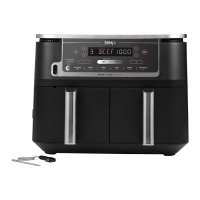
- FlexDrawer Design: The appliance features a large 10.4L non-stick drawer with a removable divider. This innovative design allows users to either cook in one large MegaZone for bigger meals or divide it into two independent cooking Zones (Zone 1 and Zone 2) for preparing different foods simultaneously. The MegaZone is activated by removing the divider, while the two Zones are used with the divider in place.
- DualZone Technology: This advanced technology increases versatility by allowing two different cooking functions, temperatures, and times to run concurrently in Zone 1 and Zone 2.
- SYNC Feature: The SYNC button automatically synchronizes the cook times of both Zones, ensuring that different foods, even with varying cook times, temperatures, or functions, finish cooking at the same time. This eliminates the need to monitor multiple cooking processes. When one Zone finishes before the other, it will enter "HOLD" mode until the other Zone is ready.
- MATCH Feature: The MATCH button allows users to quickly duplicate the settings (function, temperature, and time) from Zone 1 to Zone 2. This is particularly useful when cooking larger quantities of the same food or when preparing different foods that require identical cooking parameters.
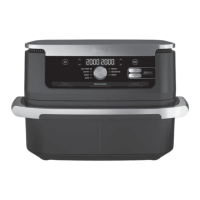
- Control Panel: The intuitive control panel includes a function dial for selecting cooking modes, temperature arrows (TEMP) to adjust cooking temperature, and time arrows (TIME) to set the cooking duration. The digital display shows the selected settings and remaining cook time.
- Operating Buttons:
- ZONE 1 and ZONE 2 Buttons: These buttons allow individual control over the settings for each cooking Zone.
- START/STOP Button: Initiates or pauses the cooking cycle.
- Power Button: Turns the unit ON/OFF and stops all cooking functions.
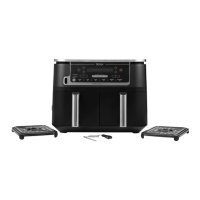
- Crisper Plates: The unit comes with non-stick crisper plates, one for each Zone. These plates elevate ingredients within the drawer, allowing hot air to circulate evenly around the food for consistent crisping results.
- Standby Mode: To conserve energy, the unit automatically enters standby mode after 10 minutes of inactivity on the control panel.
- Pausing Cooking: Cooking automatically pauses when the drawer is removed. Re-inserting the drawer within 10 minutes resumes cooking; otherwise, the program will be cancelled.
- Temperature and Time Adjustments: Cook temperature and time can be adjusted at any point during the cooking process by selecting the desired Zone and using the TEMP or TIME arrows.
- Food Monitoring: For best results, it is recommended to check food progress throughout cooking and remove it once the desired level of brownness is achieved. An instant-read thermometer can be used to monitor the internal temperature of meats and fish.
- Even Cooking: To ensure consistent browning, ingredients should be arranged in an even layer at the bottom of the drawer without overlapping. For foods that tend to overlap, it is advisable to move them around using silicone tongs/utensils halfway through the cook time.
- Lightweight Food Management: Occasionally, the fan may blow lightweight foods around. To prevent this, users can secure loose lightweight items, such as the top slice of bread on a sandwich, with wooden cocktail sticks.
- Oil Usage: For fresh vegetables and potatoes, using at least 1 tablespoon of oil is recommended, with more added as desired to achieve the preferred level of crispiness.
- Battered Ingredients: The air fryer can handle wet, battered ingredients if the proper breading technique is used. Foods should be coated first with flour, then egg, and then breadcrumbs, pressing the breadcrumbs firmly to prevent them from being blown off by the fan.
Maintenance Features
Proper cleaning and maintenance are crucial for extending the life of the Ninja Foodi FlexDrawer AF500UK:
- Main Unit Cleaning: The main unit and control panel should be wiped clean with a damp cloth. It is important NEVER to immerse the main unit in water or any other liquid, and it should NEVER be cleaned in a dishwasher.
- Drawer, Divider, and Crisper Plates Cleaning: The drawer, removable divider, and crisper plates are the ONLY dishwasher-safe parts. However, to extend their lifespan, hand-washing them in hot, soapy water is recommended. After washing, all parts should be rinsed and dried thoroughly.
- Food Residue Removal: If food residue becomes stuck on the crisper plates or drawer, they can be soaked in a sink filled with warm, soapy water to loosen the residue before cleaning.
- Cooling Down: Before cleaning, the unit must be unplugged and allowed to cool down completely.
- Regular Inspection: Users should regularly inspect the appliance and power cord for any damage. If damage is found or the appliance malfunctions, usage should be stopped immediately, and customer service should be contacted.

 Need help?
 General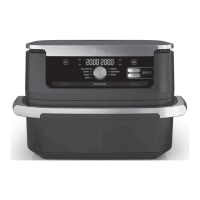



 To Next Page