ENGLISH
35 36ninjakitchen.eu
USING THE COOKING FUNCTIONS
To turn on the unit, first plug the power cord
into a wall socket. Press the power button
.
4 Add ingredients to the drawer. Insert
the drawer in the unit.
5 Press START/STOP to begin cooking.
6 When cooking is complete, the unit will
beep and END will appear on the control
panel display.
7 Remove ingredients by tipping
them out or by using oven gloves
or silicone-tipped tongs/utensils.
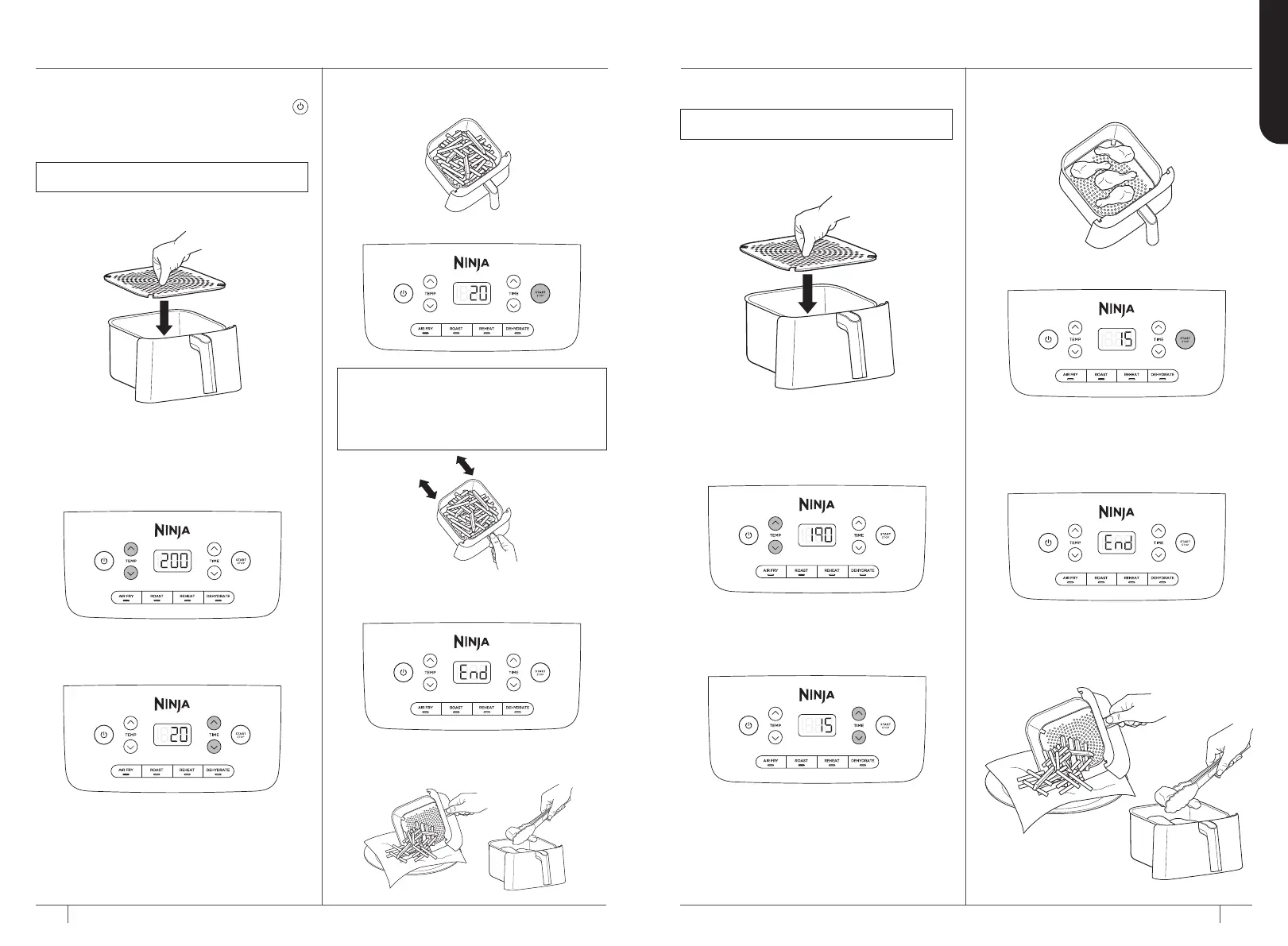
AIR FRY
1 Ensure the crisper plate is in the
drawer.
2 Press the AIR FRY button. The default
temperature setting will display. Use
the TEMP up and down arrow buttons
to set your desired temperature.
3 Press the TIME up and down arrow
buttons to set your desired cook time.
NOTE: To toss the ingredients during
cooking, remove the drawer and shake back
and forth. The unit will automatically pause
when the drawer is removed. Reinsert the
drawer and cooking will resume.
ROAST
1 Ensure the crisper plate is inserted
into the lower position in the drawer, if
needed.
2 Press the ROAST button. The default
temperature setting will display. Press
the TEMP up and down arrow buttons
to set your desired temperature.
3 Press the TIME up and down arrow
buttons to set your desired cook time.
4 Add ingredients to the drawer.
Insert the drawer in the unit.
5 Press START/STOP to begin cooking.
6 When cooking is complete, the unit
will beep and END will appear on the
control panel display.
7 Remove ingredients by tipping
them out or by using oven gloves
or silicone-tipped tongs/utensils.
NOTE: The temperature is preset to 200°C.
NOTE: The temperature is preset to 190°C.


 To Next Page
 Loading...