custom design, it will be saved on
the SD Card.
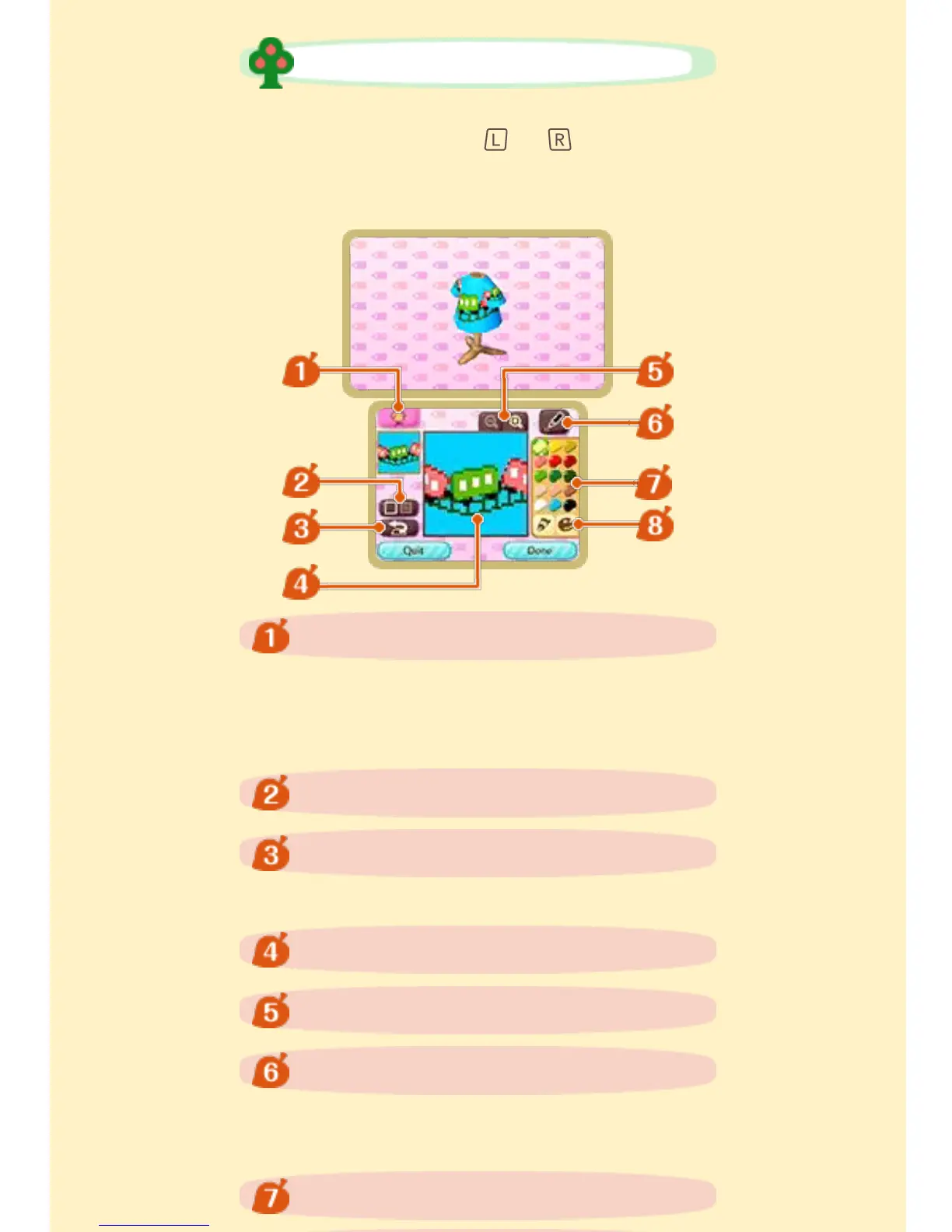
Create a custom design on the
Touch Screen. Hold or to stop
the image on the 3D Screen from
rotating.
Switch between the type of item for
which you wish to create a custom
design.
Choose a painting tool or change
pen or stamp type.
Undo/Redo last action.
Create a Custom Design
Switch item
Display/Hide grid
Undo/Redo
Canvas area
Zoom out/Zoom in
Tools
Currently selected palette


 To Next Page
 Loading...