Table Descriptions of Each Component
Numbers
Within the
Figure
Operates the console sleep mode and turns the console on
and off.
Two buttons for adjusting the volume.
The air vent for the console cooling fan.
The device does not have a built-in mic. A headset must be
connected to this port to use in-game chat or similar
features.
A new game card slot. The game cards for previous hardware
platforms, such as Nintendo 3DS, are not compatible, and
cannot be inserted.
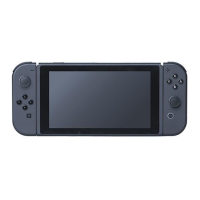
6.2-inch IPS LCD screen (1280×720 resolution).
A capacitive multi-touch panel that detects multiple points
of contact will be provided. Up to 10 touch points can be
detected at the same time.
We plan to use two speakers of the same quality as those
used in the New Nintendo 3DS.
USB connector
(Type-C shape)
Used to charge the Switch console and to connect to the
Switch dock.
One microSD card slot is provided. Supported card types
include SD, SDHC, and SDXC.
Built-in stand that supports the Switch so that it can stand
on its own. Using this stand, the Joy-Con controllers can be
detached and the Switch console stood up and used as a













 To Next Page