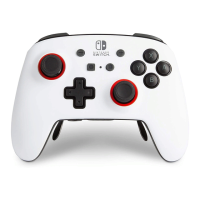
If the button test fails, or if the issue becomes so severe that it impacts your ability to play a game or use the
controller, then we are happy to inspect the Nintendo Switch Pro Controller, and repair or replace it if
necessary.
Pro Controller Motion Controls Are Not
Responding Correctly or Cannot Be Calibrated
Applies to: Nintendo Switch
Description:
The motion controls on the Nintendo Switch Pro Controller such as tilt or shake are not responding correctly.
You are unable to calibrate the motion controls on the Pro Controller.
Additional Information:
This article refers to motion controls such as tilt or shake. If a different component of the Pro Controller is not
responding correctly, such as buttons or control sticks, select the appropriate knowledge article.
What to Do:
1. Ensure your console has the latest system update.
2. Ensure the Pro Controller is paired to the console and that the battery is charged.
3. Once the Pro Controller is paired, reset the controller by pressing the SYNC Button once. Then press any
other button on the Pro Controller to power it on again.
4. Ensure that nothing is covering the Pro Controller such as protective covers or skins, then calibrate the
motion controls.
5. Ensure that the software or application you are using is compatible with the Pro Controller and that it
supports motion controls.
o Some games such as Mario Kart 8 Deluxe require the motion controls to be activated manually.
Situation Not Resolved:
If the calibration fails or if the motion controls are not responding with any supported software, the Nintendo
Switch Pro Controller will need to be repaired.


 To Previous Page