2
Ceth o leonstitSe n p Ug
1. Connect the AC adapter
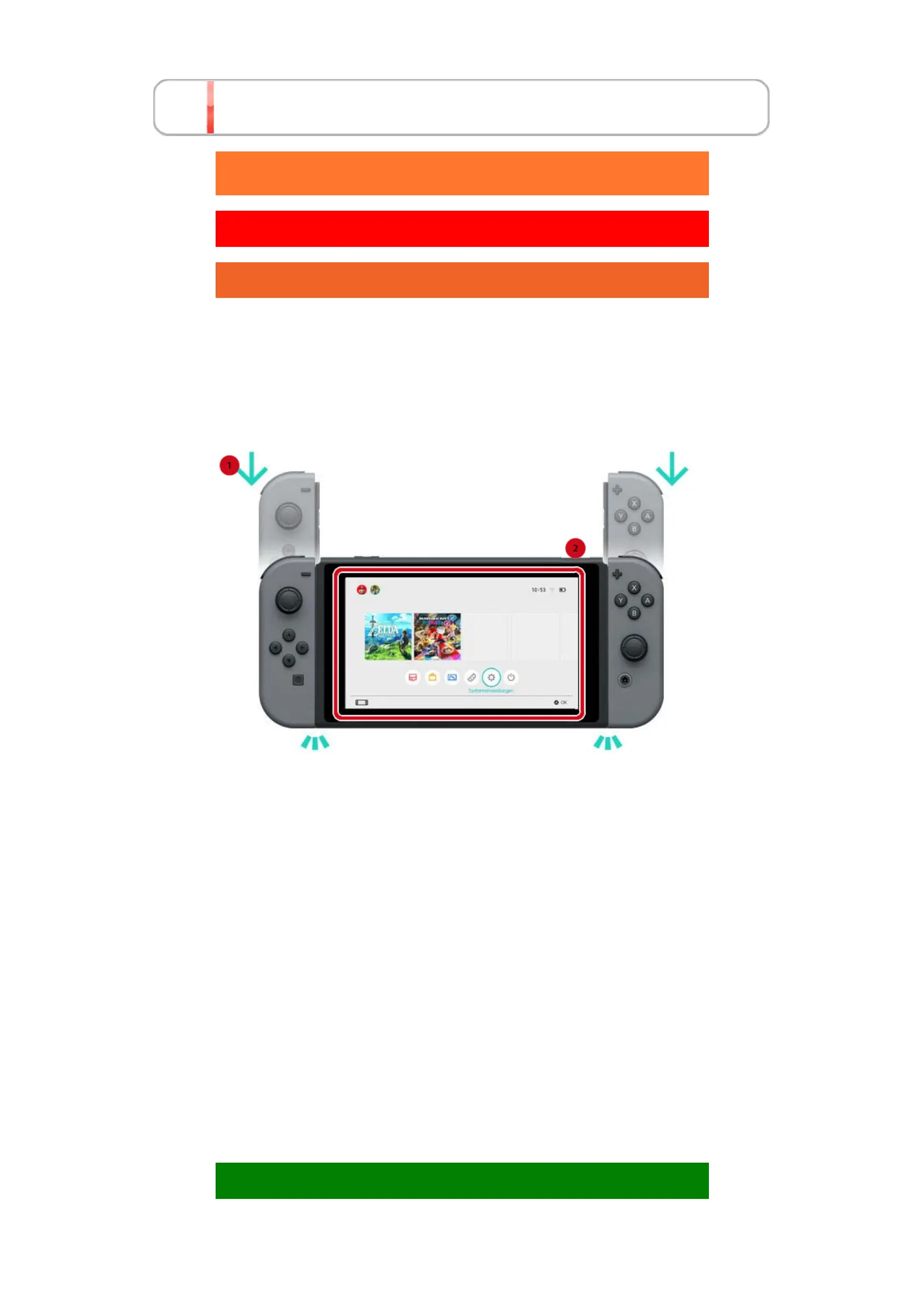
2. Set up the console
When you start up the console for the first time,
you'll be asked to choose some settings. Attach
both Joy-Con controllers to the console and follow
the on-screen instructions.
More settings can be chosen later.
If something you don't understand pops up while
you're choosing your settings, please view the
following pages.
→Connecting to the internet
→What is a time zone?
→Connecting to a TV
→Linking to a Nintendo Account
→Setting Parental Controls
Changing your settings
Click!
Setting Up the Console













 To Next Page