Need help?
Do you have a question about the Nintendo Wii Fit Plus and is the answer not in the manual?
Enter your height and birth date for initial fitness assessment and data privacy.
Perform a quick Body Test for baseline measurements like weight and balance.
The starting point for Wii Fit Plus training, showing registered Miis and main options.
View daily stamps for Body Tests, results, and navigate monthly progress.
Access various exercises like Yoga, Strength Training, and Aerobics.
The Wii Fit Plus is a unique fitness device that integrates with the Nintendo Wii console to provide a comprehensive and interactive exercise experience. It is designed to make fitness fun and accessible, offering a wide range of activities that go beyond traditional video games. The core of the Wii Fit Plus experience revolves around a specialized peripheral called the Balance Board, which adds a new dimension of interactivity to your workouts.
The primary function of the Wii Fit Plus is to help users track their physical fitness, engage in various exercises, and set personal fitness goals. It offers a multi-step setup process that includes getting acquainted with the software, preparing your Mii (a customizable avatar), and understanding how to use the Balance Board and other controls. The software guides you through navigating its many menus, ensuring a smooth start to your fitness journey.
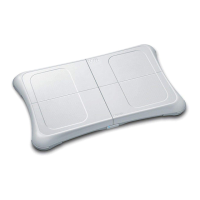
One of the key usage features is the initial setup, which involves creating and saving user data and synchronizing the Balance Board with your Wii console. If you're upgrading from the original Wii Fit, the system intelligently uses your previous data. The Balance Board itself is a flat, rounded, rectangular platform capable of supporting up to 330 pounds. It uses four Balance Sensors on the bottom to measure weight and balance, communicating wirelessly with the Wii console via Bluetooth, similar to the Wii Remote. For optimal performance, especially on thick carpets, the device includes foot extensions that can be placed on each sensor to ensure proper clearance.
After setup, the Wii Fit Plus guides you through establishing your physical fitness baseline with a quick Body Test. This test measures your weight, Center of Balance, Body Mass Index (BMI), body control, and Wii Fit Age. You'll be prompted to enter your height and birth date, and it's crucial to enter your real birth date for accurate analysis. To protect personal data like weight, you have the option to set a Personal Identification Number (PIN).
During the Body Test, you'll place the Balance Board directly in front of your screen, three to ten feet back, with the power button facing away from the television. It's recommended to use the Balance Board barefoot for better tactile response and range of motion, though non-slip yoga or "toe" socks are also suitable alternatives. The software will guide you to step on the board and remain still while it measures your Center of Balance. Maintaining a relaxed, stable stance is important to get accurate readings. The system provides feedback on your balance and body control, and these initial readings serve as a baseline for future improvement.
The Wii Fit Plus also allows you to set personal weight goals and deadlines, with the system providing suggestions based on your initial analysis. You can adjust these goals weekly, making it flexible to adapt to your progress. The software emphasizes familiarizing yourself with the exercises and software at the early stages rather than focusing too much on the initial goal.
Beyond the Balance Board, the Wii Remote and Nunchuk are integral to navigating menus and performing certain exercises. The Wii Remote is used for menu navigation and initiating exercises, and it's essential to use the wrist strap and Wii Remote Jacket for safety, especially during strenuous activities. For running exercises, wearing shorts or pants with pockets can be helpful for safely storing the Wii Remote, or you can use accessories like a leg strap. The Wii Remote Settings menu, accessible via the Home button, allows you to adjust Volume, Rumble (vibration feedback), and Connection settings. The Nunchuk attachment is used for specific activities like Rhythm Boxing, Rhythm Kung Fu, Rhythm Parade, and Big Top Juggling, and it plugs into the bottom of the Wii Remote.
The software is organized into three main navigation areas: Wii Fit Plaza, the Calendar screen, and the Training menu. An optional Wii Fit Plus Channel can also be added to the Wii Menu for quick access to stats and the Body Test without inserting the game disc. The Wii Fit Plaza serves as the starting point, displaying registered Miis and offering options to create new user profiles, register pet data (allowing pet weight tracking and avatars in some activities), and access settings. The Settings menu includes options to install the Wii Fit Plus Channel, perform a Wii Balance Board Check to verify sensor function, and view credits. A trial version is also available for quick demonstrations without saving data.
The Calendar screen provides a detailed view of your daily progress, showing a stamp for each day a Body Test is performed. It also allows access to a graph of your BMI, Weight, Wii Fit Age, Fit Credits, Waist, and Steps over time. Waist and Steps measurements are entered manually, with guidance on how to take accurate waist measurements and suggestions for using a pedometer for steps. User Settings on the Calendar screen allow you to edit your Mii's profile, change calendar design, and adjust the "Save Time" setting for data recording.
The Training menu is where the core exercises reside, categorized into Training Plus, Yoga, Strength Training, Aerobics, and Balance Games. It also features the Fit Bank, which tracks "Fit Credits" earned based on time spent exercising. These credits unlock more advanced activities, providing motivation. The Fit Bank also displays estimated calories burned, calculated using a Metabolic Equivalent of Task (METs) calculator. The software provides general navigation tips for the Training menu, such as hovering over icons to see exercise names and attempt counts, using buttons for navigation, and switching between male and female trainers for demonstrations. You can also switch between players in multiplayer activities, though unregistered users won't earn Fit Credits.
Maintenance features for the Balance Board include ensuring the sensors are free of dirt or debris and using foot extensions if needed for proper clearance. It's important to keep the Balance Board dry during exercise, as sweat can make the surface slippery. For cleaning, wipe the board with a soft, lint-free towel to remove loose dirt, then use a disinfectant wipe or a lint-free towel sprayed with disinfectant cleaner. Never spray liquids directly onto the board. After cleaning, dry the board completely before use. If control issues arise, the first step is to replace the AA batteries. If problems persist, the Wii Balance Board Check in the Settings menu can verify sensor function, and Nintendo support can be contacted for further assistance.
Finally, the Wii Fit Plus emphasizes the importance of warming up and cooling down. While the program reminds you to warm up, it suggests light aerobic exercise like jogging in place or jumping jacks to elevate body temperature and prepare muscles, lasting five to ten minutes. Stretching is recommended after the workout when muscles are warm, and only within your limits, to prevent injury.
 General
| Platform | Nintendo Wii |
|---|---|
| Release Date | October 4, 2009 |
| Compatibility | Wii Balance Board |
| Workout Modes | Yoga, Strength Training, Aerobics, Balance Games |
| User Profiles | 8 |
| Type | Fitness Game |
| Required Peripheral | Wii Balance Board |
| Multiplayer Support | Yes |
| ESRB Rating | E for Everyone |
| Developer | Nintendo |
| Publisher | Nintendo |
| Genre | Fitness |

 To Next Page