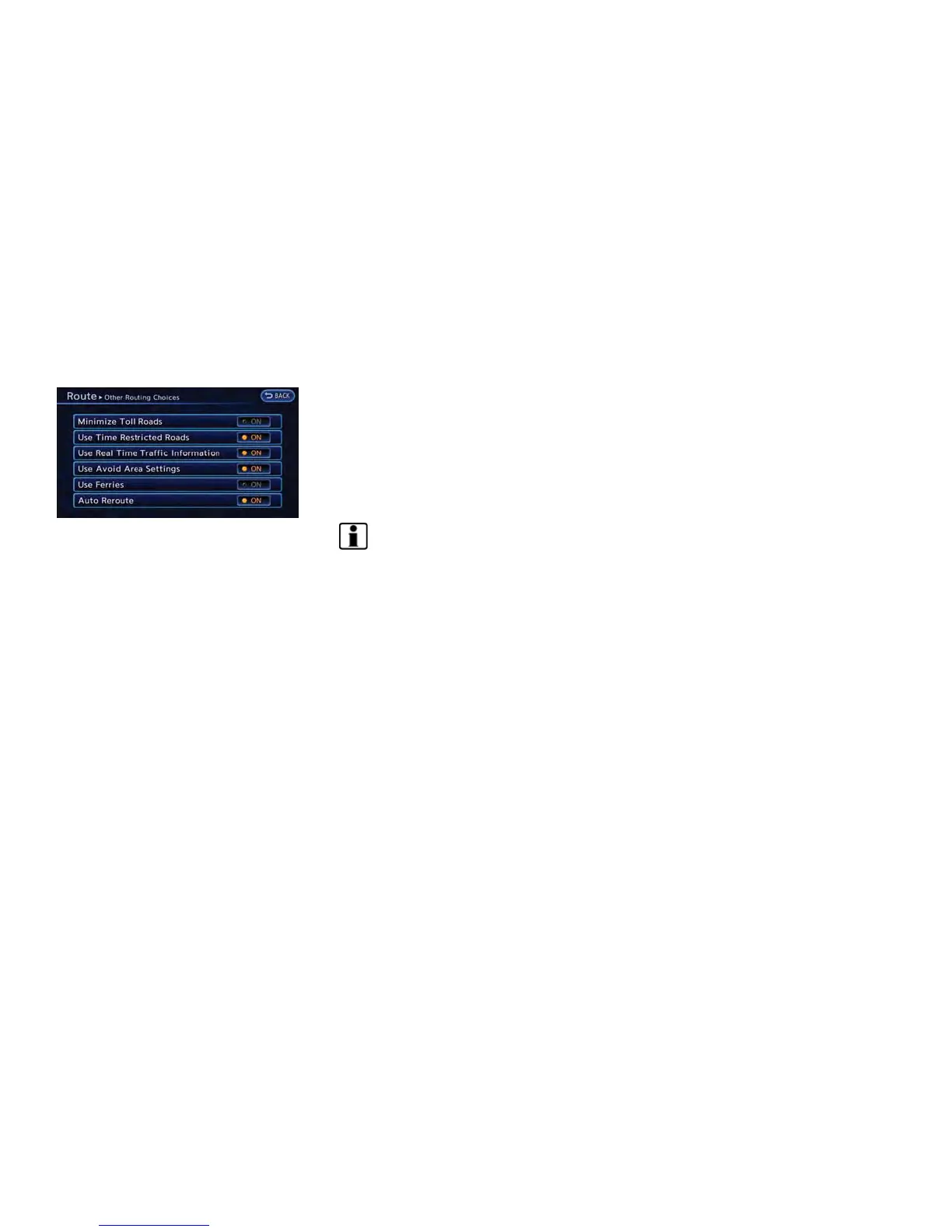
1. Push the MENU button and touch [Route].
2. Touch [Route Settings].
3. Touch [Other Routing Choices].
4. Touch the preferred condition. The indicator
for the selected condition illuminates.
5. If [Route Settings] is exited after changing
the settings, the system starts calculating
the route with the new conditions.
Available settings
. [Minimize Toll Roads]:
Minimizes the use of toll roads.
. [Use Time Restricted Roads]:
Uses any roads subject to time restrictions.
. [Use Real Time Traffic Information]:
Uses the latest traffic information received
via the XM broadcast.
. [Use Avoid Area Settings]:
Enables the avoid area setting.
. [Use Ferries]:
Includes the use of ferries.
. [Auto Reroute]:
If the vehicle deviates from the suggested
route, the system automatically recalculates
a route that leads the vehicle to the
suggested route.
INFO:
. The recalculated route may not be the
shortest route because the system priori-
tizes roads that are easy to drive on for
safety reasons.
. If route conditions are set from [Route
Settings], all sections in the route are
subject to the same route conditions even
though different route conditions have been
set for different sections in [Edit/Add to
Route].
. If [Use Time Restricted Roads] is deacti-
vated, the system calculates a route without
any consideration of the regulations con-
cerning the time or day of the week. There-
fore, the suggested route may include a road
subject to traffic regulations concerning the
time or day of the week. When driving along
the route, always follow all traffic regulations
regardless of whether [Use Time Restricted
Roads] is set to on or off.
. If the system cannot calculate any alternative
routes, it displays the previous route.
. If the vehicle greatly deviates from the
suggested route, the system calculates a
new route.
. Statistical traffic information is based on
previous traffic data. When the traffic situa-
tion rapidly changes due to unexpected
accidents, construction work, traffic restric-
tions, emergencies, etc., the prediction
accuracy of the system may be reduced.
. Traffic jam information displayed on the map
screen is not statistical traffic information.
. Even when [Use Real Time Traffic Informa-
tion] is turned on, if traffic information has
not been provided for the area, sometimes it
is possible that a detour will not be indicated
in a location where a traffic jam occurs.
. The system may not lead to a detour if traffic
closure or a traffic jam occurs far from the
present location.
. The system calculates to reduce the time
required for the entire route from the start to
the destination. If there are no appropriate
routes, the system may lead to a route where
a traffic jam occurs instead of leading to a
detour.
Navigation 3-53



 To Next Page