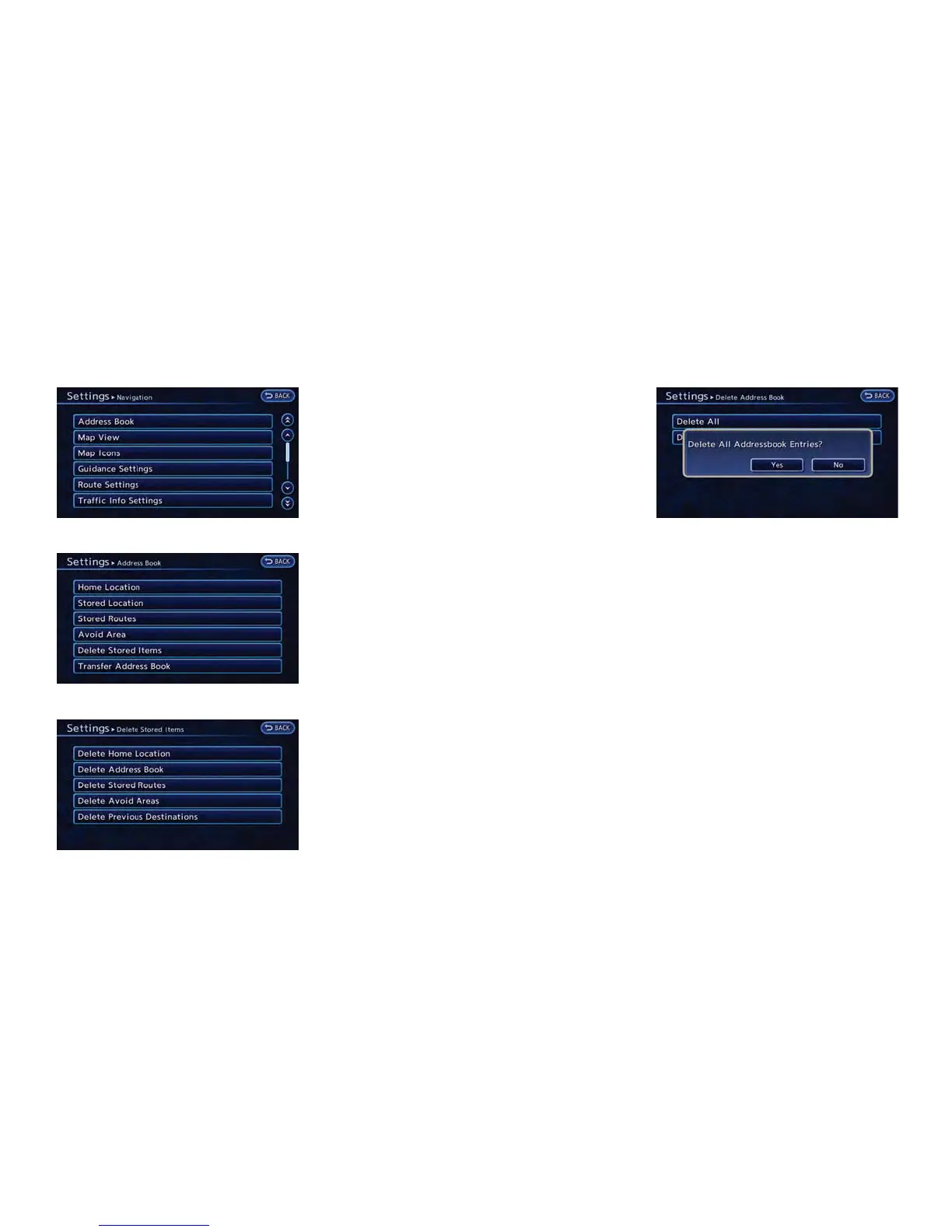
3. Touch [Address Book].
4. Touch [Delete Stored Items].
5. Touch the preferred item for deletion. A
confirmation message is displayed.
Items that can be deleted
.
[Delete Home Location]:
Delete the home location.
.
[Delete Address Book]:
Delete all stored locations.
.
[Delete Stored Routes]:
Delete all stored routes.
.
[Delete Avoid Areas]:
Delete all stored Avoid Areas.
.
[Delete Previous Destinations]:
– [Delete All Previous Destinations]:
Delete all previous destinations.
– [Delete One]:
Delete one of the previous destina-
tions.
– [Delete Previous Start Point]:
Delete the previous start points.
6. Confirm the contents of the message, then
touch [Yes]. The stored items are deleted
from the Address Book.
Other settings
All stored addresses can also be deleted using
the following procedure.
1. Push the MENU button and touch [Set-
tings].
2. Touch [Navigation].
3. Touch [Deletes Stored Information].
TRANSFERRING INFORMATION TO/
FROM ADDRESS BOOK
The information of the stored home and ad-
dresses can be exported and imported using an
SD card.
Navigation 3-67



 To Next Page