3-66 Navigation
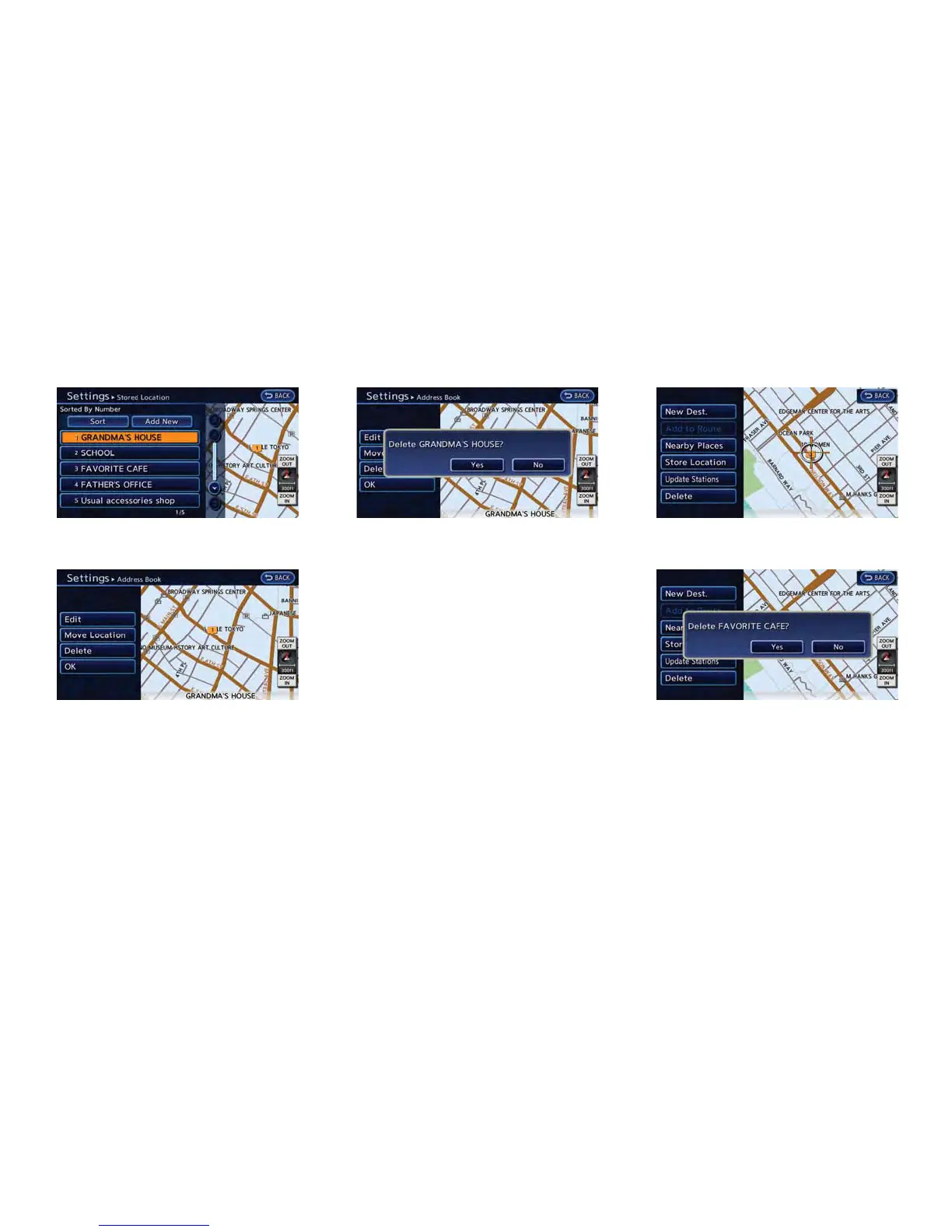
5. Touch the preferred location/route for dele-
tion.
6. Touch [Delete]. A confirmation message is
displayed.
7. Confirm the contents of the message, then
touch [Yes]. The stored item is deleted from
the Address Book.
Other settings
All stored addresses can also be deleted using
the following procedure.
1. Push the MENU button and touch [Set-
tings].
2. Touch [Navigation].
3. Touch [Deletes Stored Information].
Deleting individual item on map
1. Align the cross pointer over the preferred
stored location for deletion by moving on the
map. Then touch [Map Menu].
2. Touch [Delete]. A confirmation message is
displayed.
3. Confirm the contents of the message, then
touch [Yes]. The stored item is deleted from
the Address Book.
Deleting all stored items
1. Push the MENU button and touch [Set-
tings].
2. Touch [Navigation].



 To Next Page