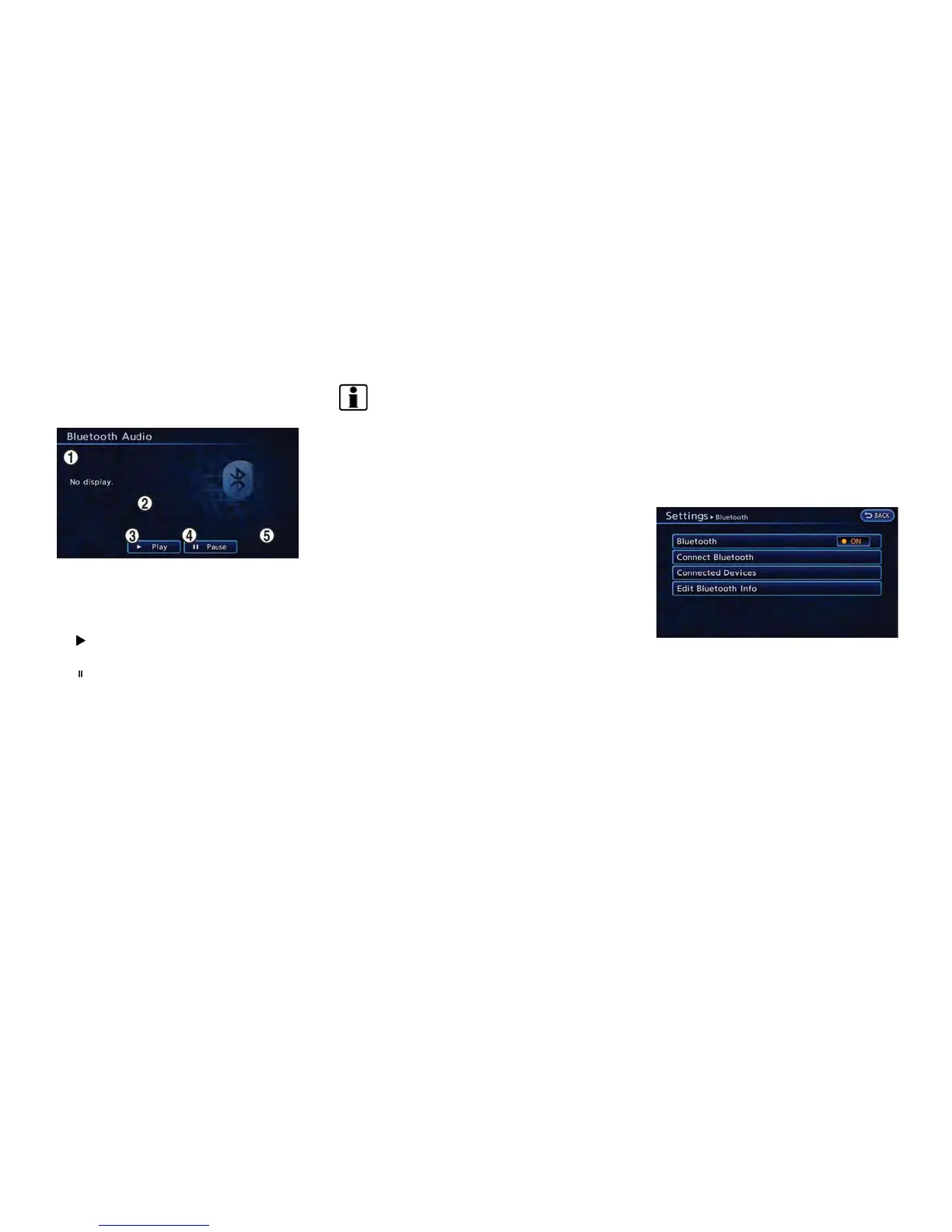
How to view Bluetooth
®
streaming
audio screen
*
1
Indicates Track title, Album title and Artist name.
*
2
Indicates the play mode that is currently set.
However, the play mode is not indicated when
the normal mode is set.
*
3
[ Play]:
Touch to start the Bluetooth
®
audio device.
*
4
[ Pause]:
Touch to pause the Bluetooth
®
audio device.
*
5
[Mode]:
The play mode setting screen displays when
[Mode] is touched.
INFO:
Depending on the audio device that is con-
nected to the vehicle, the name of tracks or
albums may not be displayed.
Next/Previous Track and Fast For-
ward/Rewind
Push the TUNE SEEK CH button is pushed for
more than 1.5 seconds while a Bluetooth
®
audio
file is being played to fast forward or rewind
through the current track. When the TUNE
SEEK CH button is released, the Bluetooth
®
audio device will return to normal play speed.
When the TUNE SEEK CH button is pushed for
less than 1.5 seconds while a Bluetooth
®
audio
file is being played, the next track or the
beginning of the current track on the Bluetooth
®
audio device will be played.
Select play mode
The play mode setting display will appear when
[Mode] is touched.
Select the preferred play mode from the
following items.
. Shuffle
Choose "Shuffle OFF", "Shuffle All Tracks"
or "Shuffle Group".
. Repeat
Choose "Repeat 1 Track", "Repeat All
Tracks" or "Repeat Group".
Bluetooth
®
settings
The Bluetooth
®
settings can be set in detail to
according to the user’s preference.
1. Push the MENU button and touch [Set-
tings].
2. Touch [Bluetooth Connections].
3. Touch the item you would like to set.
Available settings
. [Bluetooth]:
If this setting is turned off, the connection
between the Bluetooth
®
devices and the in-
vehicle Bluetooth
®
module will be canceled.
. [Connect Bluetooth]:
Connects to the Bluetooth
®
device. Up to 5
devices can be registered.
Audio system 4-19



 To Next Page