4-20 Audio system
. [Connected Devices]:
Registered devices are shown on the list.
Select a Bluetooth
®
device from the list. The
following options are available.
. [Edit Bluetooth Info]:
Change the name broadcasted by this
system over Bluetooth
®
. Change the PIN
code that is entered when connecting a
hands-free device to this system.
AUXILIARY INPUT JACK
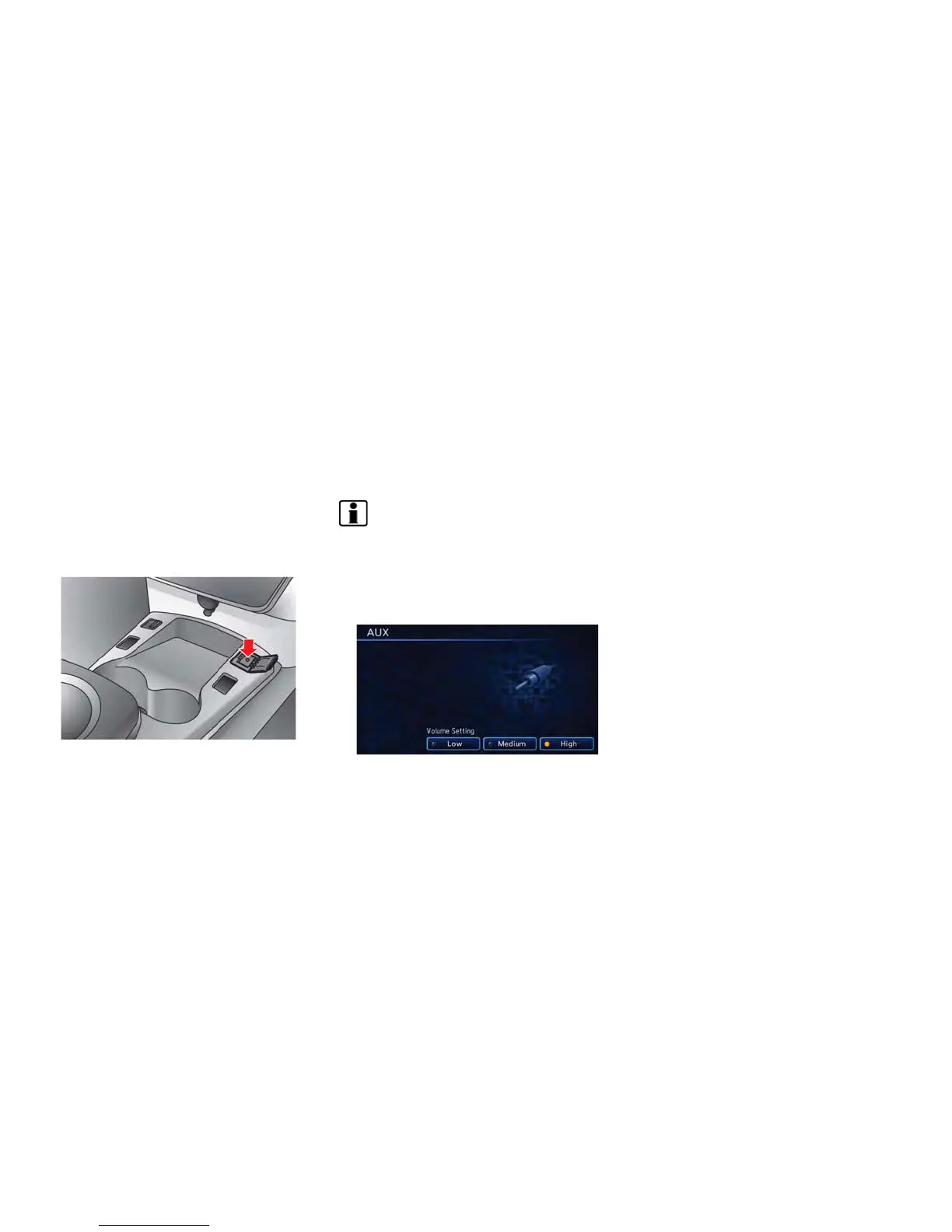
The auxiliary input jack is located on the center
console.
The auxiliary input jack accepts any standard
analog audio input such as from a portable
cassette player, CD player or MP3 player.
Before connecting a device to the jack, turn off
the power of the portable device.
When the CD·AUX button is pushed with the
system off and a compatible device connected,
the system will turn on. If another audio source is
playing and a compatible device is connected,
push the CD·AUX button repeatedly until the
center display changes to the AUX mode.
INFO:
Insert a 1/4 inch (3.5 mm) stereo mini plug in the
auxiliary input jack. If a cable with a mono plug is
used, the audio output may not function
normally.
How to view AUX screen
Select the volume settings from the following
options.
. Low
. Medium
. High



 To Next Page