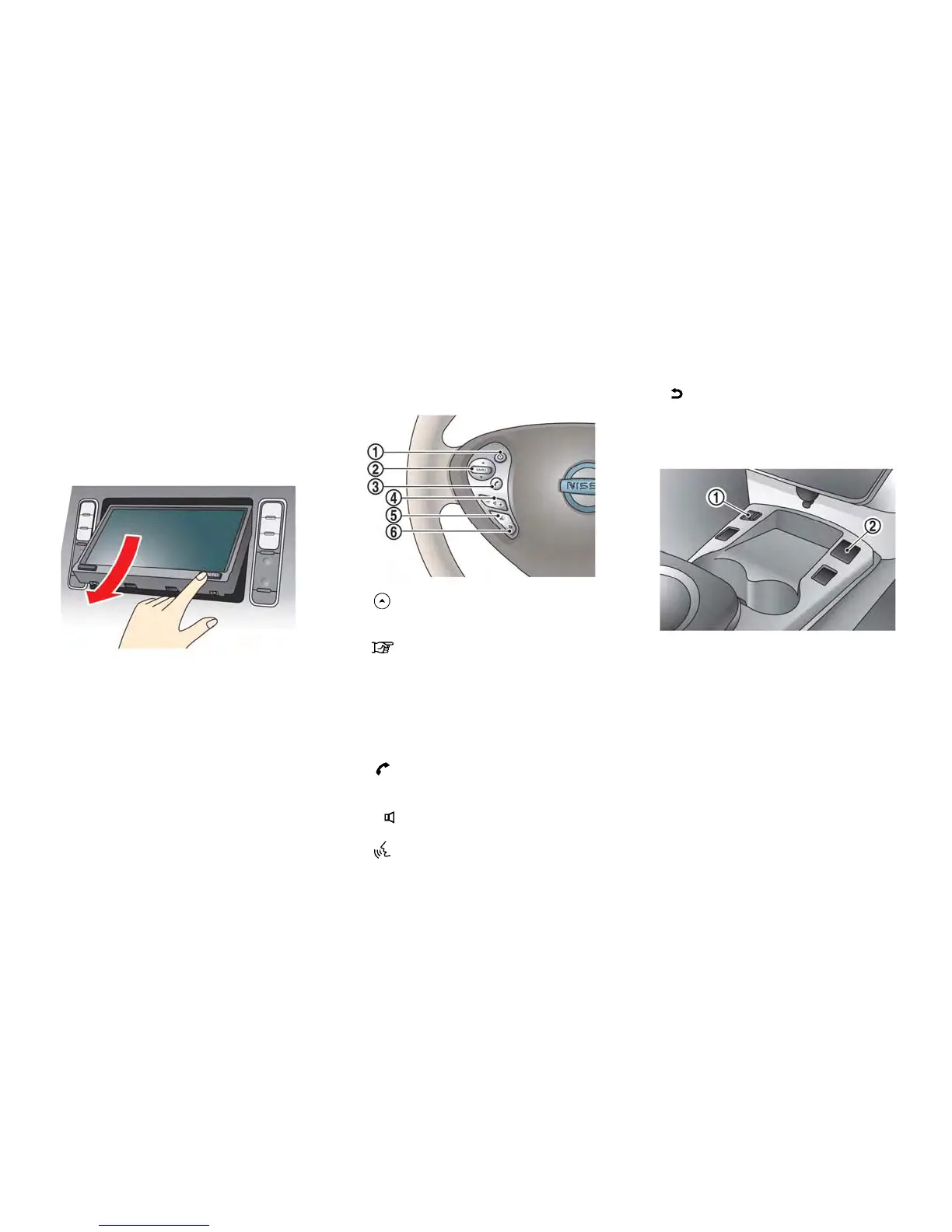
1-4 Getting Started
When the OPEN/TILT button is pushed while
the monitor is closed, the monitor will open.
When the OPEN/TILT button is pushed while
the monitor is open, the monitor will close.
Adjusting monitor angle
The angle of the monitor can be adjusted to
select from 3 different preset angles. Once the
angle of the monitor is selected and stored in the
system, the selected angle is always set after
performing the open/close operation of the
monitor.
Push and hold the OPEN/TILT button until a
chime sounds. When the button is released, the
next preset angle will be selected. Continue this
procedure until the preferred angle is obtained.
STEERING WHEEL SWITCHES
*
1
(Driving range) button:
Push to display the driving range screen. Push
again to return to the previous screen.
“Displaying estimated driving range”
(page 2-3)
*
2
SOURCE button:
Push to change the mode in sequence of AM,
FM, XM, CD, USB memory, iPod
®
player and
Bluetooth
®
streaming audio. If a mode is not
ready to function, it will be skipped. Push up or
down to select a radio station or a track.
*
3
(PHONE) button:
Push to display the hands-free phone operation
screen.
*
4
- + (Volume control) button:
Allows you to adjust the volume.
*
5
(TALK) button:
Push to enter the voice recognition mode.
*
6
(CANCEL) button:
Push to cancel the voice command.
USB CONNECTOR AND AUXILIARY
INPUT JACK
*
1
USB connector:
Connect to play an iPod
®
or a USB memory.
*
2
Auxiliary input jack:
Connect an audio player that accepts a 1/4 inch
(3.5 mm) TRS connector (such as an MP3 player
etc.) to play back music.



 To Next Page