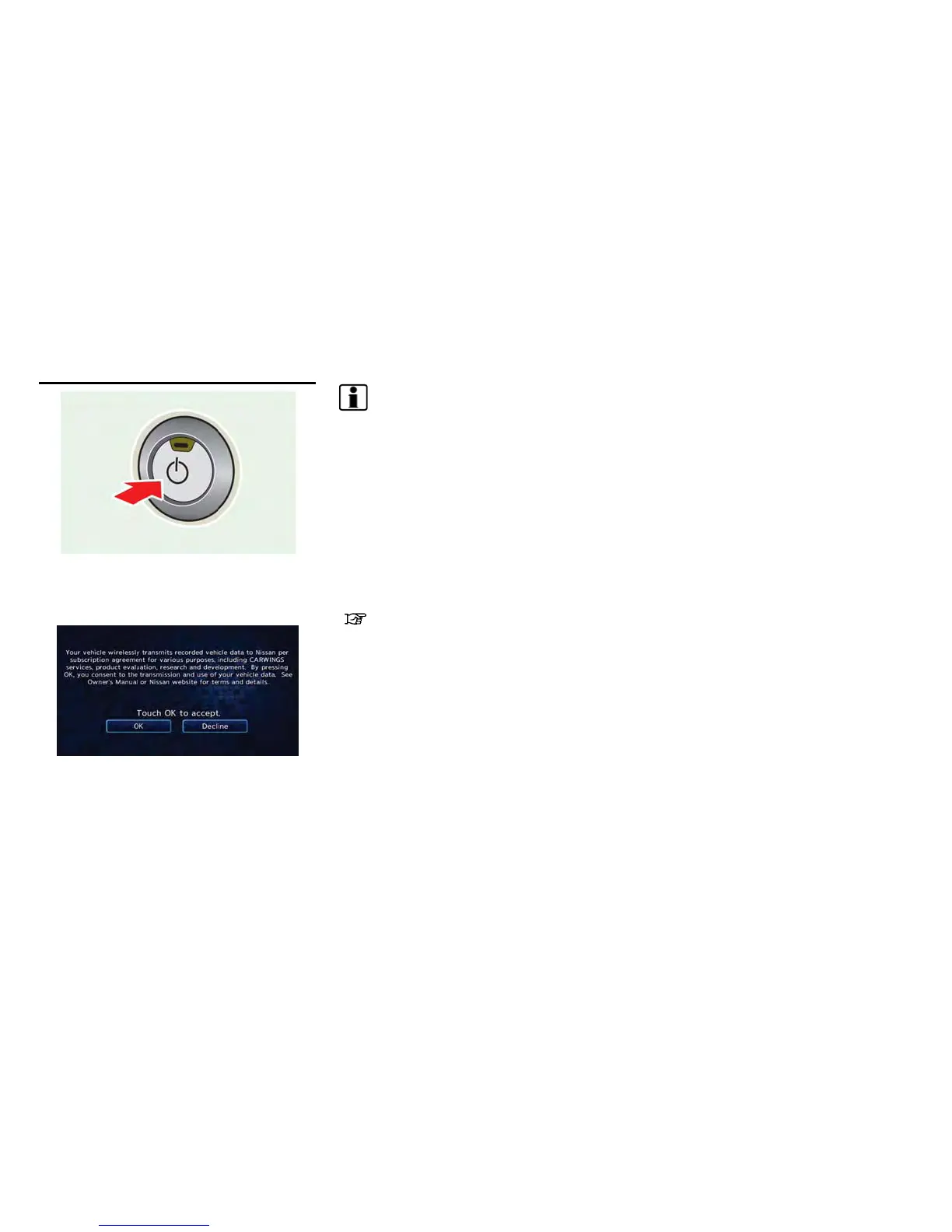
1. The system starts when the power switch is
pushed to the "ACC" or "ON" position. The
start-up screen is displayed.
2. Check the message that is displayed on the
screen and touch [OK] to accept.
INFO:
If you do not select [OK], vehicle data will not be
stored in the NISSAN CARWINGS Data Center
and you will not be able to check it via the
NISSAN Owner’s Portal Website.
Also, if [Share Vehicle Information] is set to OFF,
vehicle data will not be uploaded. Make sure that
this setting is ON.
When [Service Reminder] is set to ON, com-
munication with the NISSAN CARWINGS Data
Center will be performed once daily. NISSAN
recommends that you set [Service Reminder] to
ON.
“CARWINGS
TM
settings” (page 5-10)
NOTE:
. Navigation functions, audio, hands-free
phone, vehicle information display, etc.
can still be operated even if [Decline] is
touched. However, if the CARWINGS
TM
function is selected, the start-up screen
will be displayed again.
. If other buttons such as the MAP
button or MENU button etc ., are
pressed without [OK] or [Decline] being
touched, the corresponding screen will
be displayed and operations can be
performed. However, if the CAR-
WINGS
TM
function is selected, the
start-up screen will be displayed again.
Getting Started 1-5
START-UP SCREEN



 To Next Page