1-10 Getting Started
. [CARWINGS]:
Information feeds are displayed and settings
for CARWINGS
TM
can be performed.
“5. CARWINGS
TM
”
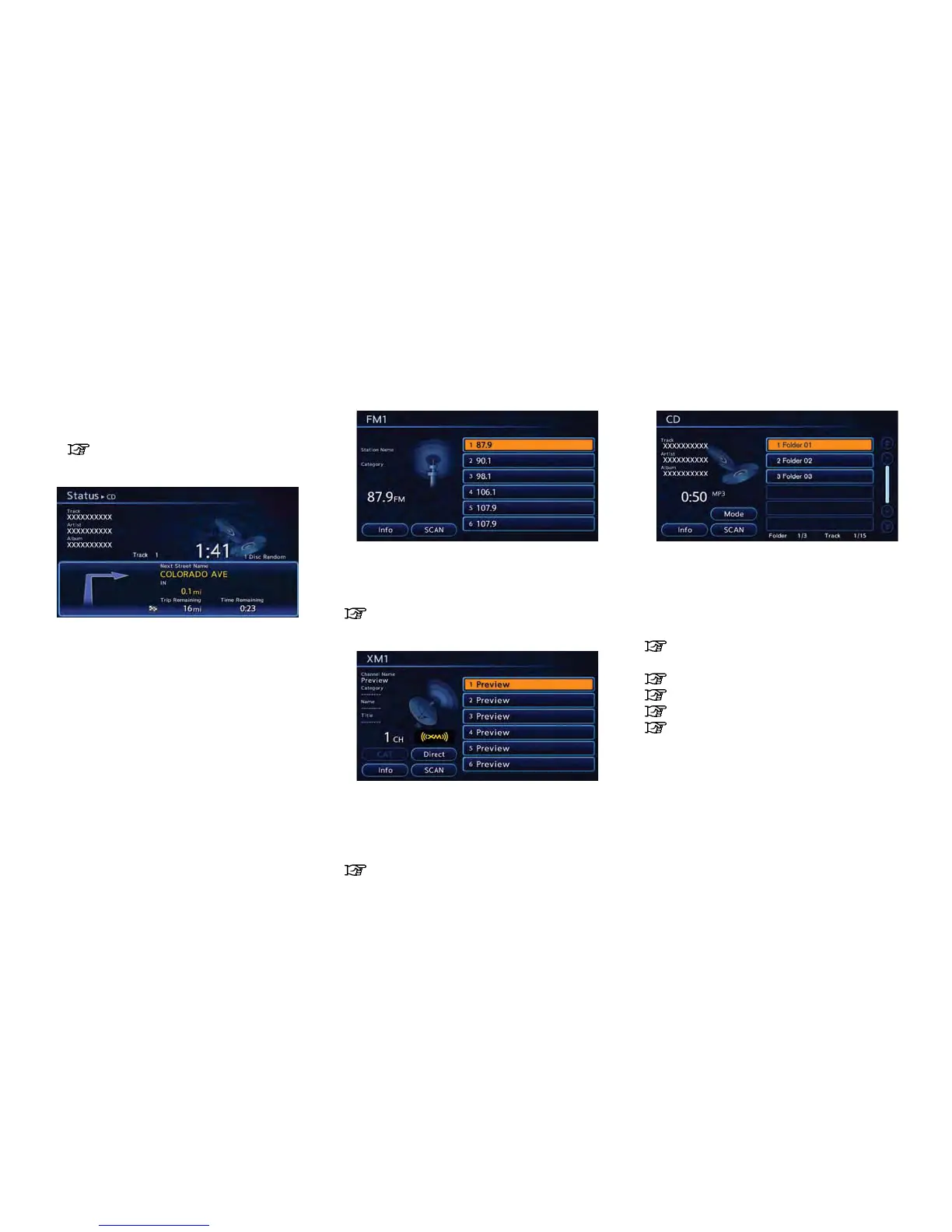
STATUS SCREEN
Push the STATUS button to display the current
status of the navigation system.
Each time the STATUS button is pushed,
displayed information is switched in the order
of climate control, vehicle information and
navigation route information.
There are different status screens displayed
depending on various factors, such as the
currently active mode, whether a destination
has been set or not, etc.
FM·AM RADIO SCREEN
Push the FM·AM button to turn on the radio and
display the radio screen. Push the switch to
toggle the radio mode: AM?FM1?FM2.
“FM-AM-SAT radio operation” (page 4-11)
XM SATELLITE RADIO SCREEN
Push the XM button to turn on the satellite radio
and display the XM satellite radio screen. Push
the switch to toggle the radio mode: XM1?
XM2?XM3.
“FM-AM-SAT radio operation” (page 4-11)
CD·AUX SCREEN
Push the CD·AUX button to turn on the audio
system and display the audio screen. Push the
CD·AUX button to toggle the mode: iPod
player/USB memory?CD?Bluetooth
®
stream-
ing audio
*1
?AUX.
“Compact Disc (CD) player operation”
(page 4-12)
“iPod
®
player operation” (page 4-14)
“USB memory operation” (page 4-15)
“Bluetooth
®
streaming audio” (page 4-9)
“Auxiliary input jack” (page 4-20)
*1 The screen can only be switched when a
Bluetooth
®
streaming audio device has been
registered.



 To Next Page