. US6: DC, DE, KY, MD, OH, PA, VA, WV
. US7: CT, MA, ME, NH, NJ, NY, RI, VT
. US8: AL, FL, GA, NC, SC, TN
. US9: AK
. US10: HI
. Canada
INFO:
. It is also possible to select a region by
touching the map on the right side of the
screen.
. It is not possible to search for a route from
the continental United States to Hawaii.
Specifying city
When searching for a destination, the search
can be narrowed down by specifying the city.
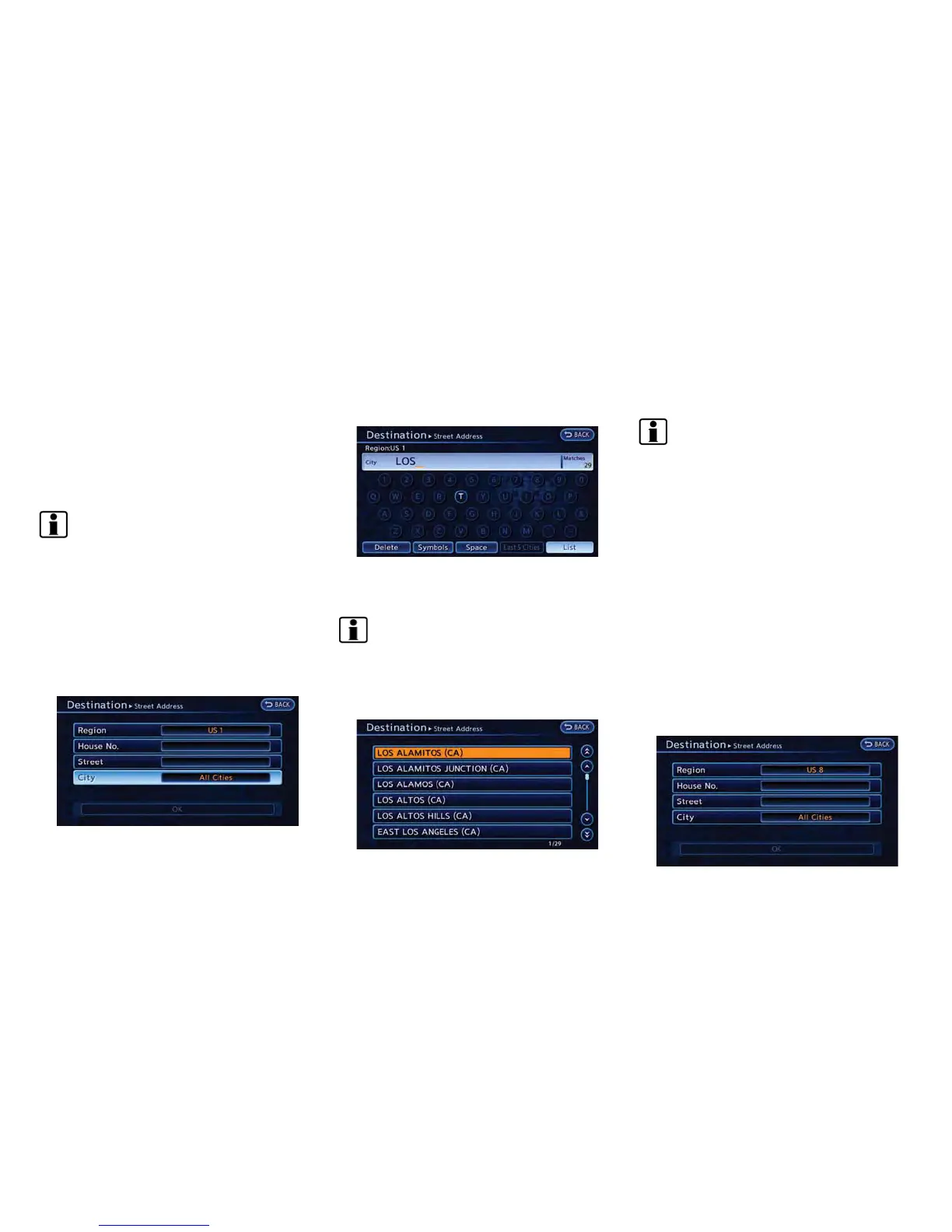
1. Touch [City]. A character input screen is
displayed.
2. Enter the name of the city, touch [List]. A list
screen is displayed.
INFO:
.
The same screen will be displayed when
a location is searched from a street.
.
Touch [Last 5 Cities] to display the last 5
cities recently set as destinations.
3. Touch the city of the destination from the list.
INFO:
In some cases, when a city name has been
entered, the number of matching destinations in
the “Matches” column may be different from the
number displayed on the list screen. If this
occurs, enter more characters to further reduce
the number of matches.
FINDING ADDRESS
When the address of the destination is known,
use the following method to enter the address
and then have the system calculate a route. A
location near the preferred destination can also
be searched by entering the house number if the
map data contains the relevant data.
1. Push the MENU button and touch [Destina-
tion].
2. Touch [Street Address].
Navigation 3-19



 To Next Page