3-38 Navigation
the route cannot be stored.
“Storing route” (page 3-57)
. [Map Scroll]:
Displays a map screen where the location of
the destination can be confirmed.
INFO:
The stored route includes only locations (desti-
nation and waypoints) and route calculation
conditions, not the route itself. Therefore, when
the destination is set using a stored route, a
different route may be suggested if the current
vehicle location is different from the one when
the route was stored.
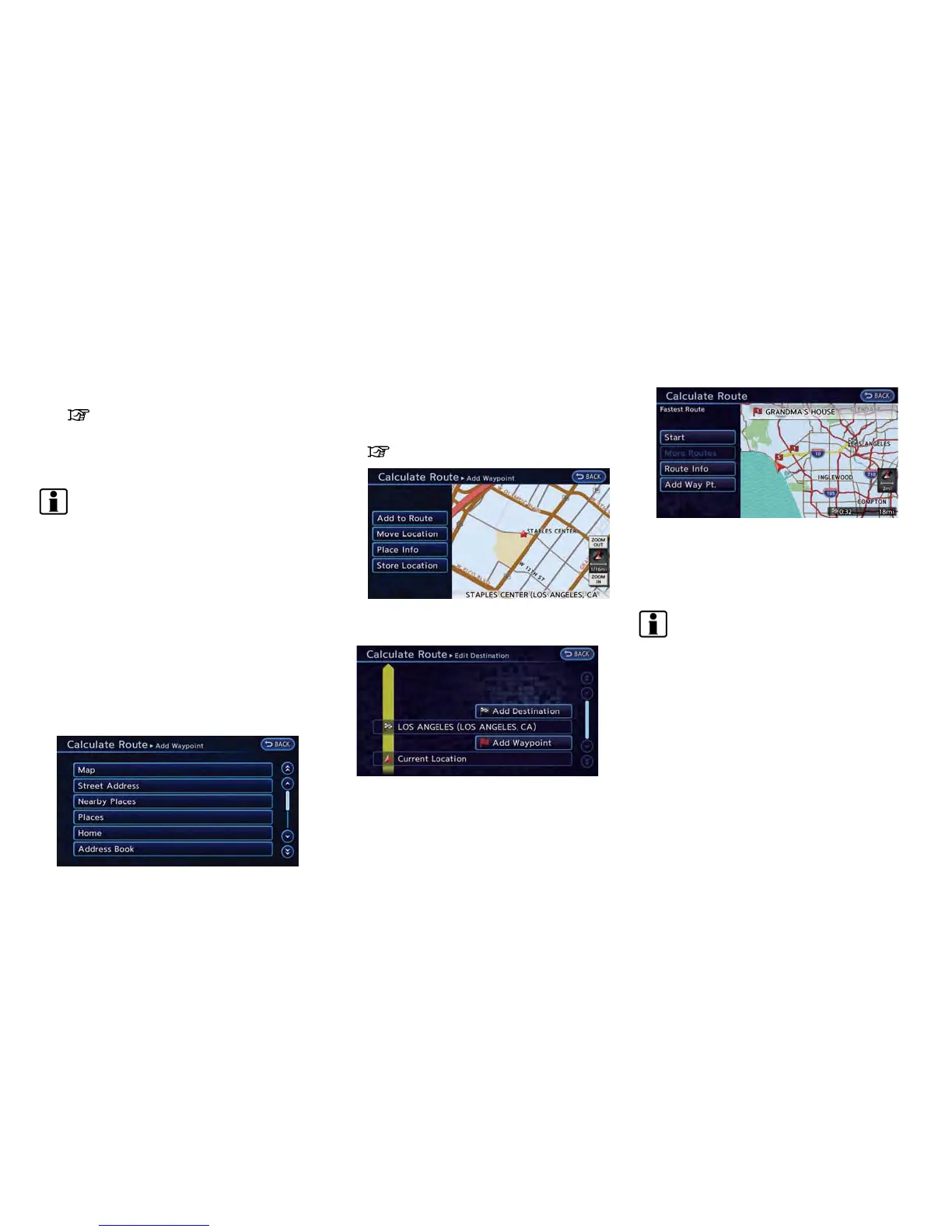
Adding destination or waypoint
Before starting route guidance, destinations
and/or waypoints can be added. A total of 6
destinations or waypoints can be set.
1. Touch [Add Way Pt.].
2. Set additional destinations or waypoints.
The method of searching for a location is the
same as the one for a destination.
“Setting destination” (page 3-17)
3. Touch [Add to Route].
4. Touch [Add Destination] or [Add Waypoint].
5. The system starts calculating a route that
includes the added destination or waypoint.
When the calculation is finished, the route is
displayed.
INFO:
.
If a waypoint was added, [More Routes]
cannot be selected.
.
If a destination was added, the prior
destination becomes a waypoint.
ABOUT ROUTE GUIDANCE
After setting the route, select [Start] to begin
route guidance.
Throughout route guidance, the system navi-
gates you through the guide points using visual
and voice guidance.



 To Next Page