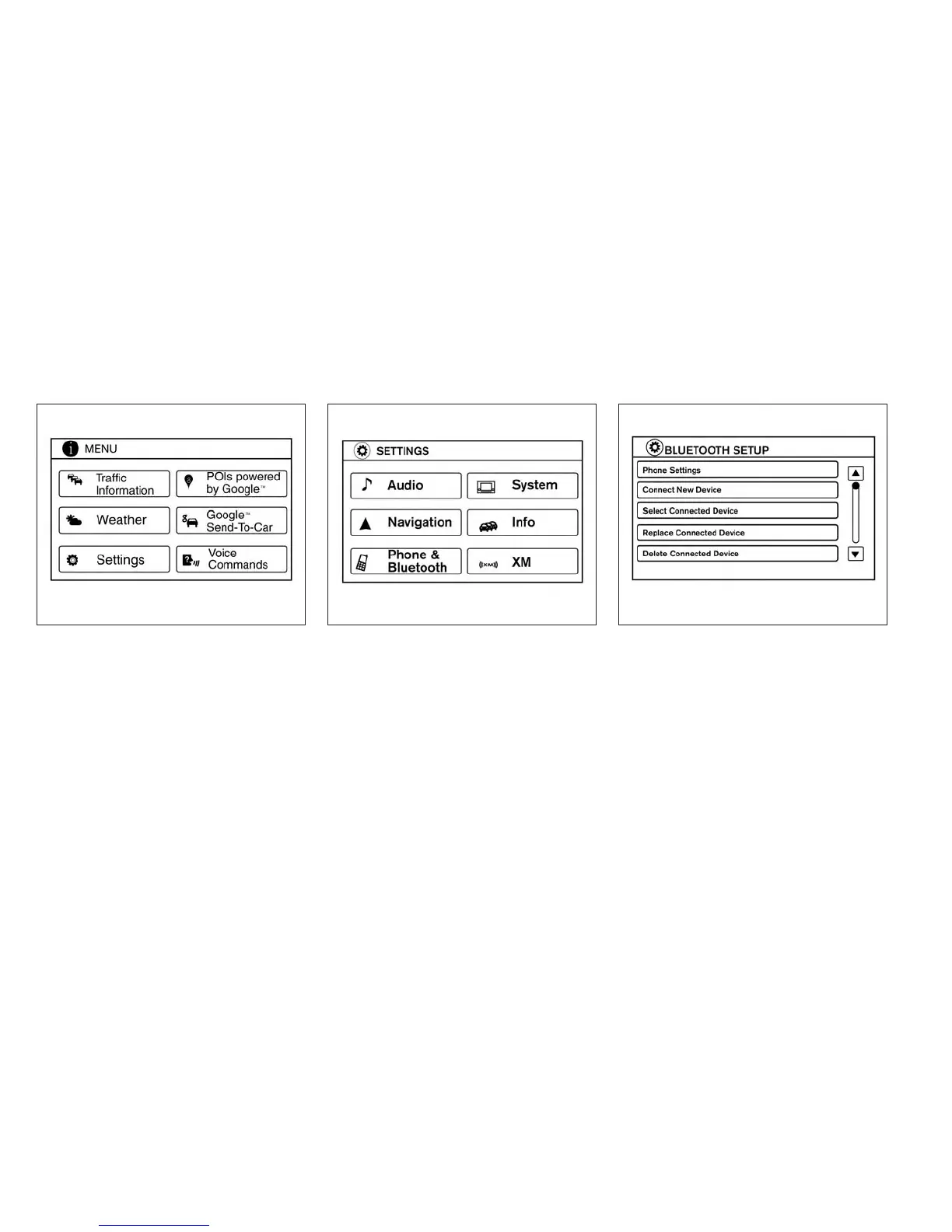
Connecting Bluetooth® audio
To connect your Bluetooth® audio device to the
vehicle, follow the procedure below:
1. Press the MENU button.
2. Select the “Settings” key.
3. Select the “Phone & Bluetooth” key. 4. Select the “Connect New Device” key.
5. The system acknowledges the command
and asks you to initiate connecting from the
phone handset. The connecting procedure
of the cellular phone varies according to
each cellular phone model. See the cellular
phone Owner’s Manual for details. You can
also visit www.nissanusa.com/bluetooth for
instructions on connecting NISSAN recom-
mended cellular phones.
LHA2253 LHA2248 LHA2265
4-64 Monitor, climate, audio, phone and voice recognition systems



 To Next Page