● A new disc may be rough on the inner and
outer edges. Remove the rough edges by
rubbing the inner and outer edges with the
side of a pen or pencil as illustrated.
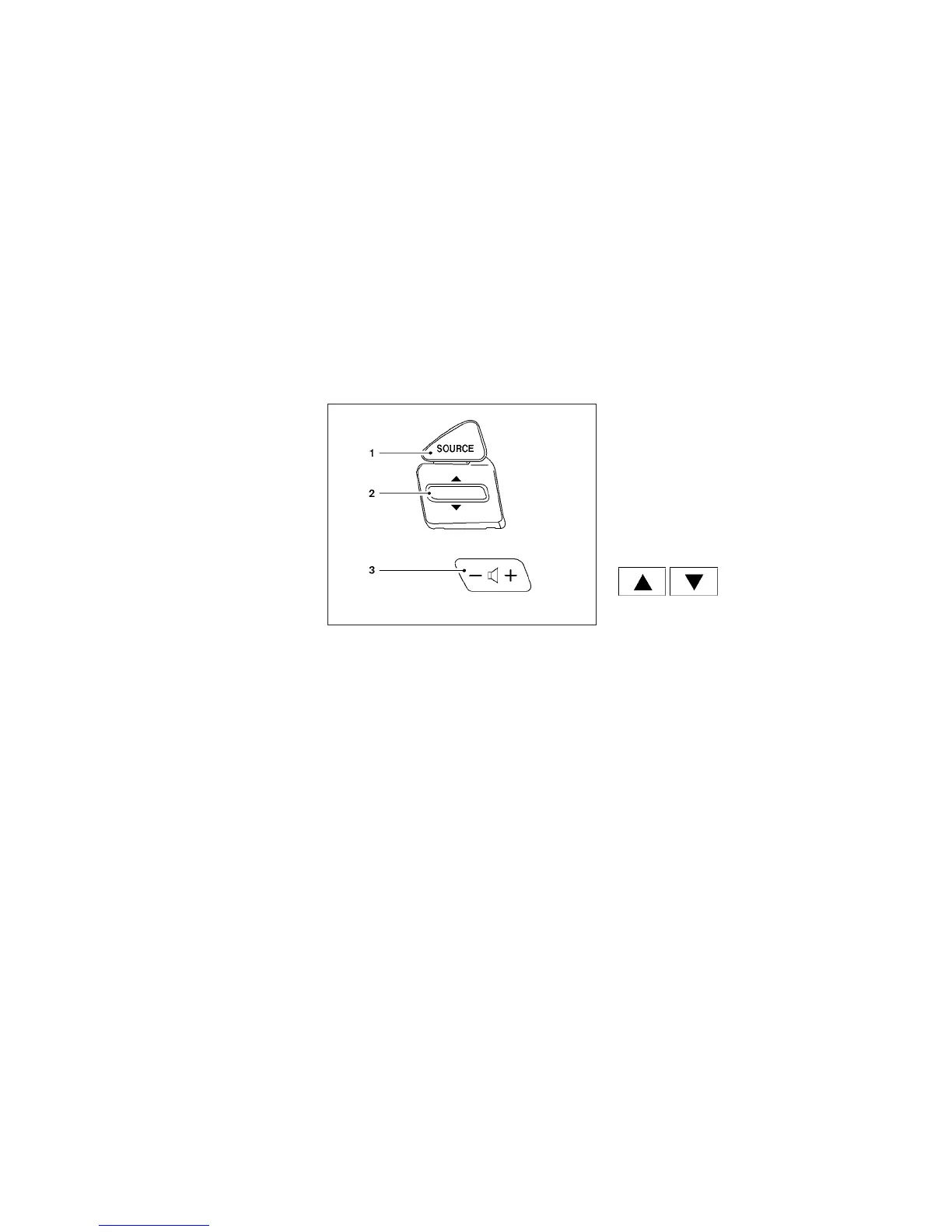
1. SOURCE select switch
2. Tuning switch
3. Volume control switch
STEERING WHEEL SWITCH FOR
AUDIO CONTROL (if so equipped)
The audio system can be operated using the
controls on the steering wheel.
SOURCE select switch
Push the source select switch to change the
mode in the following sequence:
AM → FM1 → FM2 → XM1 (satellite radio, if so
equipped) → XM2 (satellite radio, if so equipped)
→ XM3 (satellite radio, if so equipped) → CD* →
USB/iPod®* (if so equipped) → Bluetooth® Au-
dio* → AUX* → AM.
* These modes are only available when compat-
ible media storage is inserted into the device or
connected to the system.
Volume control switches
Push the volume control switch to increase or
decrease the volume.
Tuning switch
While the display is showing a map or audio
screen, tilt the Menu Control switch upward or
downward to select a station, track, CD or folder.
For most audio sources, tilting the switch
up/down for more than 1.5 seconds provides a
different function than a tilting up/down for less
than 1.5 seconds.
AM and FM:
● Tilt up/down for less than 1.5 seconds to
increase or decrease the preset station.
● Tilt up/down for more than 1.5 seconds to
seek up or down to the next station.
LHA2054
Monitor, climate, audio, phone and voice recognition systems 4-67



 To Next Page