Available views
WARNING
• The distance guide lines and the ve-
hicle width lines should be used as a
reference only when the vehicle is on a
paved, level surface. The apparent dis-
tance viewed on the monitor may be
different than the actual distance be-
tween the vehicle and displayed ob-
jects.
• Use the displayed lines and the bird’s
eye view as a reference. The lines and
the bird’s-eye view are greatly affected
by the number of occupants, cargo,
fuel level, vehicle position, road condi-
tion and road grade.
• If the tires are replaced with different
sized tires, the predicted course lines
and the bird’s-eye view may be dis-
played incorrectly.
• When driving the vehicle up a hill, ob-
jects viewed in the monitor are further
than they appear. When driving the ve-
hicle down a hill, objects viewed in the
monitor are closer than they appear.
• Objects in the rear view will appear
visually opposite compared to when
viewed in the rear view and outside
mirrors.
• Use the mirrors or actually look to
properly judge distances to other ob-
jects.
• On a snow-covered or slippery road,
there may be a difference between the
predicted course lines and the actual
course line.
• The vehicle width and predicted course
lines are wider than the actual width
and course.
• The displayed lines will appear slightly
off to the right, because the rearview
camera is not installed in the rear cen-
ter of the vehicle.
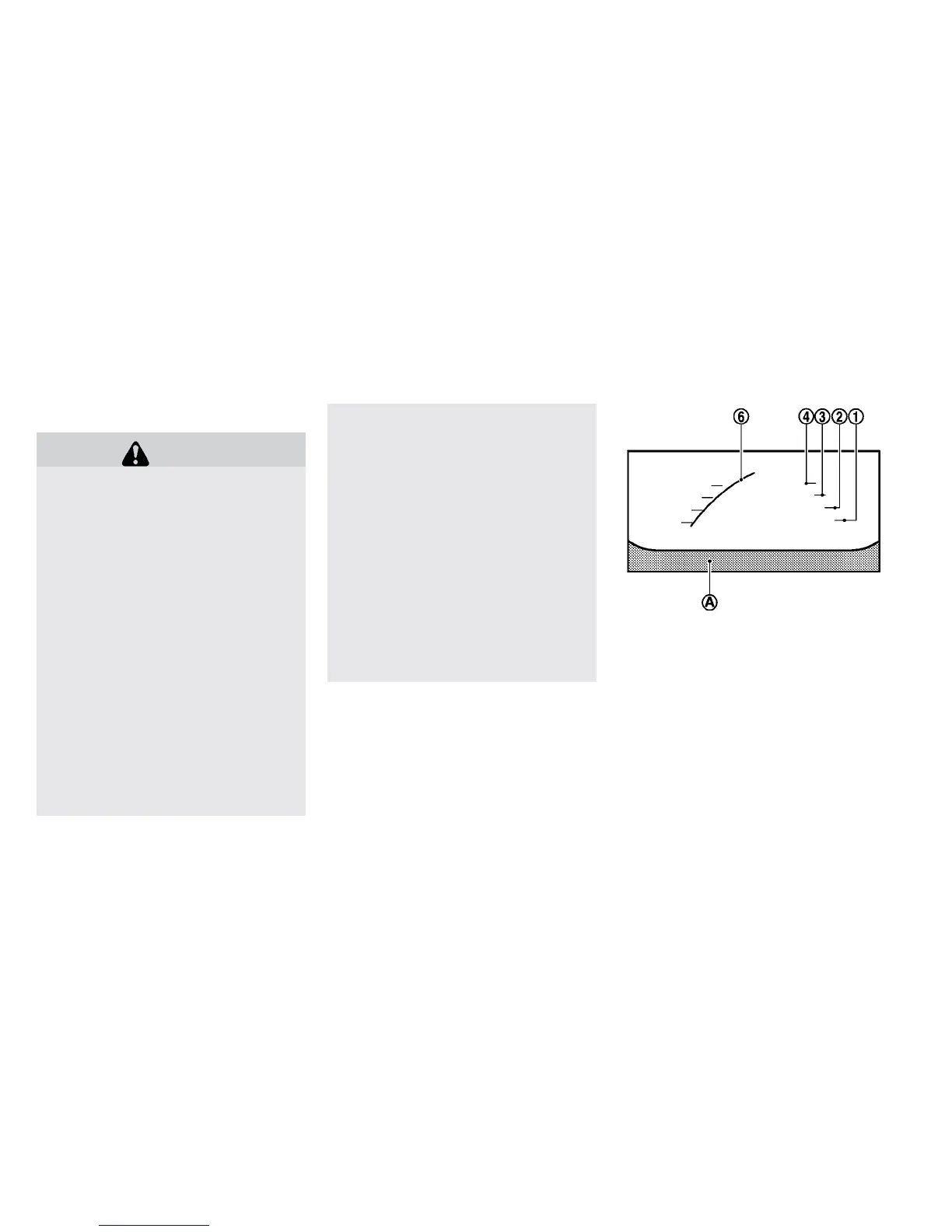
Front and rear view:
Front view
Guiding lines that indicate the approximate ve-
hicle width and distance to objects with refer-
ence to the vehicle body lines
䊊
A
are displayed
on the monitor.
Distance guide lines:
Indicate distances from the vehicle body:
• Red line
䊊
1
: approximately 1.5 ft (0.5 m)
• Yellow lines
䊊
2
: approximately 3 ft (1 m)
• Green lines
䊊
3
: approximately 7 ft (2 m)
• Green lines
䊊
4
: approximately 10 ft (3 m)
Display screen, heater, air conditioner, audio and phone systems 4-13



 To Next Page