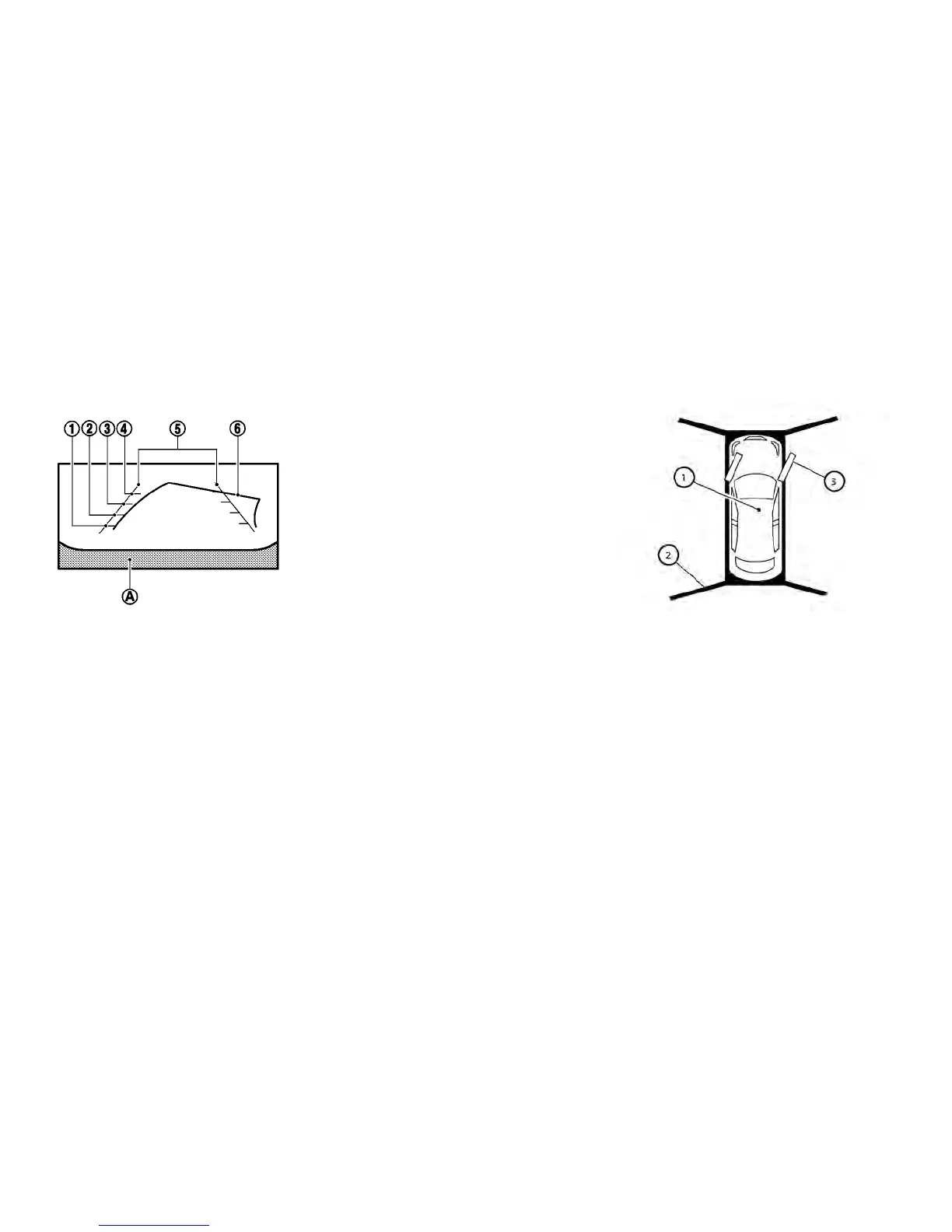
Vehicle width guide lines
䊊
5
:
Rear view
Indicate the approximate vehicle width when
backing up.
Predicted course lines
䊊
6
:
Indicate the predicted course when operating the
vehicle. The predicted course lines will be dis-
played on the monitor when the steering wheel is
turned. The predicted course lines will move de-
pending on how much the steering wheel is
turned and will not be displayed while the steer-
ing wheel is in the straight-ahead position. The
front view will not be displayed when the vehicle
speed is above 6 mph (10 km/h).
Note
When the monitor displays the front view
and the steering wheel turns about 90
degrees or less from the straight-ahead
position, both the right and left predicted
course lines
䊊
6
are displayed. When the
steering wheel turns about 90 degrees or
more, a line is displayed only on the
opposite side of the turn.
Birds-eye view:
The bird’s-eye view shows the overhead view of
the vehicle, which helps confirm the vehicle posi-
tion and the predicted course to a parking space.
The vehicle icon
䊊
1
shows the position of the
vehicle. Note that the apparent distance between
objects viewed in the bird’s-eye view may differ
somewhat from the actual distance to the vehicle.
The areas that the cameras cannot covers
䊊
2
are
indicated in black. The non-viewable areas
䊊
2
is
highlighted in yellow for several seconds after the
bird’s-eye view is displayed. It will be shown only
the first time after the ignition switch is placed in
the ON position.
4-14 Display screen, heater, air conditioner, audio and phone systems



 To Next Page