NOTE:
• Establishing the NissanConnect
SM
EV
service is necessary before using this ser-
vice. For additional information, refer to
the LEAF Navigation System Owner’s
Manual.
• To check the Li-ion battery charging status
using an internet enabled smart phone or
personal computer, the following condi-
tions must be met:
– The vehicle must be located in a cellu-
lar phone coverage area.
– The cellular phone must be located in
an area with cellular phone coverage.
– If using a computer, the computer must
be connected to the internet.
– Some cellular phones are not compat-
ible and cannot be used to check the
Li-ion battery charging status. Please
confirm beforehand.
• Certain remote functions required a com-
patible smart phone, which is not included
with vehicle.
• NissanConnect
SM
EV information system
features are included through a subscrip-
tion service which requires owner consent
to activate. The subscription must be ac-
tive to use these features.
• NissanConnect
SM
EV communications
may be received at a verified e-mail ad-
dress or by SMS/text messaging-enabled
mobile phone.
• Standard text rates and/or data usage
may apply depending on your carrier.
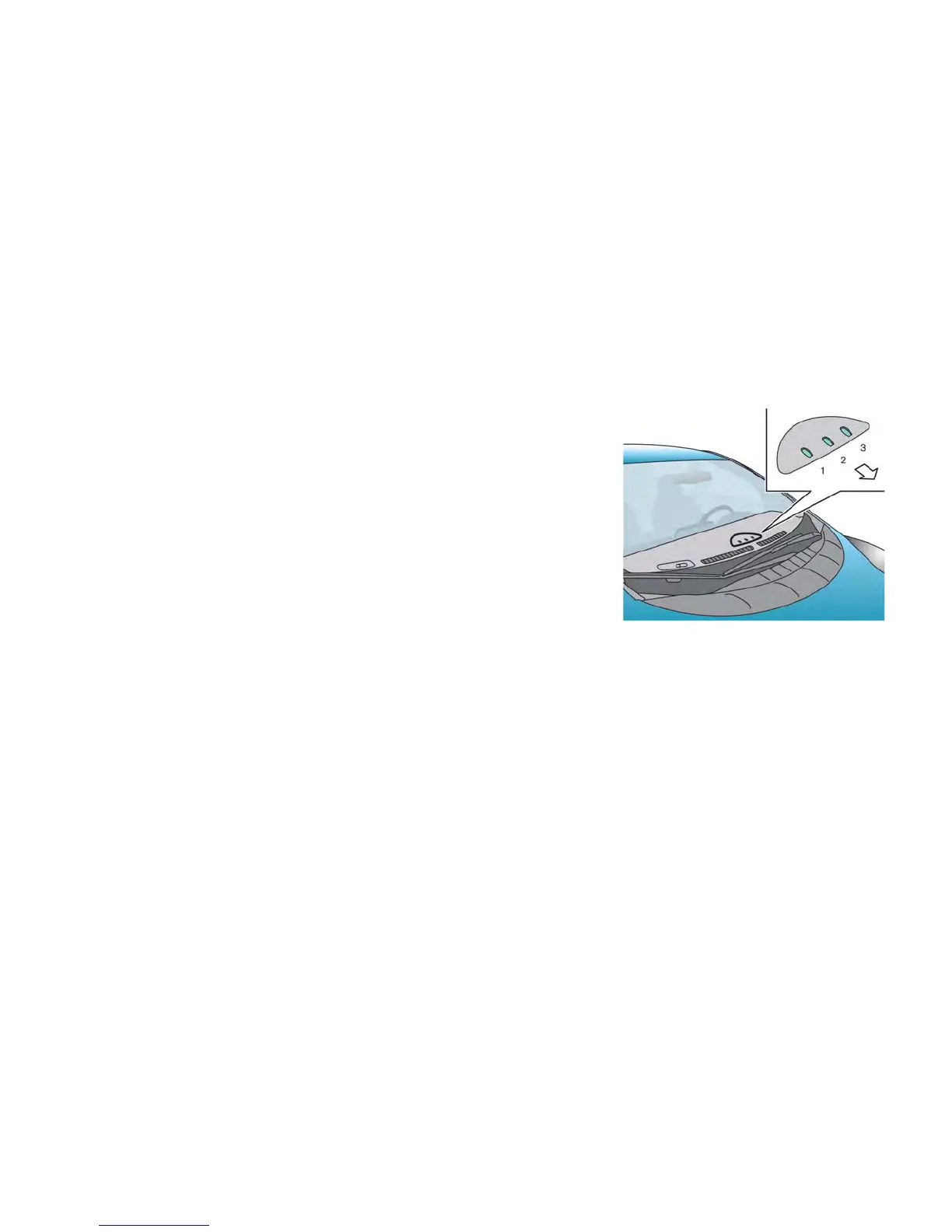
CHARGING STATUS INDICATOR
LIGHTS
The charging status indicator lights
䊊
1
to
䊊
3
display the charging status, and are visible from
both inside and outside the vehicle.
CHARGING RELATED INDICATOR
LIGHTS
Charging CH-27



 To Next Page