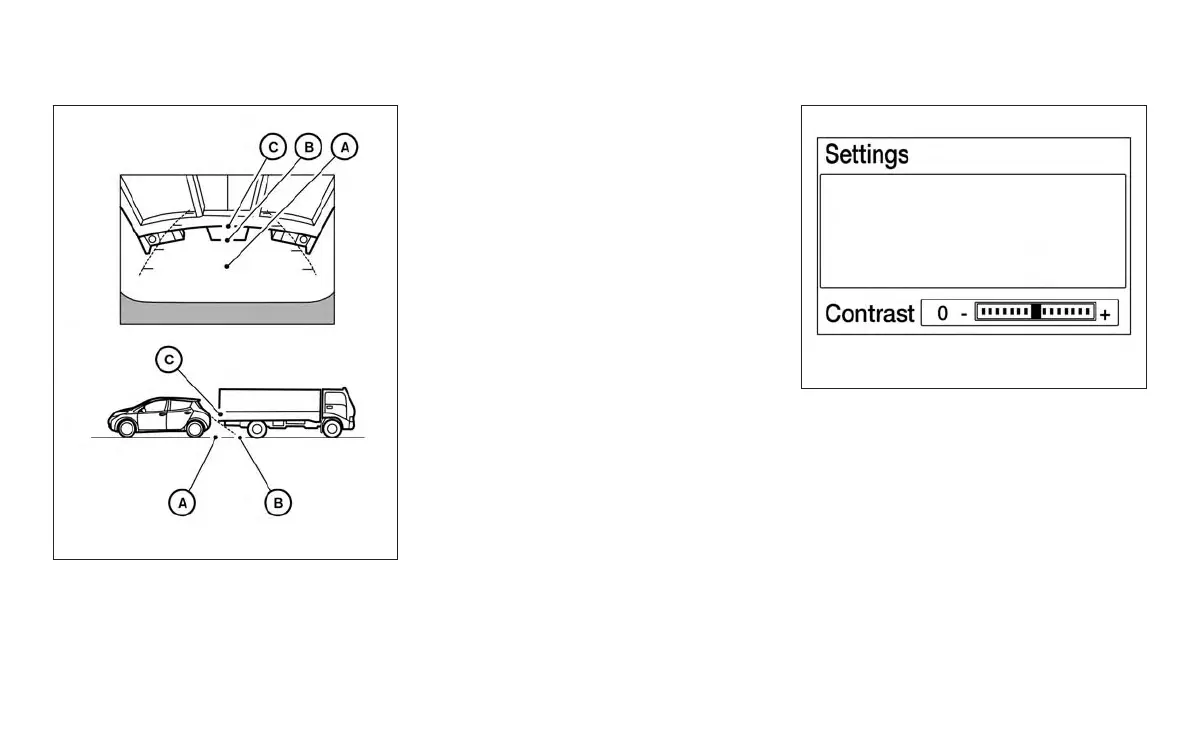
Backing up behind a projecting object
The position
䊊
C
is shown farther than the position
䊊
B
in the display. However, the position
䊊
C
is
actually at the same distance as the position
䊊
A
.
The vehicle may hit the object when backing up to
the position
䊊
A
if the object projects over the
actual backing up course.
ADJUSTING THE SCREEN
The procedure for adjusting the display settings
of the screen differs depending on the type of
screen present on the vehicle.
For vehicles without Navigation System
1. Firmly apply the brake and place the shift
lever in R (reverse)
2. Press the ENTER/SETTING button.
3. The screen will display the Brightness set-
tings.
LHA3652
Models without navigation
LHA3639
Monitor, climate, audio, phone and voice recognition systems 4-13



 To Next Page