3. Touch the “Tune Start” key to activate (ON)
or deactivate (OFF) Smart Favorites.
4. Touch the “Add Preset” key to select an
available preset.
For additional information, refer to “1 to 6 Station
memory operations” in this section.
NOTE:
• Smart Favorites will start functioning only
after the audio unit is turned on for a few
minutes.
• Tune Start is supported for music chan-
nels only.
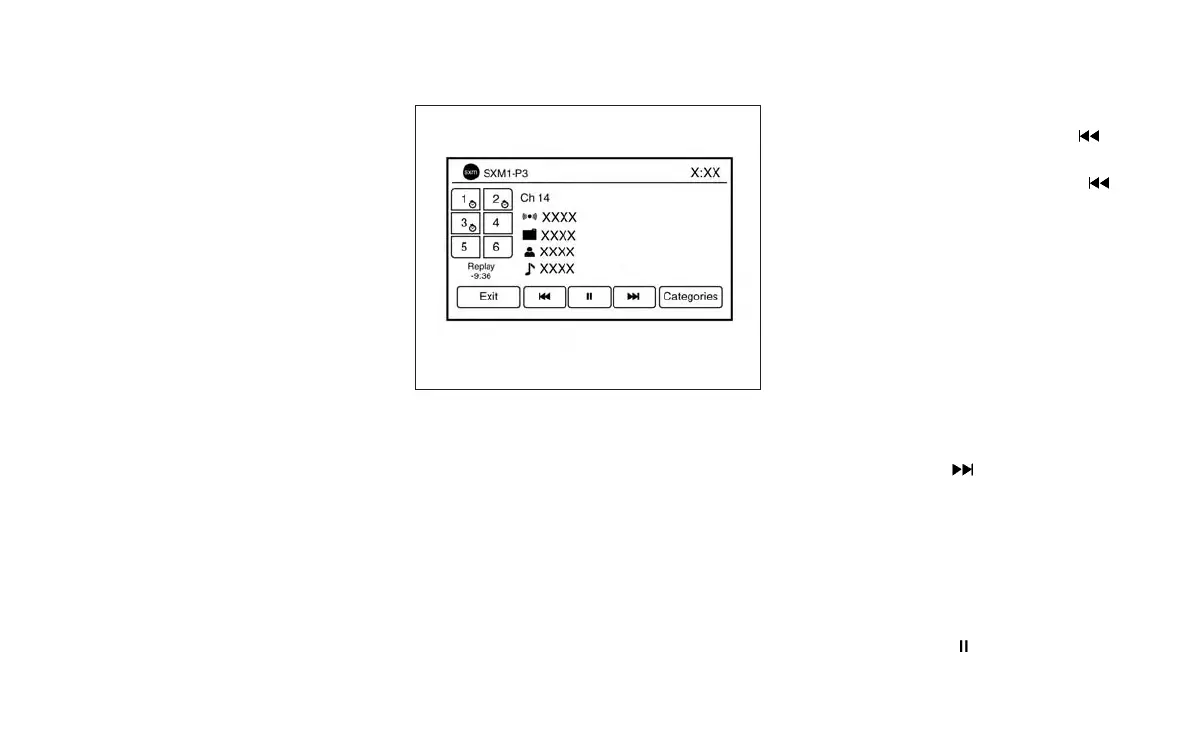
Replay Screen
The Replay Screen gives the user the ability to
replay, skip, pause or rewind the currently aired
track.
When the “Replay” key is touched, the Replay
Screen is prompted.
REPLAY To replay a track from the
beginning, press the
seek button. The user can
continue to press the
seek button to replay previ-
ous songs, but can only go
back as far as the system
permits. The system will
warn the user when they
cannot skip any further back
by displaying “At the End” in
the bottom left corner of the
screen.
SKIP To skip a track, press
the
track button.
“Live” will appear in the bot-
tom left corner of the screen
indicating the difference
from play time to live audio.
PAUSE To pause a track, press
the
pause button.
LHA3087
4-62 Monitor, climate, audio, phone and voice recognition systems



 To Next Page