DRIVE BELTS
EM-13
< PERIODIC MAINTENANCE >
[VQ40DE]
C
D
E
F
G
H
I
J
K
L
M
A
EM
N
P
O
PERIODIC MAINTENANCE
DRIVE BELTS
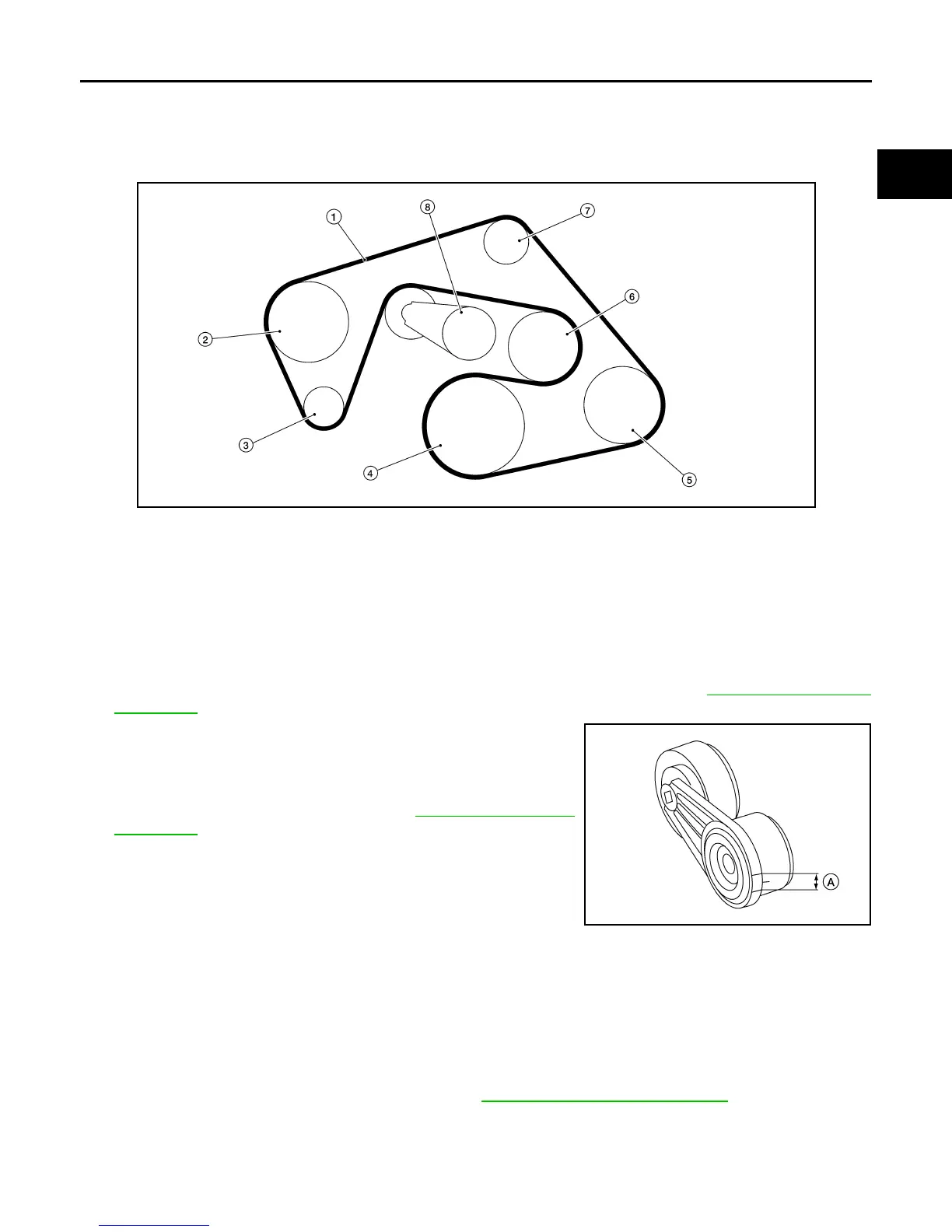
Exploded View INFOID:0000000008798951
Checking Drive Belts INFOID:0000000008798952
WARNING:
Be sure to perform when the engine is stopped.
1. Remove air duct and resonator assembly when inspecting drive belt. Refer to EM-24, "Removal and
Installation".
2. Make sure that the drive belt auto-tensioner indicator is within
the allowable working range (A) as shown.
3. Visually check entire belt for wear, damage or cracks.
4. If the indicator is out of allowable working range or drive belt is
damaged, replace the drive belt. Refer to EM-13, "Removal and
Installation".
Adjustment INFOID:0000000008798953
There is no manual drive belt tension adjustment. The drive belt tension is automatically adjusted by the drive
belt auto-tensioner.
Removal and Installation INFOID:0000000008798954
REMOVAL
1. Remove air duct and resonator assembly. Refer to EM-24, "Removal and Installation".
LBIA0427E
1. Drive belt 2. Power steering oil pump pulley 3. Generator pulley
4. Crankshaft pulley 5. A/C compressor 6. Cooling fan pulley
7. Idler pulley 8. Drive belt auto-tensioner
AWBIA0723ZZ
Revision: January 2013 2013 Xterra



 To Next Page