Black plate (84,1)
Model "F15-D" EDITED: 2010/ 6/ 24
SIC4623
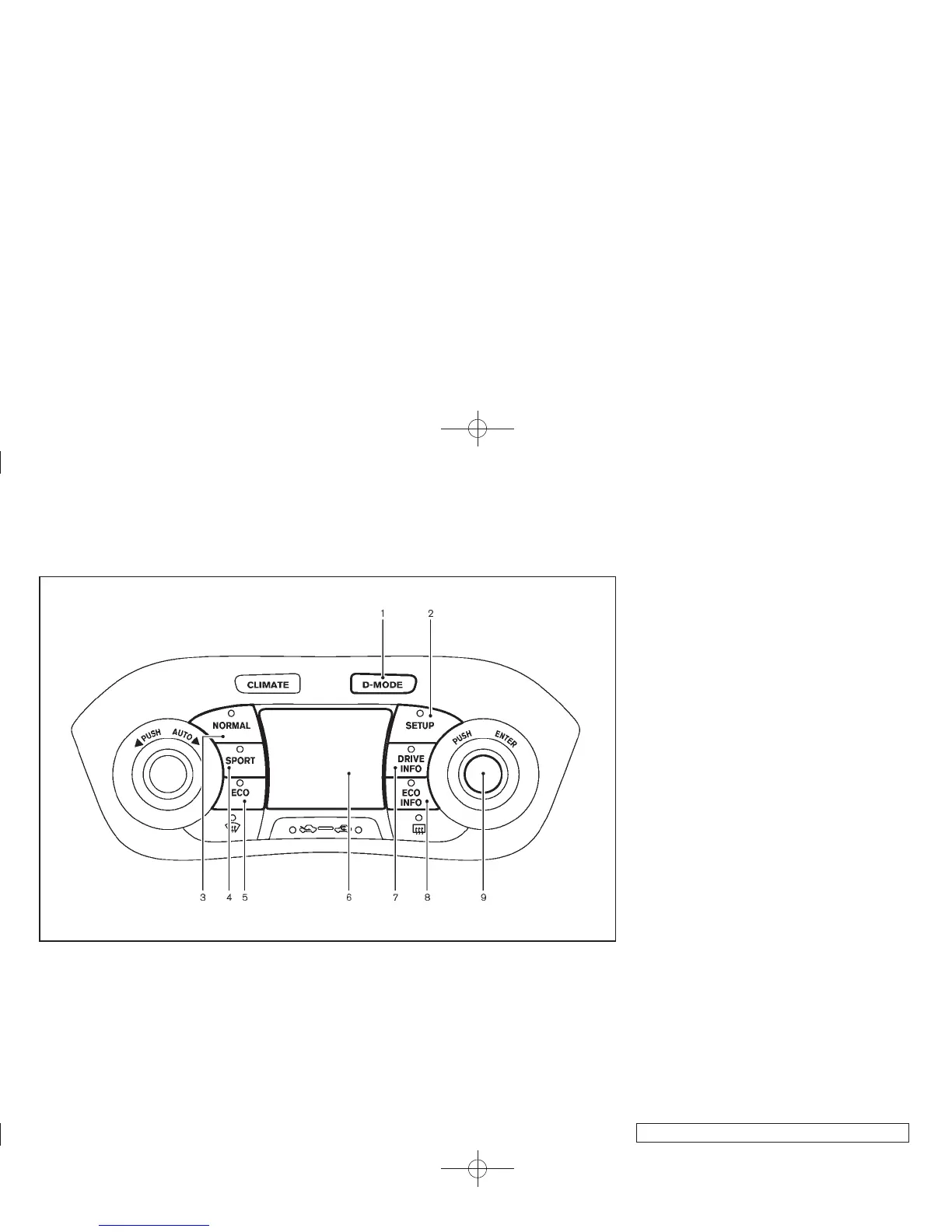
1. Drive mode select button
2. SETUP button
3. Drive mode NORMAL button
4. Drive mode SPORT button
5. Drive mode ECO button
6. Display screen
7. Drive information button
8. ECO information button
9. ENTER button/Selection dial
SETUP FUNCTION
While in the Drive mode, the following items can
be set up by pressing the SETUP button.
. Display Brightness
. Button Brightness
. Clock Time Setting
. Select Language
. Select Units
. Auto Interior Illumination
. Selective Door unlock
. Auto Headlight Sensitivity (if so equipped)
. CLIMATE ECO
NOTE:
. The S ETUP function cannot be a d-
justed while driving.
. When the battery is disconnected, the
SETUP memory is erased and reverts to
the default settings. If necessary, reset
the SETUP memory after reconnecting
the battery.
2-20 Instruments and controls



 To Next Page