To view detailed instructional videos regarding these and other features,
please go to www.nissanownersinfo.mobi.
11
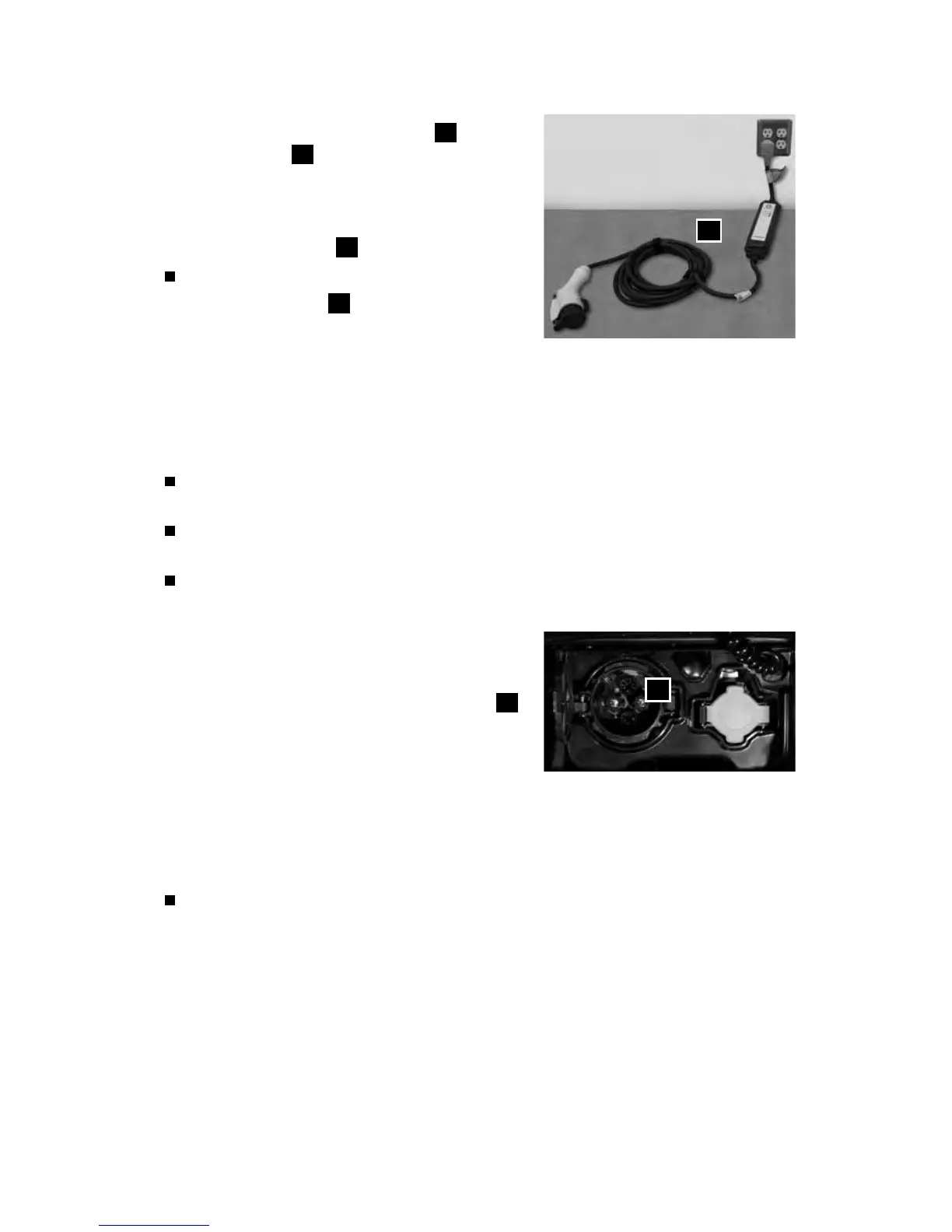
• Connect the charge connector
6
to the
charge port
2
. A beep will sound once.
• If plugging in the EVSE connector to a power
outlet, attach a string to the control box
and
hang it on a hook near the outlet or set it on
a suitable surface
7
o the ground.
To stop charging:
• Press the button
8
on the charge
connector to release the lock and remove
the charge connector from the charge port.
• Close the charge port cap and the charge port lid.
• Remove the EVSE plug from the power outlet, attach the safety cap to the
charge connector and store it in the case.
QUICK CHARGE (if so equipped)
Perform a quick charge by connecting the charge connector of a quick charger
at a charge station to the vehicle.
It takes approximately 30 minutes to charge the Li-ion battery to 80% when the
low battery charge warning light illuminates.
To charge your vehicle:
• Place the power switch in the OFF position.
• Open the charge port lid by pushing the
charge port lid opener switch located on the
instrument panel to the left of the steering
wheel and unlatch the charge port cap
9
.
• Align the groove of the charge connector
with the groove of the charge port then
insert the charge connector.
• Grasp the lock lever and then lock the charge connector.
• Follow the instructions on the quick charge equipment to start charging. When
the equipment is properly installed and ready to charge, a beep sounds twice
and the charging status indicator light will change.
To stop charging:
• Follow the instructions on the quick charge equipment.
• Unlock the charge connector and remove it from the vehicle.
• After closing the charge port cap, close the charge port lid.
Please see your Owner’s Manual for important safety information, system limitations, and additional
operating and feature information.
For more information, refer to the “EV overview (section EV)” and the “Charging (section CH)” of your
Owner’s Manual.
9
7



 To Next Page