To view detailed instructional videos regarding these and other features,
please go to www.nissanownersinfo.mobi.
25
TRIP COMPUTER
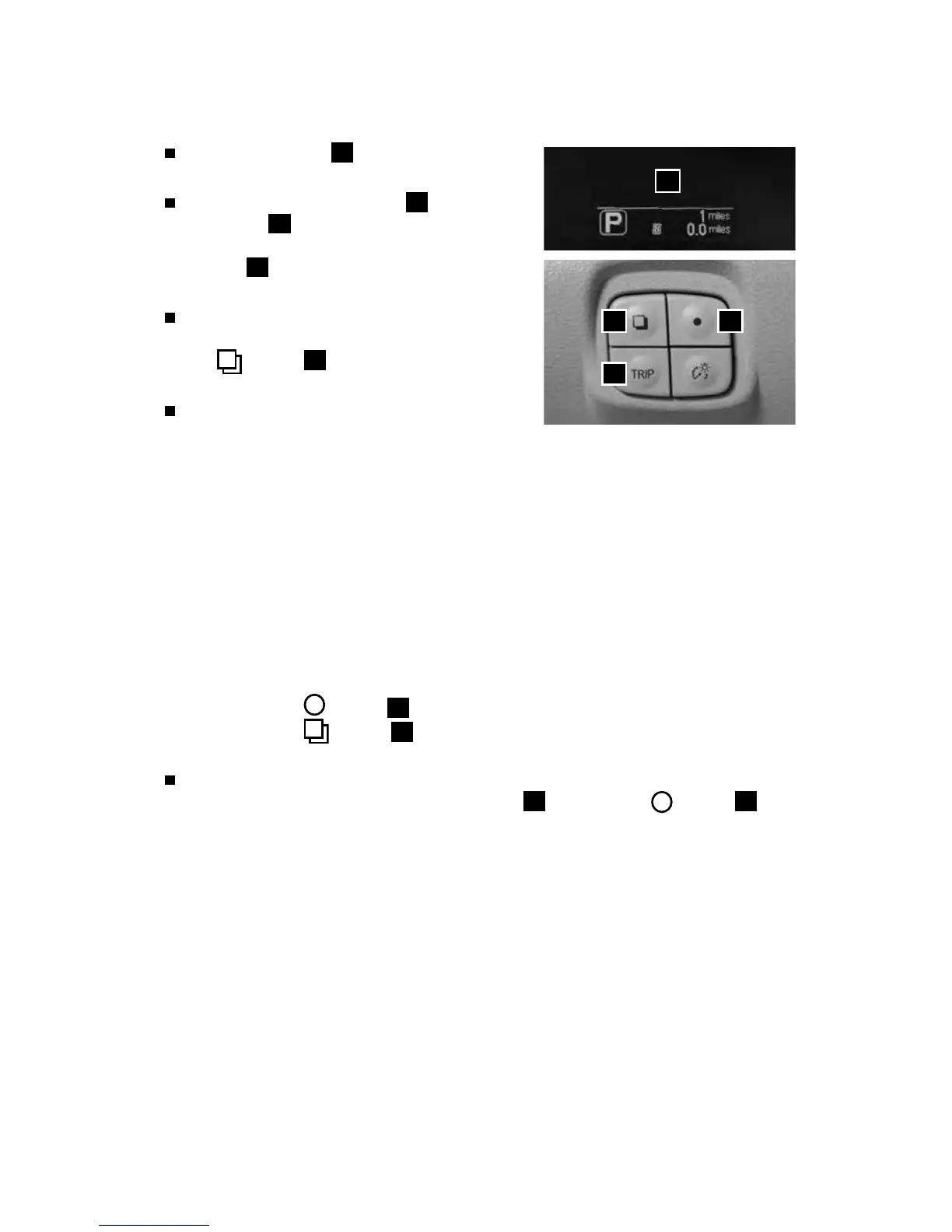
The trip computer
1
is located in the vehicle
information display.
By pressing the TRIP button
2
, the trip
computer
1
will switch between trip A
and trip B. By pressing and holding the TRIP
button
2
for a few seconds, trip A or trip B
will be reset.
With the power switch in the ON position, trip
computer modes can be selected by pressing
the button
3
on the left side of the
instrument panel.
The following modes can be selected in
the display:
• To 100% Charge – Displays the estimated time to a full Li-ion charge using
either 120V or 240V.
• Energy Economy – Displays the average and instant energy economy.
• Average Speed – Displays the average vehicle speed since the last reset.
• Driving Distance and Elapsed Time – Displays the total distance the vehicle has
been driven and the time since the last reset.
• SOC% – Displays the vehicle’s current state of charge.
• Settings – Allows you to adjust the system settings for features such as
the clock, maintenance intervals, reminders or preferences for alerts, units,
language displays, eects and to return to factory reset.
· Press the
button
4
to cycle through the various setting modes.
· Press the
button
3
to choose the selected mode.
• Warning – Displays when a warning message is present.
To reset Average Energy Economy, Average Speed, Driving Distance and Elapsed
Time, go to that mode on the trip computer
1
and hold the button
4
for
longer than 1 second.
Please see your Owner’s Manual for important safety information, system limitations, and additional
operating and feature information.
For more information, refer to the “Instruments and controls (section 2)” of your Owner’s Manual.
43
2
1
SYSTEM GUIDE



 To Next Page