To view detailed instructional videos regarding these and other features,
please go to www.nissanownersinfo.mobi.
31
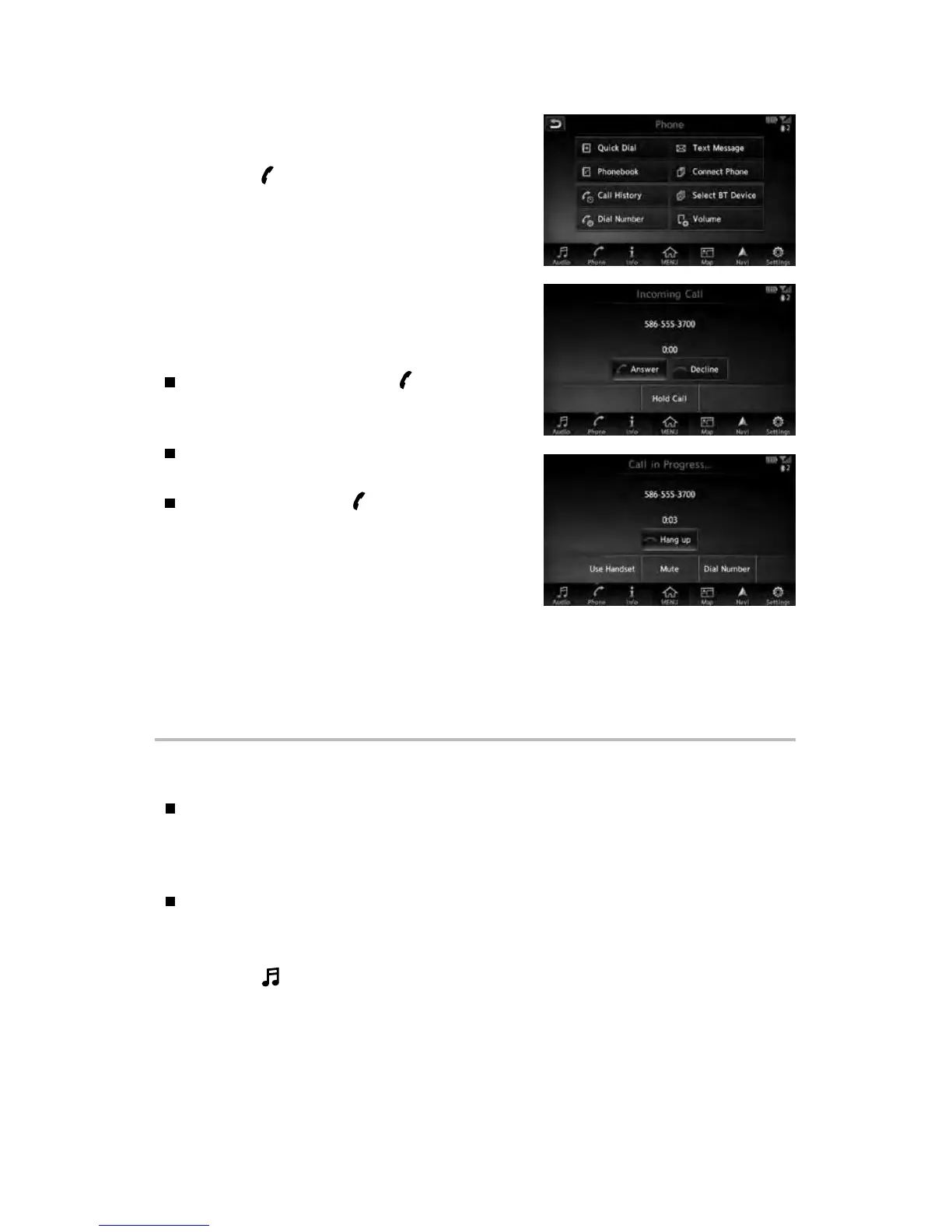
MAKING A CALL
To make a call, follow this procedure:
1. Press the
button on the steering wheel.
The Phone menu will appear on the control
panel display.
2. Touch the “Quick Dial”, “Phonebook”, “Call
History” or “Dial Number” key.
3. Touch the desired entry from the list.
4. Touch the phone number to start dialing.
RECEIVING/ENDING A CALL
To accept the call, press the button on
the steering wheel or touch the “Answer”
key on the display.
To reject the call, touch the “Decline” key on
the display.
To hang up, press the button on the
steering wheel or touch the “Hang up” key
on the display.
* Some jurisdictions prohibit the use of cellular telephones
while driving.
Please see your Owner’s Manual for important safety
information, system limitations, and additional operating and feature information.
For more information, refer to “Display screen, heater, air conditioner, audio and phone systems
(section 4)” of your Owner’s Manual, the “Hands-free phone (section 4)” of your Navigation System
Owner’s Manual or please visit www.NissanUSA.com/bluetooth.
BLUETOOTH® STREAMING AUDIO*
If you have a compatible Bluetooth® device with streaming audio (A2DP prole),
you can set up the wireless connection between your Bluetooth® device and
your vehicle’s audio system. This connection allows you to listen to audio from
the Bluetooth® device using your vehicle’s speakers.
A cellular telephone should not be used while driving so full attention may be
given to vehicle operation.
CONNECTING PROCEDURE WITH NAVIGATION SYSTEM (if so equipped)
1. Press the
“Audio” key and touch the “Bluetooth Audio” key.



 To Next Page