To view detailed instructional videos regarding these and other features,
please go to www.nissanownersinfo.mobi.
4
Stolen Vehicle Locator, a service that works in coordination with law
enforcement agencies to assist in the recovery of a stolen vehicle.
Remote Door Lock/Unlock, for use when you forget to lock your car or if
you need to open it and don’t have the keys. To use this feature, log into
the NissanConnect EV & Services companion app or website or contact a
NissanConnect EV & Services Response Specialist.
Alarm Notication, this system will notify you when the factory-installed vehicle
alarm system has been activated.
Maintenance Alert, review notications via a selected method of a vehicle
system malfunction that triggers instrument panel warning lights.
Connected Search, select “Connected Search” from the Destination menu on
the vehicle’s Navigation System to conduct a Point of Interest (POI) search
within a certain distance of the vehicle’s location.
Valet Alert, use Valet Alert to set up a 0.2-mile radius around your vehicle.
Activate alerts via the NissanConnect EV & Services companion app or website.
Curfew Alert, specify curfew limits via the NissanConnect EV & Services
companion app or website and will be notied via a selected method if curfew
is violated.
Journey Planner, a feature that allows you to send a route with a destination and
up to ve way points directly to the vehicle.
Boundary Alert, a feature that allows you to
monitor the movement of your vehicle in and
out of specied regions you have set on the
Monitoring section of the NissanConnect EV
& Services web portal or companion app.
Speed Alert, which sends you alerts when
your vehicle speed exceeds a threshold you
have set on the web portal or
companion app.
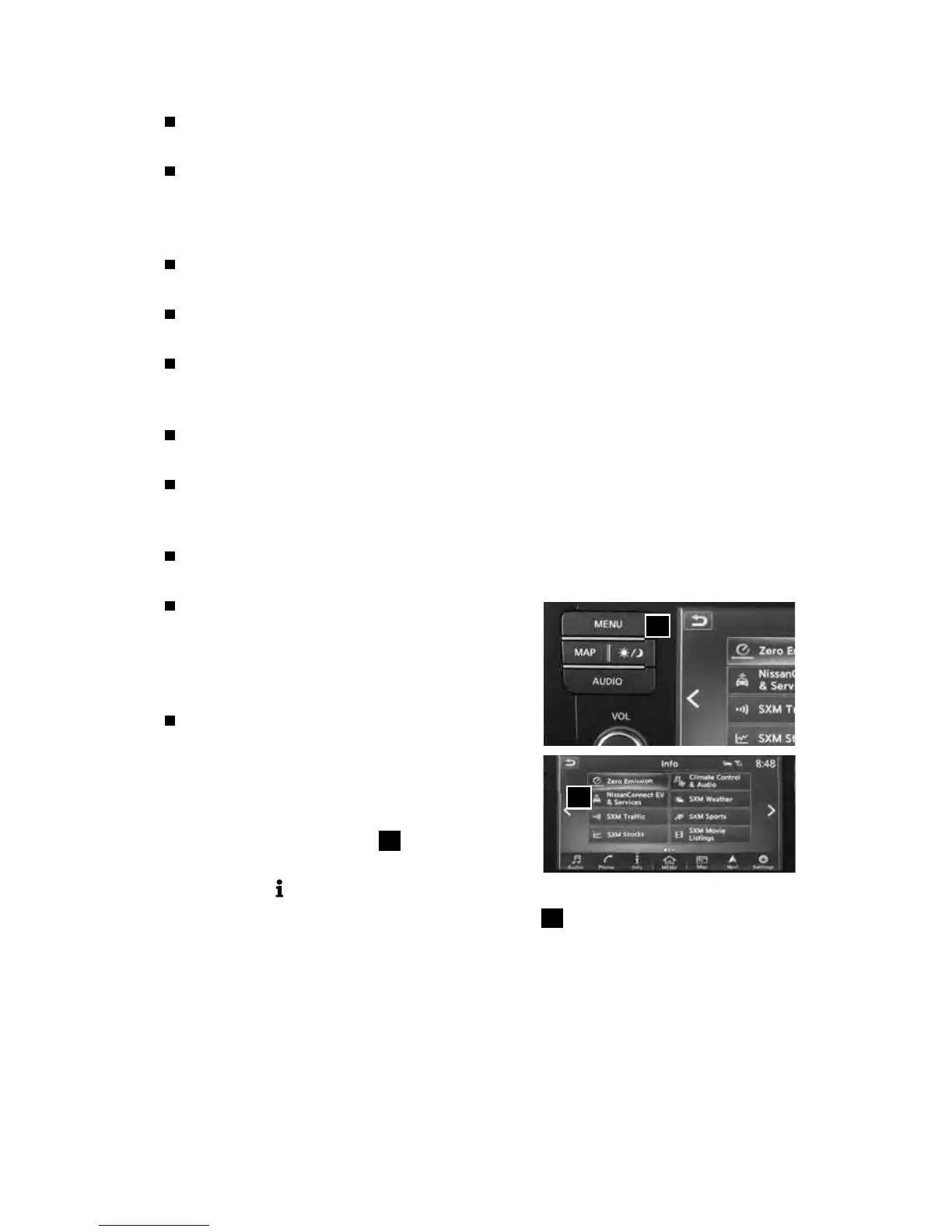
To access these features in your vehicle:
• Press the MENU button
3
on the
control panel.
• Touch the
“Info”key
• Touch the “NissanConnect EV & Services” key
4
.
Please see your Owner’s Manual for important safety information, system limitations, and additional
operating and feature information.
For more information, refer to the “Charging (section CH)” of your Owner’s Manual and the “System
overview (section IT)” and your NissanConnect® Manual (for Leaf).
3
4
2948550_18a_Leaf_QRG_100317.indd 4 10/3/17 3:57 PM



 To Next Page