To view detailed instructional videos regarding these and other features,
please go to www.nissanownersinfo.mobi.
5
NEW SYSTEM FEATURES
PROPILOT
TM
ASSIST (if so equipped)
ProPILOT
TM
Assist is a combination of ICC and Steering Assist. The ProPILOT Assist
system is intended to enhance the operation of the vehicle when following a vehicle
traveling in the same lane and direction.
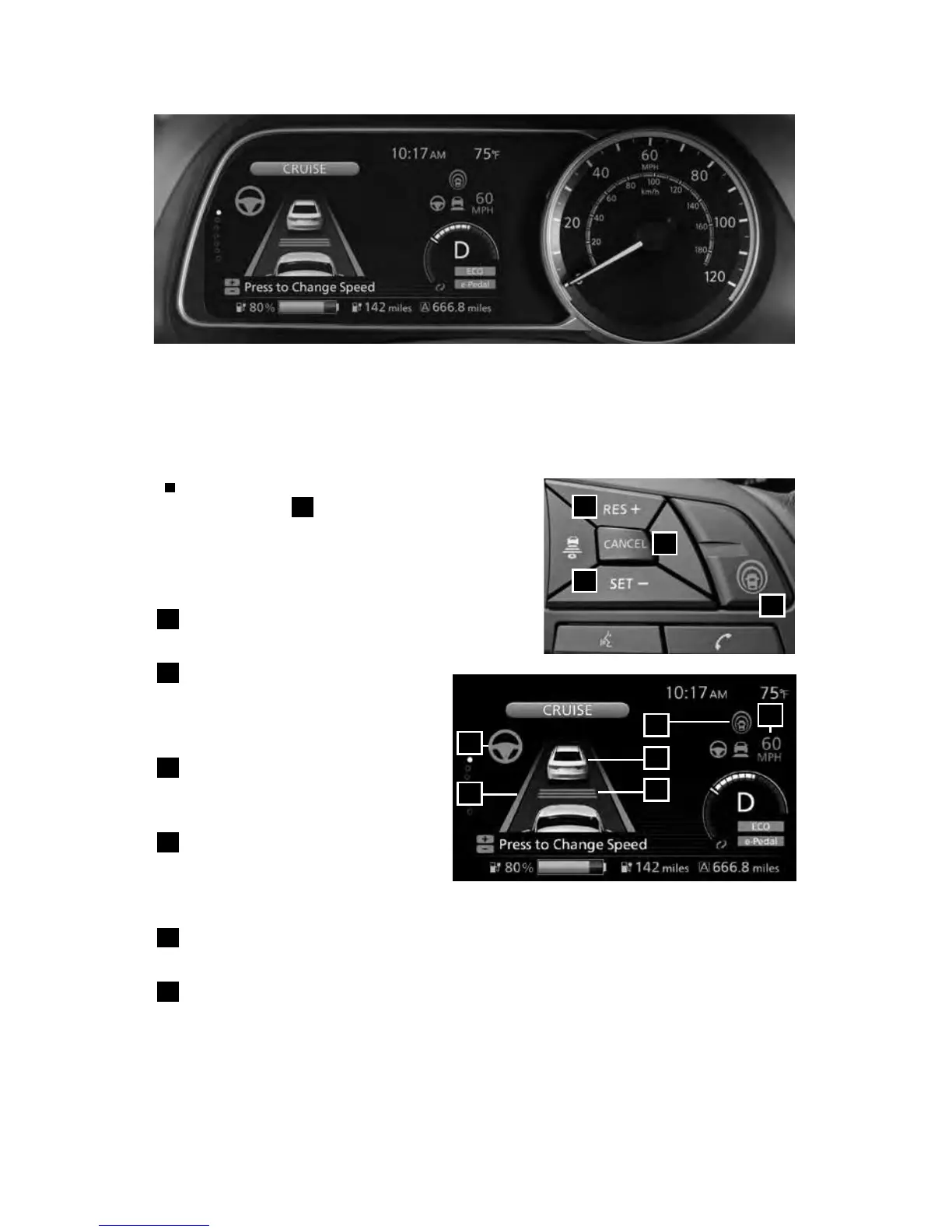
SETTING THE PROPILOT ASSIST SYSTEM
To set ProPILOT Assist, press the ProPILOT
Assist switch
1
on the steering wheel. The
ProPILOT Assist system display will appear on
the vehicle information display.
PROPILOT ASSIST SYSTEM DISPLAY
AND INDICATORS
5
Set vehicle speed indicator
• Displays the speed set by the driver.
6
Steering Assist indicator
• Shows whether Steering Assist is
active or not (green-active, grey-
standby, orange-malfunction).
7
Lane marker indicator
• Indicates whether the system
detects the lane markers.
8
ProPILOT Assist status indicator
• Indicates the status of the
ProPILOT Assist system by the
color of the indicator (blue-active, white-standby).
9
Vehicle ahead detection indicator
• Appears on the display when a vehicle is detected ahead.
10
Set distance indicator
• Displays the selected distance set by driver.
4
3
2
1
8
5
6
7
10
9
2948550_18a_Leaf_QRG_100317.indd 5 10/3/17 3:57 PM



 To Next Page