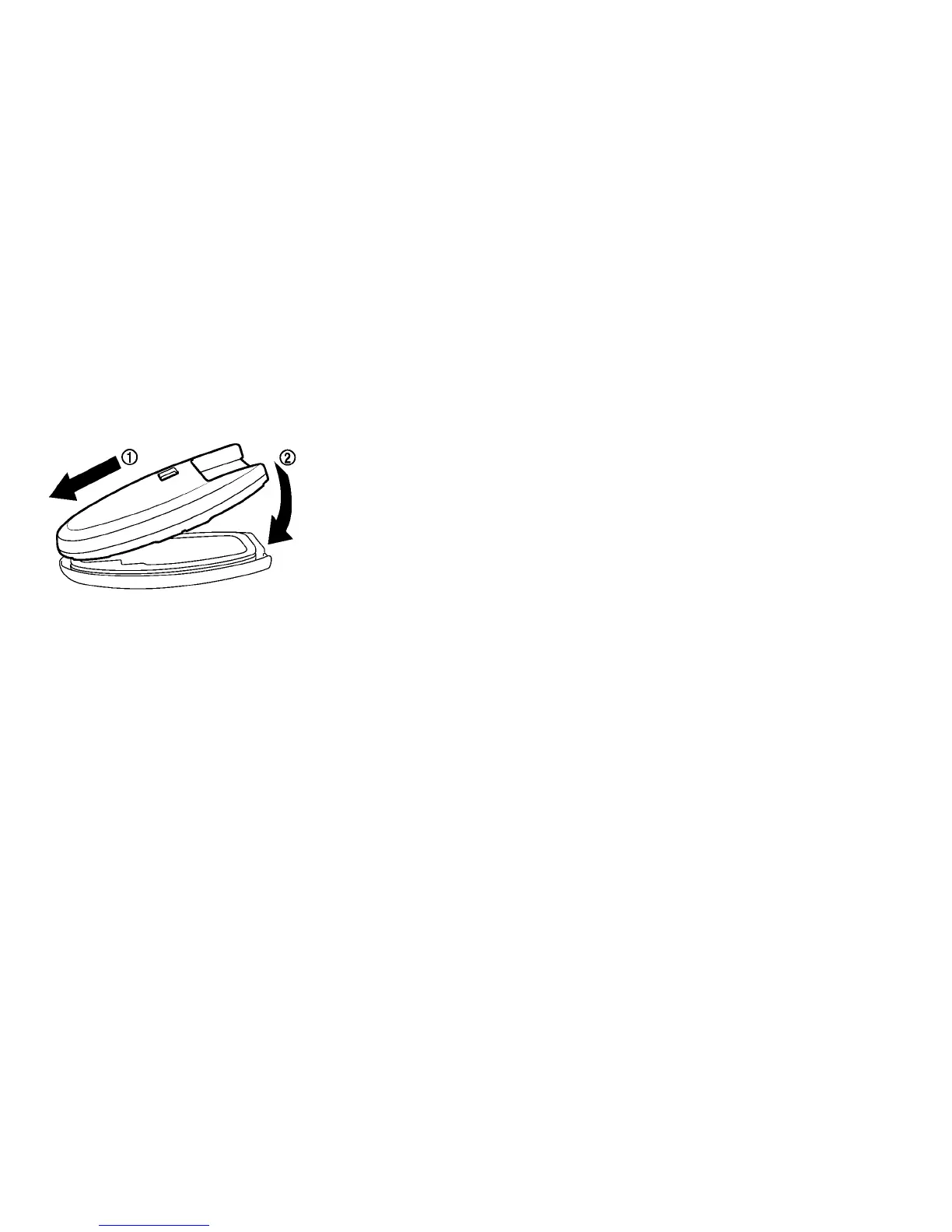
4. Align the tips of the upper and lower parts
䊊
1
,
and then push them together
䊊
2
until it is
securely closed.
5. Operate the buttons to check that it is func-
tioning properly.
See a NISSAN certified LEAF dealer if you need
any assistance for replacement.
FCC Notice:
For USA:
This device complies with Part 15 of the
FCC Rules. Operation is subject to the fol-
lowing two conditions: (1) This device may
not cause harmful interference, and (2) this
device must accept any interference re-
ceived, including interference that may
cause undesired operation.
NOTE:
Changes or modifications not expressly ap-
proved by the party responsible for compli-
ance could void the user’s authority to op-
erate the equipment.
For Canada:
This device complies with RSS-210 of In-
dustry Canada. Operation is subject to the
following two conditions: (1) this device
may not cause interference, and (2) this
device must accept any interference, in-
cluding interference that may cause unde-
sired operation of the device.
8-20 Maintenance and do-it yourself





 To Next Page