[ Edit: 2016/ 11/ 24 Model: E12-A ]
2-6 Instruments and controls
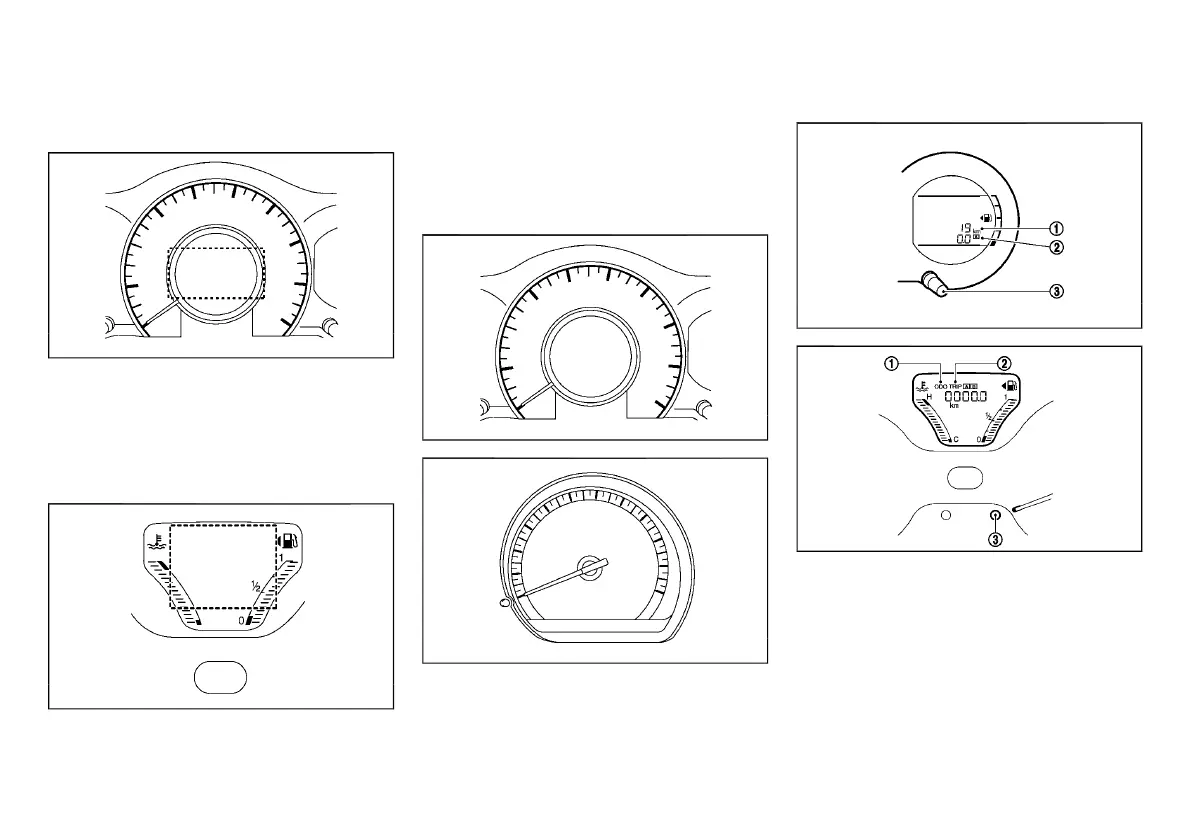
VEHICLE INFORMATION DISPLAY
E12-A-120227-4C2A94FC-C599-4034-9065-F83A94183241
Type A
GUID-94FB2C46-D8C0-45C5-88BC-FD241B797F02
JVI0485X
When the ignition switch is placed in the “ON”
position, the vehicle information display shows the
following information.
. Trip computer
. Clock
Type B
GUID-5673A8F7-C041-464E-941B-197D91DC0912
JVI0180X
When the ignition switch is placed in the “ON”
position, the vehicle information display shows the
following information.
. Odometer/twin trip odometer
. Trip computer
. Clock
. Outside air temperature (if equipped)
. Instrument brightness control display
SPEEDOMETER
E12-A-120227-A922885E-959F-4662-B3C0-896EEF5BDDD6
JVI0486X
Type A
JVI0172X
Type B
The speedometer indicates the vehicle speed.
ODOMETER/TWIN TRIP ODOMETER
E12-A-120227-4EE9921B-8A6E-4E9A-8B7C-611F0EC62C0D
JVI0468X
Type A
JVI1528X
Type B
The odometer/twin trip odometer is displayed:
. when the ignition switch is in the “ON” position.
. for 30 seconds after the ignition switch was
placed in the "OFF" position. (Type A)
The odometer
*
1
displays the total distance the
vehicle has been driven.
The twin trip odometer
*
2
displays the distance of
individual trips.
Condition:



 To Next Page