[ Edit: 2016/ 11/ 24 Model: E12-A ]
E12-A-120227-660FF281-6C8B-4DF2-AF40-962E6417D2CD
If the battery cable is disconnected, the clock will be
reset and the correct time will not be indicated.
Readjust the time.
ADJUSTING TIME
E12-A-120227-D0AE35B7-5D04-459E-8287-66DD94138341
Type A
E12-A-120227-077570E3-FA3C-4C93-ACF4-58B57E807FD2
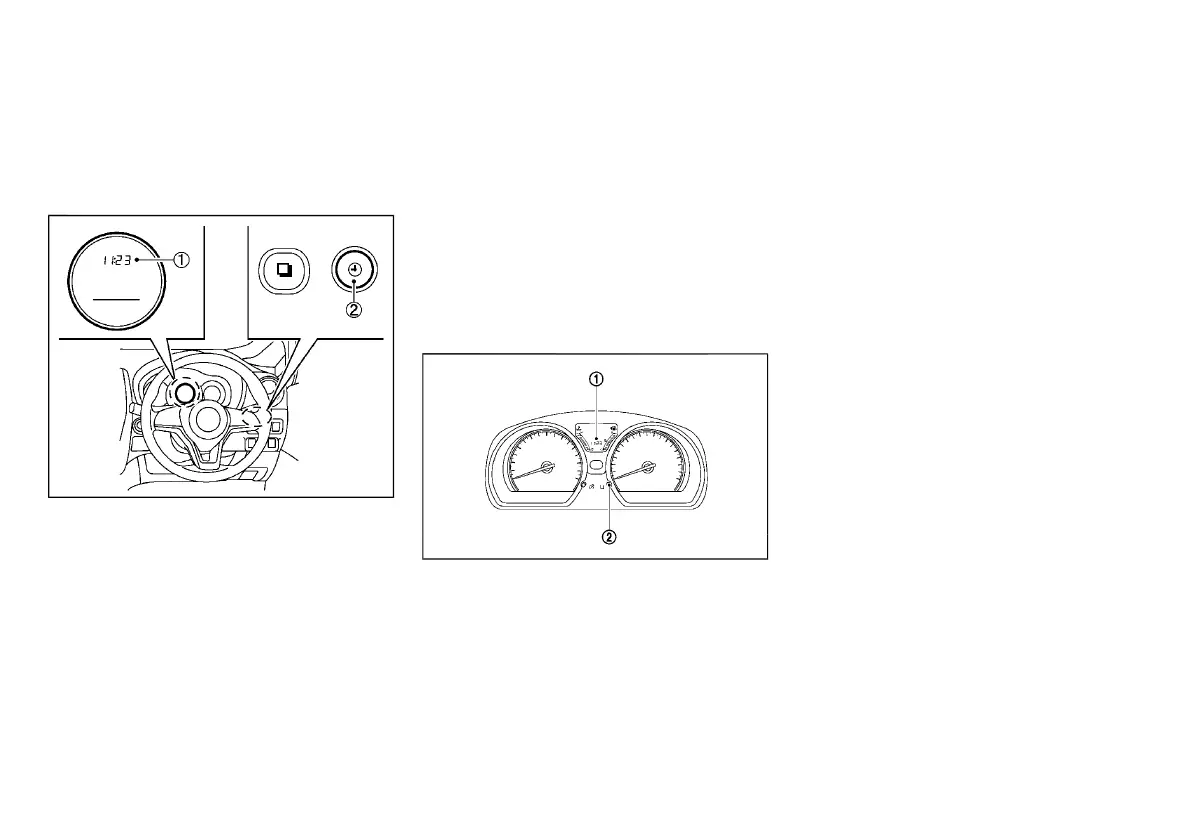
JVI1542X
The digital clock
*
1
in the vehicle information display
the time when the ignition switch is in the “ON”
position.
To display the clock, push the clock settings switch
*
2
. To adjust the time, perform the following
procedure.
1. Push the clock settings switch
*
2
for 1.5
seconds or more to enter clock adjusting mode.
2. Push the clock settings switch
*
2
to adjust the
hour.
Wait at least 3 seconds for the minute display to
flash.
3. Push the clock settings switch
*
2
to adjust the
minutes.
To advance the time, hold down the switch
*
2
.
Wait at least 3 seconds for the second display “:”
to flash.
The selected values will be stored if no user input is
detected for 60 seconds, or can be reset by using the
clock settings switch
*
2
.
The digital clock can be switched between 24-hour
display and 12-hour display when the clock settings
switch
*
2
is pushed briefly.
Type B
E12-A-120227-63AA03EA-DB36-419B-87C0-B60A2574B78D
JVI1543X
The digital clock
*
1
in the vehicle information display
the time when the ignition switch is in the “ON”
position. To adjust the time, perform the following
procedure:
1. If the clock settings switch
*
2
is pushed while
the distance to empty is displayed, the clock
display will blink.
2. Push the clock settings switch
*
2
for 1.5
seconds. The hours display will start to flash.
3. Push the clock settings switch
*
2
to adjust the
hour. To advance the time, hold down the switch
*
2
.
Wait at least 3 seconds for the minute display to
flash.
4. Push the clock settings switch
*
2
to adjust the
minutes. To advance the time, hold down the
switch
*
2
. Wait at least 3 seconds for the
second display “:” to flash.
The selected values will be stored if no user input is
detected for 60 seconds, or can be reset by using the
clock settings switch
*
2
.
Instruments and controls 2-25
CLOCK
Condition:



 To Next Page