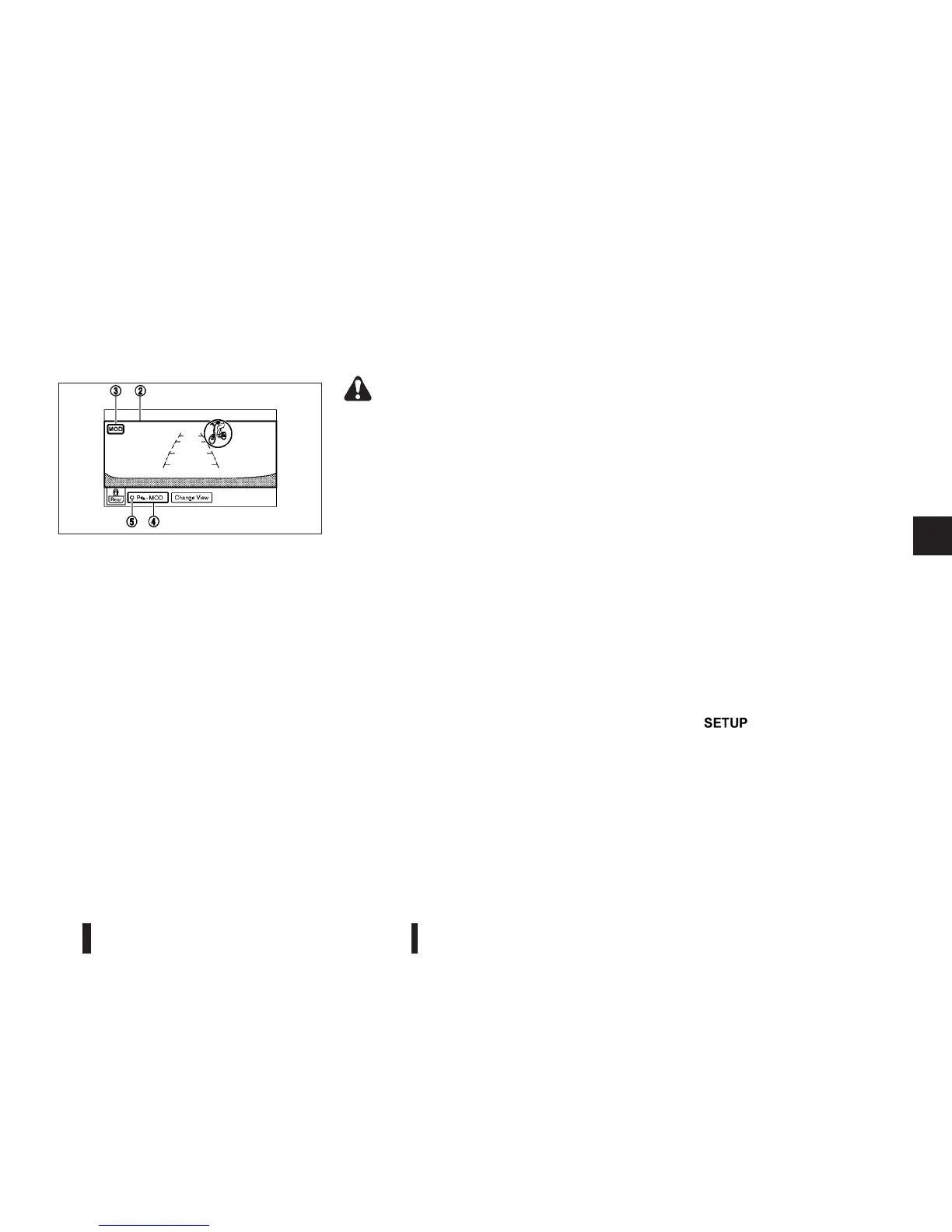
*: For the Right-Handle Drive (RHD) model, the
screen layout will be opposite.
When the MOD system detects a moving object
surrounding the vehicle, the yellow frame will be dis-
played on the view where the objects are detected
and a chime will sound once. While the MOD sys-
tem continues to detect moving objects, the yellow
frame continues to be displayed.
In the bird-eye view, the yellow frame
j1 is dis-
played on each camera image (front, rear, right, left)
depending on where moving objects are detected.
The yellow frame
j2 is displayed on each view in
the front view, front-wide view, rear view and rear-
wide view modes.
A blue MOD icon is displayed in the view where the
MOD system is operative. A grey MOD icon is dis-
played in the view where the MOD system is not
operative.
WARNING
•
Do not use the MOD system when towing a
trailer (if available). The system may not func-
tion properly.
•
Excessive noise (for example, audio system
volume or open vehicle window) will interfere
with the chime sound, and it may not be heard.
•
The MOD system performance will be limited
according to environmental conditions and
surrounding objects such as:
– When there is low contrast between back-
ground and the moving objects.
– When there is blinking source of light.
– When strong light such as another vehi-
cle’s headlight or sunlight is present.
– When camera orientation is not in its usual
position, such as when mirror is folded.
– When there is dirt, water drops or snow on
the camera lens.
– When the position of the moving objects in
the display is not changed.
•
The MOD system might detect something like
flowing water droplets on the camera lens,
white smoke from the muffler, moving shad-
ows, etc.
•
The MOD system may not function properly
depending on the speed, direction, distance
or shape of the moving objects.
•
If your vehicle sustains damage to the parts
where the camera is installed, leaving it mis-
aligned or bent, the sensing zone may be al-
tered and the MOD system may not detect
objects properly.
Camera maintenance
If dirt, rain or snow accumulates on the camera, the
MOD system may not operate properly. Clean the
camera.
HOW TO ADJUST THE SCREEN
VIEW
To adjust the display brightness of the Around View
Monitor, use the settings described in the sepa-
rately provided NISSAN Connect owner’s manual.
Do not adjust the settings while the vehicle is mov-
ing. Make sure the handbrake is firmly applied.
AROUND VIEW MONITOR SETTINGS
To switch the Moving Object Detection between on
or off, proceed as follows:
1) Press the
button.
2) Touch the [System] key.
3) Touch the [Driving Aids] key.
JVH0375XZ
Front-wide view/rear-wide view
Heater and air conditioner, and audio system 4-11



 To Next Page