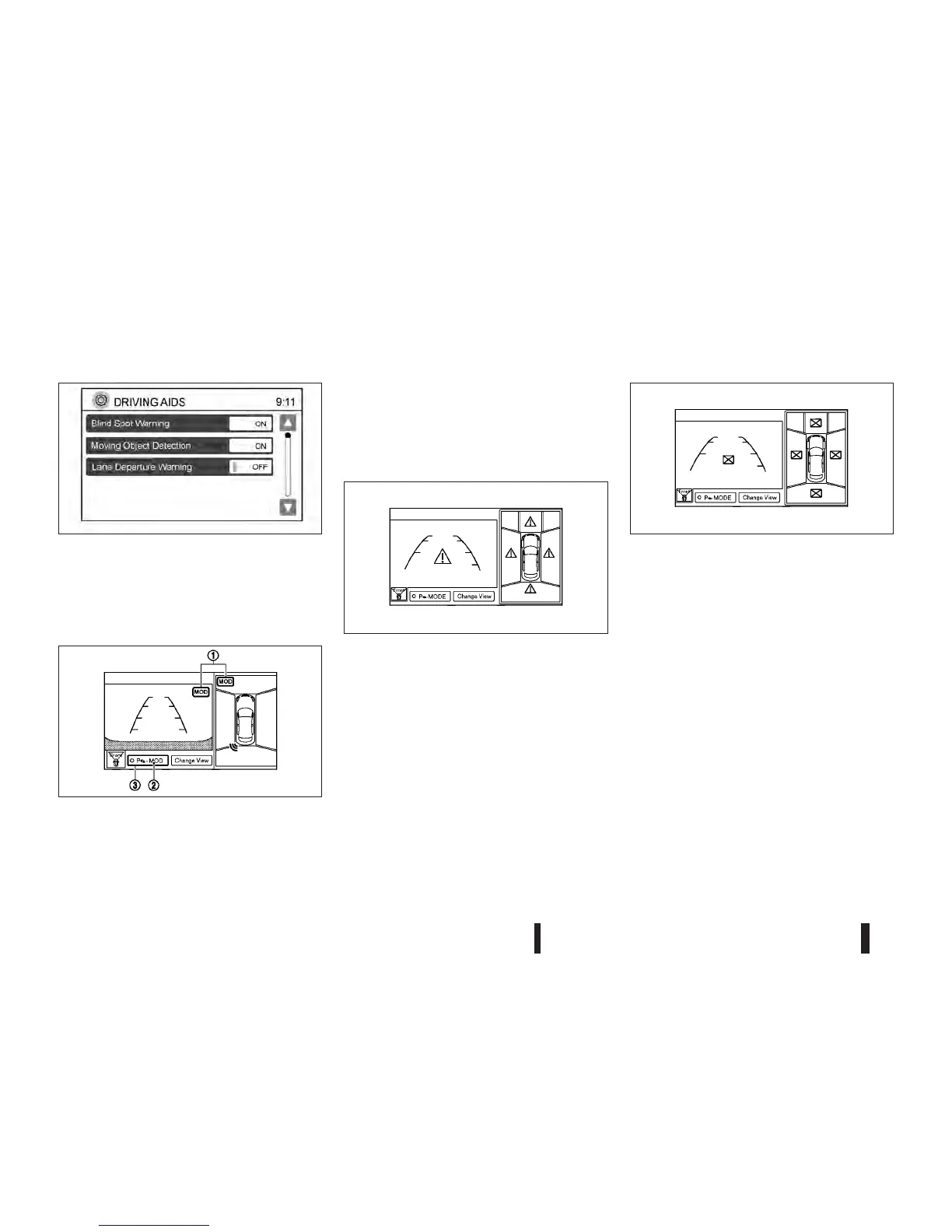
4) Touch the [Moving Object Detection] key to
switch between [ON] or [OFF].
Setting items
Designs and items displayed on the screen may
vary depending on the models.
[Moving Object Detection (MOD)]:
Activate or deactivate the Moving Object Detection
(MOD) mode.
When this item is set to on, the MOD is activated.
When this item is turned off (indicator turns off), the
MOD system is deactivated.
View malfunction
When the [ ! ] icon is displayed on the screen, there
will be abnormal conditions in the Around View
Monitor. This will not hinder normal driving opera-
tion but the system should be inspected by a
NISSAN dealer or qualified workshop.
When the [ X ] icon is displayed on the screen, the
camera image may be receiving temporary elec-
tronic disturbances from surrounding devices. This
will not hinder normal driving operation but the sys-
tem should be inspected by a NISSAN dealer or
qualified workshop if it occurs frequently.
OPERATING TIPS
•
The screen displayed on the Around View Moni-
tor will automatically return to the previous screen
3 minutes after the <CAMERA> button has been
pushed while the shift lever is in a position other
than the R (Reverse) position.
•
When the view is switched, the display images
on the screen may be displayed with some de-
lay.
•
When the temperature is extremely high or low,
the screen may not display objects clearly. This
is not a malfunction.
NSD459
JVH0377XZ
JVH0378XZ
JVH0379XZ
4-12 Heater and air conditioner, and audio system



 To Next Page