•
Quick search
•
,
•
MIX (Random play)
•
RPT (Repeat track)
•
Folder browsing
< /j5>button
While a track with recorded music information tags
(ID3–tags) is being played, the title of the played
track is displayed. If the tags are not provided then
a notification message is displayed.
When the <
/j5>button is pressed repeat-
edly, further information about the track can be dis-
played along with the track title as follows:
Track time → Artist name → Album title → Track
time
Track details:
A long press on the <
/j5> button, the
screen displays the song title, artist name, and al-
bum title. After a few seconds it returns to the main
display or press <
/j5>briefly.
BLUETOOTH® OPERATION
Regulatory information
m
Bluetooth® is a trademark
owned by Bluetooth SIG, Inc.
CE statement
Hereby DAEWOO IS Corp. declares that this sys-
tem is in compliance with the essential requirements
and other relevant provisions of Directive 1999/5/
EC.
m
NOTE
The audio system only supports Bluetooth® de-
vices with AVRCP (Audio Video Remote Control
Profile) version 1.3, or 1.0 or earlier.
BLUETOOTH® settings
To set up the Bluetooth system with your preferred
device, push the <SETUP> button and select
[Bluetooth], then push the <ENTER> button or alter-
natively, press the <
> button. The following items
are available:
•
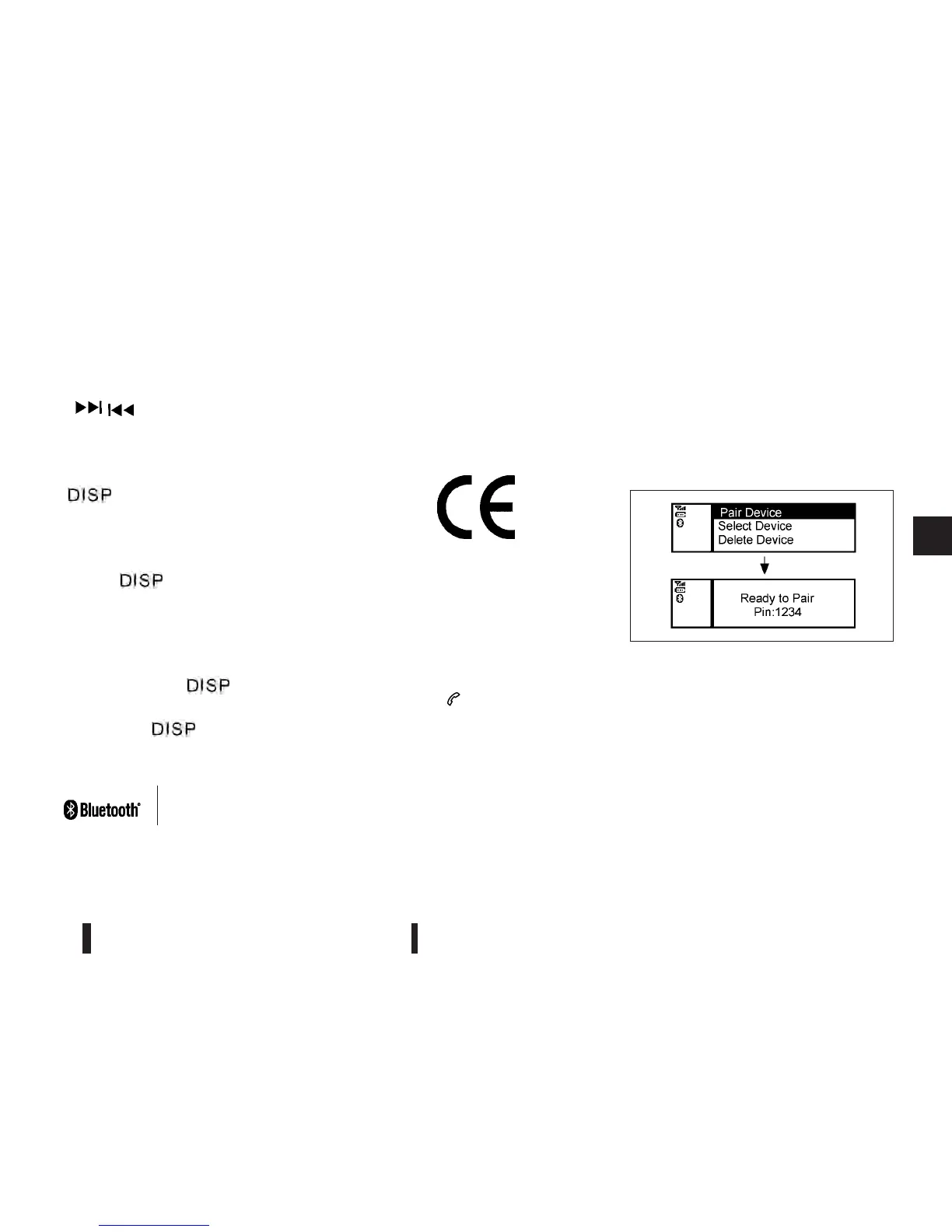
[Pair Device]
Bluetooth devices can be paired with the sys-
tem. A maximum of 5 Bluetooth devices can be
registered.
•
[Select Device]
Paired Bluetooth devices are listed and can be
selected for connection.
•
[Delete Device]
A registered Bluetooth device can be deleted.
•
[On/Off]
If this setting is turned off, the connection be-
tween the Bluetooth devices and the in-vehicle
Bluetooth module will be cancelled.
[Pair Device]:
1. Press the <SETUP> button. Select the
[Bluetooth] key using the<TUNE/MENU> dial.
Then press the <ENTER> button.
You can register up to 5 different Bluetooth mo-
bile phones. However, you can only use one de-
vice at a time. If you have 5 different Bluetooth
registered devices, a new device can only re-
place one of the 5 existing paired devices. Use
[Delete Device] key to delete one of the existing
paired devices. For details, see “[Delete Device]”
later in this section.
NAA1202
Heater and air conditioner, and audio system 4-35



 To Next Page