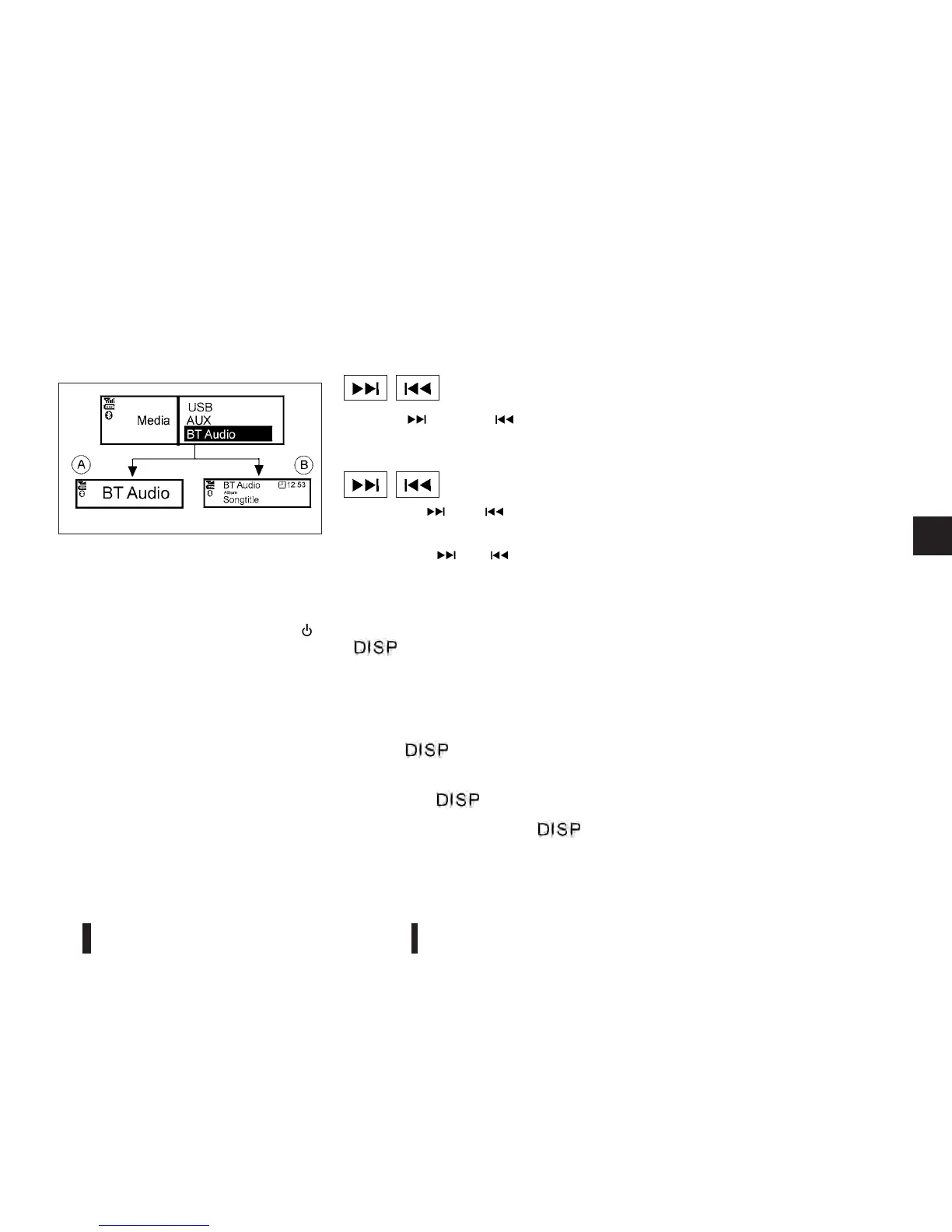
Bluetooth® audio streaming main
operation
Turn the ignition switch to the ACC or ON position.
If the audio system was turned off while the
Bluetooth® audio was playing, pressing the <
>
button will start the Bluetooth® audio streaming.
<AUX> button:
To operate the Bluetooth audio streaming use one
of the following methods:
•
Press the <AUX> button, then turn the <TUNE/
MENU> dial to highlight [BT Audio], and press
<ENTER>.
•
Press <AUX> repeatedly until [BT Audio] is high-
lighted, then press <ENTER>.
The type of display,
jAorjB , shown on the audio
system can vary depending on the Bluetooth® ver-
sion of the device.
Fast Forward (Cue), Fast
Reverse (Review) buttons:
When the <
> (Cue) or < > (Review) button
is pressed continuously, the track will be played at
high speed. When the button is released, the track
will be played at normal playing speed.
Track up/down buttons:
Pressing the <
>or< > button once, the
track will be skipped forward to the next track or
backward to the beginning of the current played
track. Press the <
> or < > button more than
once to skip through the tracks.
Play/Pause:
Press the <ENTER> button to pause. To resume,
press <ENTER> again.
< /j5>button (Type B display
screen only)
If the song contains music information tags
(ID3–tags), the title of the played song will be dis-
played. If tags are not provided then the display will
not show any messages.
When the <
/j5>button is pressed repeat-
edly further information about the song can be dis-
played along with the song title.
A long press on <
/j5>will turn the display
into a detailed overview which after a few seconds
returns to the main display; or press <
/j5>
briefly.
Bluetooth
®
mobile phone feature
This system offers a hands-free facility for your mo-
bile telephone with Bluetooth® to enhance driving
safety, and comfort.
For details, see “Mobile phone integration (FM-AM
radio with CD player)” later in this section.
NAA1203
Heater and air conditioner, and audio system 4-37



 To Next Page