For details, see the separately provided NISSAN
Connect™ owner’s manual.
STEERING WHEEL SWITCHES FOR
PHONE CONTROL
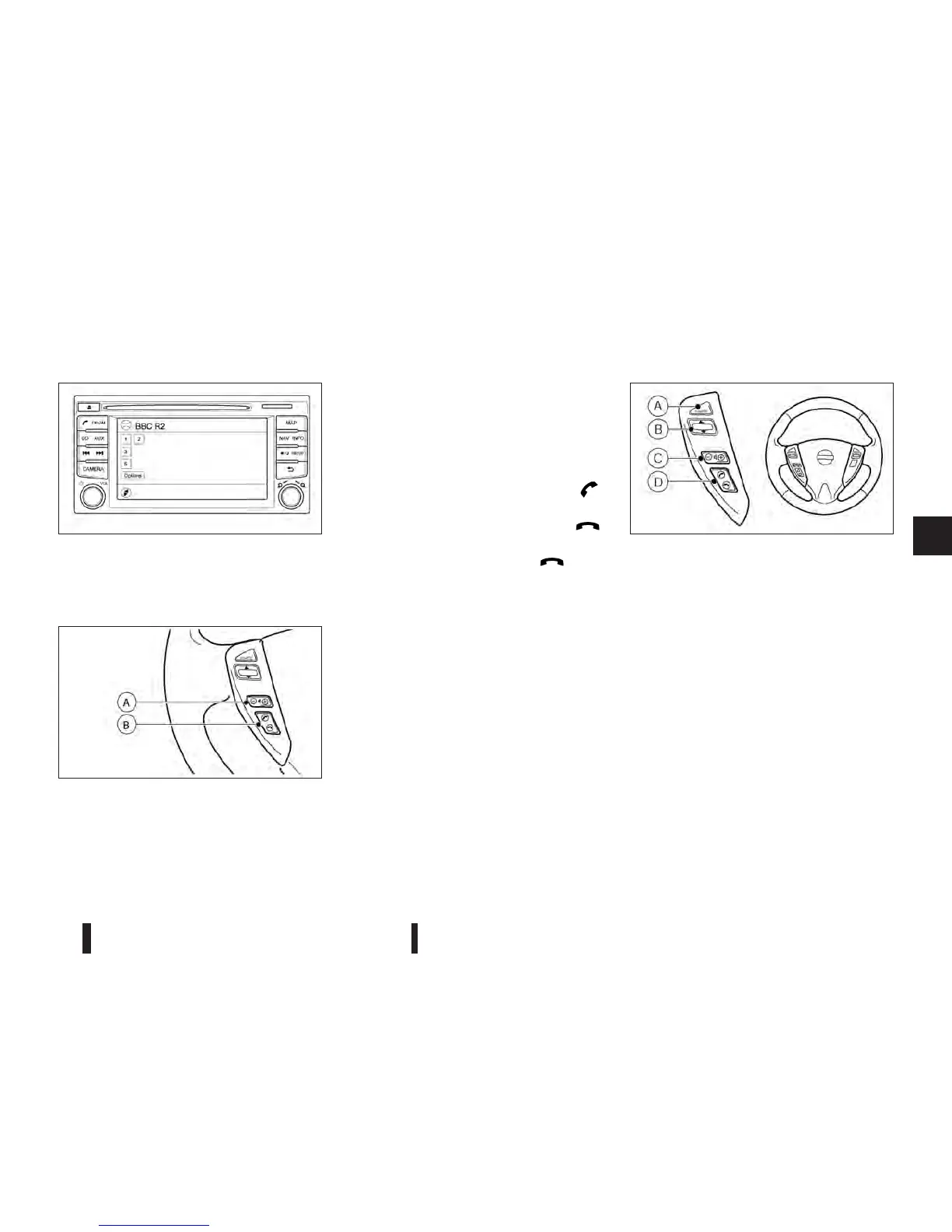
The phone system can be operated using the con-
trols on the steering wheel.
Volume control buttons jA
The volume control button allows you to adjust the
volume.
Phone buttons jB
The button allows you to:
•
Accept an incoming call by pressing the < >
button.
•
Reject an incoming call by pressing the < >
button.
•
End an active call by pushing the < > button
once.
A.
<SOURCE> select switch
B.
Scrolling switches
C.
Volume control switches
D.
Phone control switches
AUDIO CONTROL
The audio system can be operated using the con-
trols on the steering wheel.
SOURCE select switch
When the <SOURCE> select switch is pressed re-
peatedly, the audio source will change.
VOLUME control switches
Press the + or — sides of the switch to adjust the
volume level.
NAA1306
NISSAN Connect™, audio with navigation system
NAA1360
NAA1336
NISSAN CONNECT™
(where fitted)
STEERING WHEEL SWITCHES
FOR AUDIO CONTROL
(where fitted)
Heater and air conditioner, and audio system 4-39



 To Next Page