•
The SET indicator light and cruise control indica-
tor light may blink when the cruise control MAIN
switch is turned on while pushing the RES+,
SET– or CANCEL switch. To properly set the
cruise control system, use the following proce-
dures.
CRUISE CONTROL OPERATIONS
The cruise control allows driving at speeds above
40 km/h (25 MPH) without keeping your foot on the
accelerator pedal.
The cruise control will automatically be cancelled if
the vehicle slows down more than approximately
13 km/h (8 MPH) below the set speed.
Moving the shift lever to the N (Neutral) position will
cancel the cruise control and the SET indicator light
will turn off.
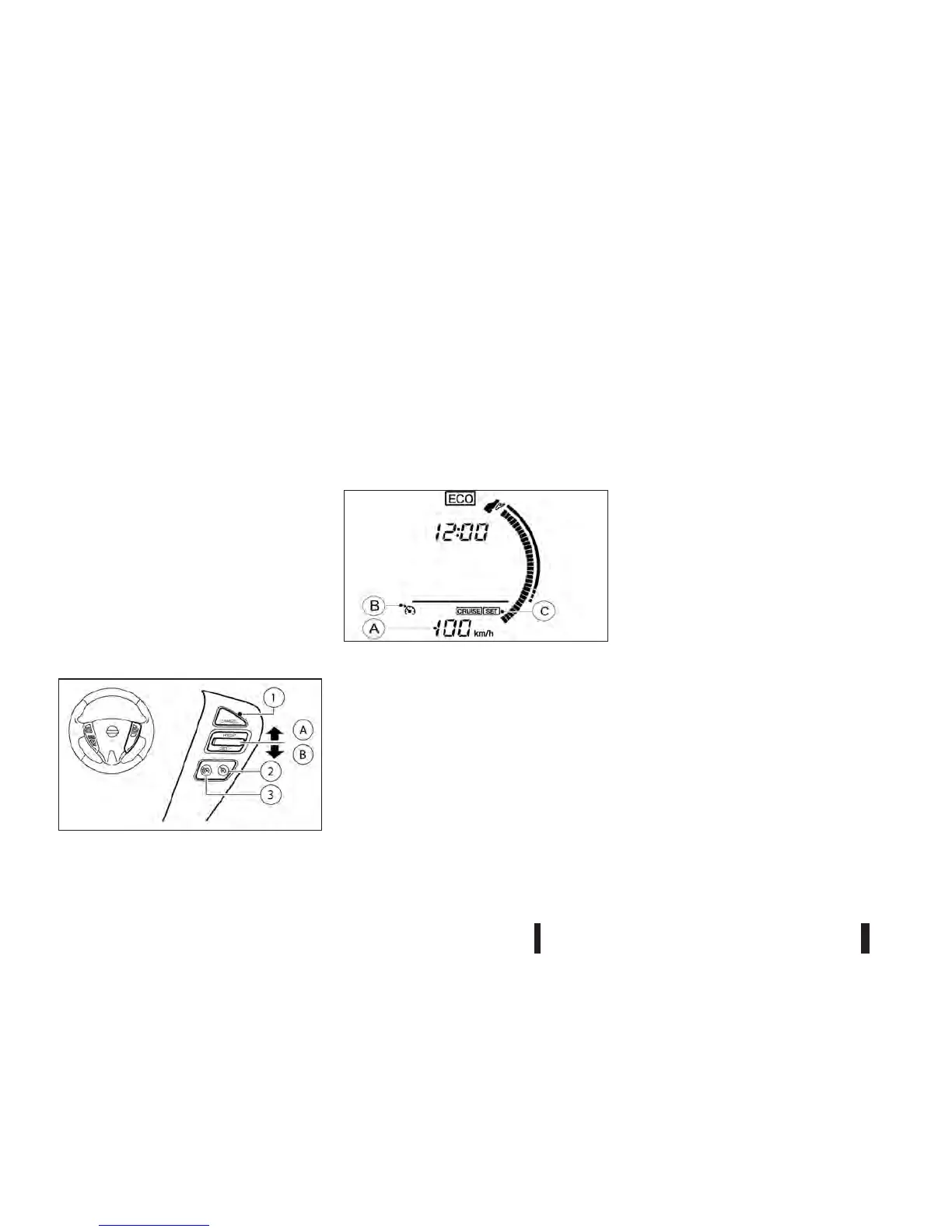
The cruise control switches are located on the steer-
ing wheel.
A.
RES/+ switch
B.
SET/− switch
1.
CANCEL switch
2.
Cruise control MAIN switch
3.
Speed limiter MAIN switch (For details, see
“Speed limiter (where fitted)” later in this sec-
tion.)
Cruise control display and indicators
The cruise control operating condition is shown on
the vehicle information display and instrument panel.
Vehicle information display:
jA
Set speed indicator
Instrument panel:
jB
Cruise control indicator light
jC
SET indicator light
Turning on cruise control
Push the cruise control MAIN switch. The cruise
control indicator light illuminates. The set speed in-
dicator shows “— — —”.
Setting cruising speed
1. Accelerate to the desired speed.
2. Push the SET− switch and release it.
3. The SET indicator light and set speed indicator
illuminate on the meter panel and the vehicle in-
formation display.
4. Take your foot off the accelerator pedal.
The vehicle will maintain the set speed.
Passing another vehicle:
Depress the accelerator pedal to accelerate. After
releasing the accelerator pedal, the vehicle will re-
turn to the previously set speed.
The vehicle may not maintain the set speed when
going up or down steep hills. In such cases, drive
without the cruise control.
Resetting to slower speed:
Use any one of the following methods to reset to a
slower speed.
•
Lightly tap the footbrake pedal. When the ve-
hicle reaches the desired speed, push and re-
lease the SET− switch.
•
Push and hold the SET− switch. When the ve-
hicle reaches the desired speed, release the
SET− switch.
NIC2046
NSD445
5-22 Starting and driving



 To Next Page