The brightness of the Blind Spot Indicator lights is
adjusted automatically depending on the brightness
of the ambient light.
A chime sounds if the camera unit has already de-
tected vehicles when the driver activates the turn
signal. If a vehicle comes into the detection zone
after the driver activates the turn signal, then only
the Blind Spot Indicator light flashes and no chime
sounds. (See “BSW driving situations” later in this
section.)
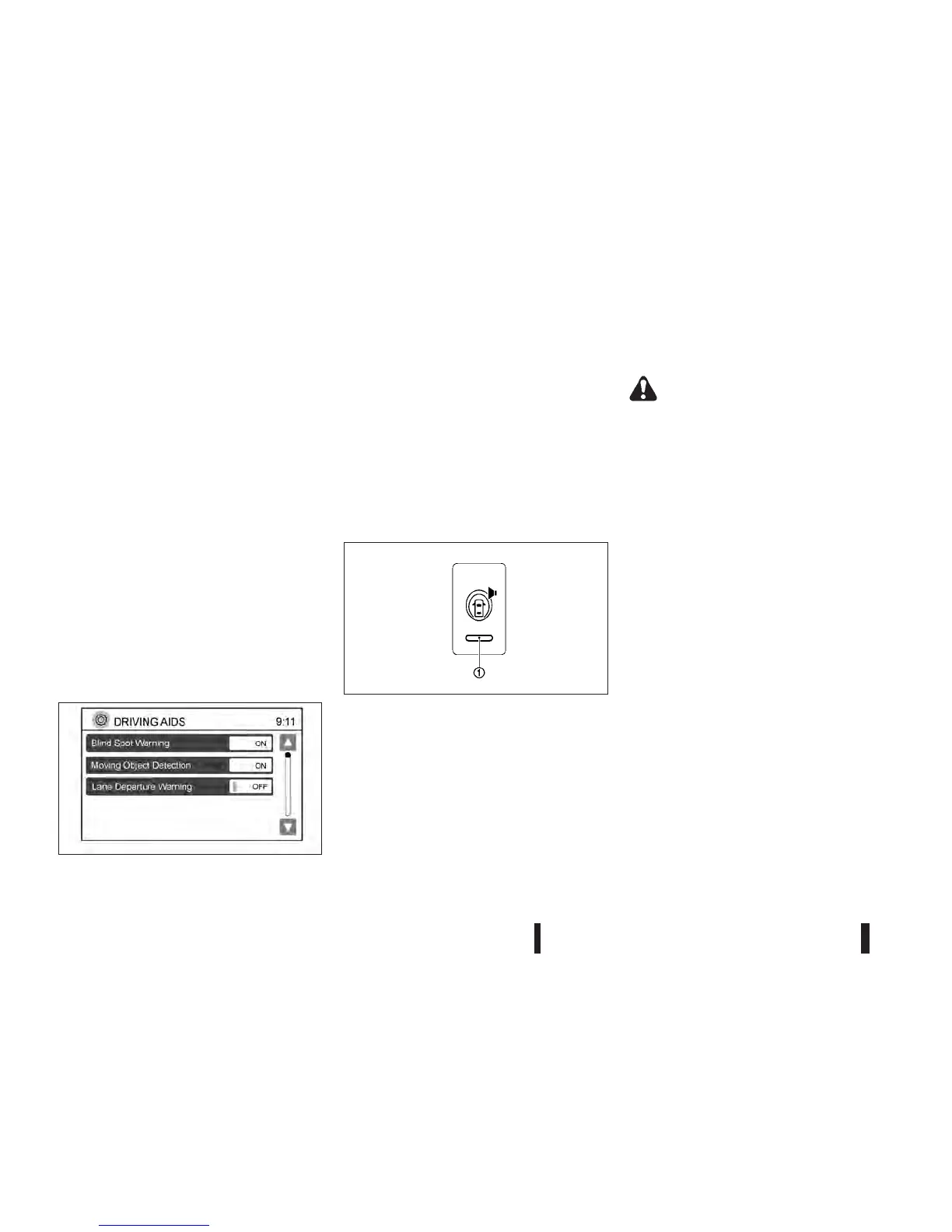
Turning on or off the BSW system
The BSW system can be turned on or off using the
setting menu on the centre display.
SYSTEM ON:
The BSW light (green) on the instrument panel will
light up.
SYSTEM OFF:
The BSW light (green) on the instrument panel will
turn off.
The warning system switch is used to turn on and
off the BSW system when it is activated using
NISSAN Connect™. Push the <SETUP> button on
the unit. Select the [Driving Aids] key. Select the
mode at the [Blind Spot Warning] key by touching
[ON] or [OFF].
NOTE
If the BSW system is turned off using the NISSAN
Connect™ display the system will not activate
using the warning systems switch.
The warning systems switch is used to temporarily
turn off the warning systems (Lane Departure Warn-
ing (LDW) and Blind Spot Warning (BSW) systems)
that are activated using NISSAN Connect™.
WARNING
•
The camera unit may not be able to detect
when certain objects are present such as:
– Pedestrians, bicycles, animals
– Some types of small vehicles such as mo-
torcycles and very short length vehicles
– Oncoming vehicles
– A vehicle approaching rapidly from behind.
(See “BSW driving situations” later in this
section.)
– A vehicle which your vehicle overtakes rap-
idly. (See “BSW driving situations” later in
this section.)
– A vehicle that merges or changes lanes
rapidly directly next to your vehicle.
•
The camera unit may not be able to detect
properly when your vehicle travels beside the
middle section of a vehicle with long wheel-
base (for example, trailer truck, semi-trailer,
tractor).
•
The camera detection zone is designed based
on a standard lane width. When driving in a
wider lane, the camera unit may not detect
vehicles in an adjacent lane. When driving in a
narrow lane, the camera unit may detect ve-
hicles driving two lanes away.
•
The camera unit is designed to ignore most
stationary objects, however objects such as
NSD459
Switching BSW ON or OFF using NISSAN Connect™
SSD1156Z
Warning systems switch
5-28 Starting and driving



 To Next Page