guardrails, walls, foliage and parked vehicles
may occasionally be detected. This is a nor-
mal operating condition.
•
The camera unit may detect the reflected im-
age of vehicles or roadside objects that are
not actually in the detection zone, especially
when the road is wet.
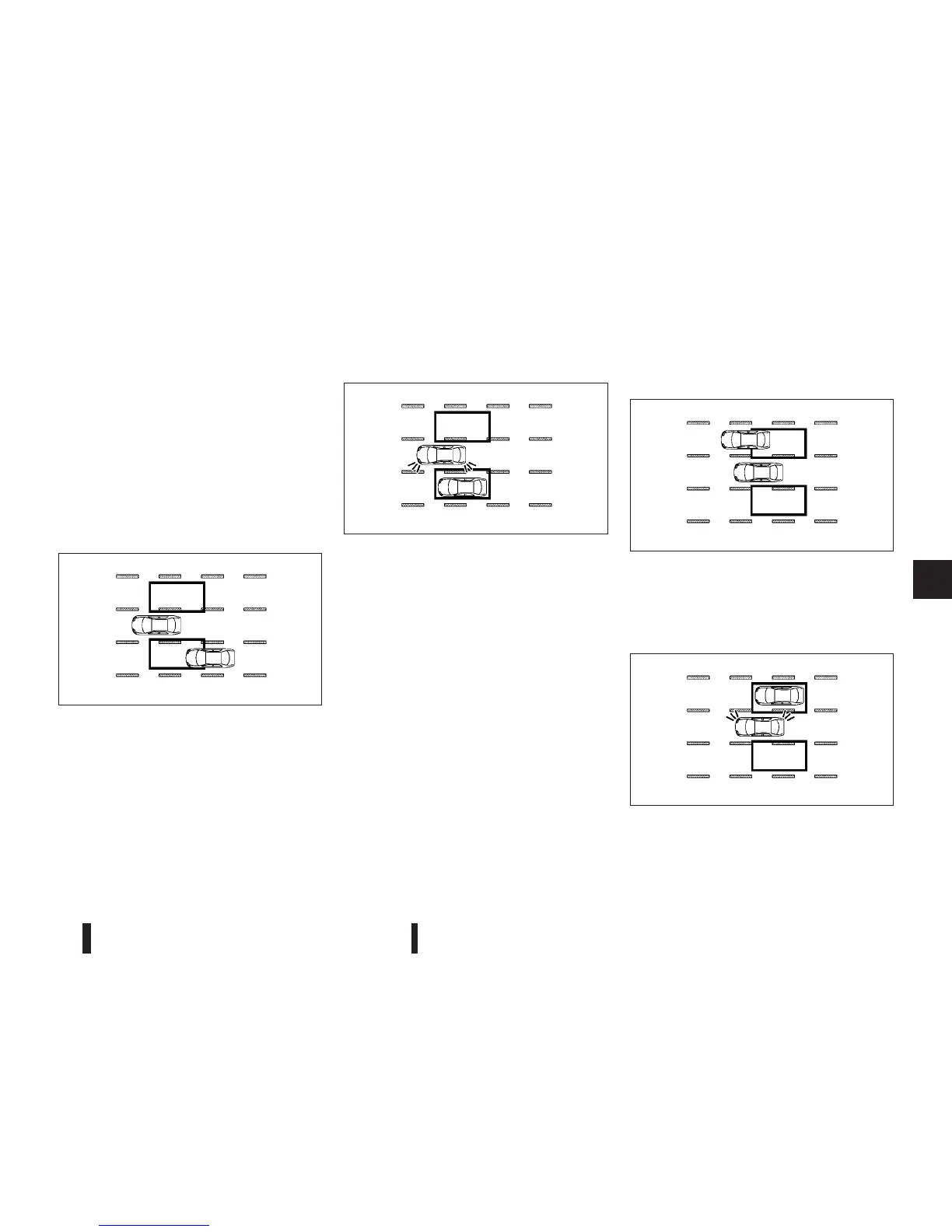
BSW DRIVING SITUATIONS
Another vehicle approaching from
behind
The Blind Spot Indicator light illuminates if a vehicle
enters the detection zone from behind in an adja-
cent lane.
However, if the overtaking vehicle is travelling much
faster than your vehicle, the indicator light may not
illuminate before the detected vehicle is beside your
vehicle. Always use the side and rear mirrors and
turn and look in the direction your vehicle will move
to ensure it is safe to change lanes.
If the driver activates the turn signal, then the Blind
Spot Indicator light flashes and a chime will sound
twice.
NOTE
If the driver activates the turn signal before a
vehicle enters the detection zone, the Blind Spot
Indicator light will flash but no chime will sound
when the other vehicle is detected.
Overtaking other vehicles
The Blind Spot Indicator light illuminates if you over-
take a vehicle and that vehicle stays in the detection
zone for approximately 3 seconds.
The camera unit may not detect slower moving ve-
hicles if they are passed quickly.
If the driver activates the turn signal while another
vehicle is in the detection zone, then the Blind Spot
Indicator light flashes and a chime will sound twice.
SSD1026Z
SSD1031Z
SSD1033Z
SSD1034Z
Starting and driving 5-29



 To Next Page